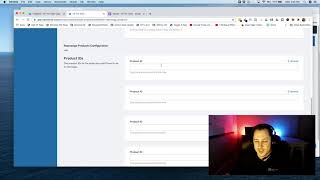
Matt King demonstrates how to install and use the "Rearrange Products" add-on (CF Pro Tools) inside ClickFunnels. He shows creating a new add-on, naming it, adding product IDs in the desired display order, selecting a default product, copying the generated code snippet, pasting it into the funnel page's Settings → Tracking Code → Footer Code, and verifying the new order on the live page. The add-on works with multiple products; support is available at support@fprotools.com.
Chapters
Foreign. What's going on guys? Matt King here and in this video I'm going to show you guys how to use the Rearrange products add on. So this is going to be the demo and the configuration. Honestly, this will be a pretty quick process. So if you add in your products to your clickfunnels account like this and you're like, oh man, you know what, I don't like the order that they're in. You can actually rearrange them as the way. They won't rearrange here on this page, but they will rearrange on the, on your page and how they appear. So by default, when you put in your products and they're in whatever order you put them in, like this, this is how they're gonna look on your actual sales page, so or on your order page in the cart. So if you don't like the way that that looks, you can always come here and there's an add on called Rearrange Products which I'm going to show you right now. And we're gonna go through and set that up right now and then rearrange some products. Okay. So if you're inside of your account, you're just gonna click on Create New Add on or you can click on that number and then click Create New. And what we're gonna do is search by keyword. So if you guys ever have any linkage issues or can't find what you're looking for, you can always click Create New and just type the name of it in here or Rearrange and there it is. Bam. Alright, so we're gonna click on that. This one's real simple. There's a whole bunch of videos here. I'm gonna bypass those. And what you're gonna do, give it a name and we're gonna call this one like Test Live Test. And then what we're gonna do is we're just gonna add in the product ID is rearrange product IDs in the order you want them to be the page. So what we're gonna do here is I'm going to. I had a whole bunch of them there, so I'm just gonna add a few. I think I had like five products, so I just added five product IDs. What you're gonna want to do from 1, 2, 3, 4, 5, you're gonna want to list them in the order that you want them to show up. And then down here you can actually select the default product that you want selected. So I'll pick one in like the middle or something just to make sure that it works. But first let's add in those products. And so what you can do is over here you can just do a right click, let's say the Funnel Concierge for 12 grand. I am going to do a copy link address on that. So I just did a right click on. I'm going to hover over edit right click and do a copy link address. And then I'm going to take that back here and that's going to be the first one that we add. I'm just going to paste that with a Control V or an Apple V. It'll strip out everything except for the product id which is awesome. And, and then we're going to go back and grab another one in the order that we want. So maybe we want all these other ones to be next. So Funnel Starter, Funnel. I don't even know what these are. I think I made these up like a really long time ago. So I'm just totally messing around. So the Funnel starter package will be next and we're going to copy that ID in next here 8684 and then we're going to come back here. So we want Funnel Concierge Funnel Starter and then we'll do Funnel sales copy or something. Right. Phone call that I'm not going to answer copy link address on that and I'm just going to put them in over here real quick and we'll do Funnel plus. So I'm just putting like some really random order here at this point and then the last one will continue to be Funnel Sales copy down here and we'll put that one in down at the bottom. Alright. And then the one that we'll use as the default will be the one that I put in the middle which is 87, which I think was this one fscopy. So I'll just make sure that this one here, which is currently 1, 2, 3, 4 down, that one's going to be the one in the middle. Okay, so I'm going to come back over here. You can see that I'm taking that one, putting that down here as this the product ID for the default, that's going to be the one in the middle. And then we're going to click the red create add on button and that was it. All right, so it creates a little some configuration here. 1, 2, 3, 4, 5. That's the order they'll show up in. I'm going to copy this code snippet out. Copy, copy, copy. And then what we're gonna do is go right back to. We're gonna come back here, I'm gonna go to the overview and we're gonna edit this page. Okay, so what I'm gonna do here is I'm gonna once you're in, go to your settings, go to your tracking code and then we're gonna go to footer code. And it looks like I might actually have some older. Might have some older stuff in there. I'm actually going to see if it works with that. I think that's an old multiple products but what I'm going to do is rearrange it and with the rearrange products, if you have some older stuff in there, just leave it in there. I think that's multiple products. So let's test this out. We'll save. And then what I'm going to do is test this in the live environment actually. So products right here. Alright, so it did. It was multiple products. Check that out. It actually defaulted to the FS copy. The funnel concierge is first funnel starter, FS copy and then these ones down here, which were the last ones that I put in. So that's how that works. And it's real simple to install. It rearranges your products in a way that you like for that to be. And in this case it works with the multiple, multiple products as well, which is really cool. If you guys have any questions, I do encourage you to write in@supportfprotools.com and I'll take a look and see what's going on. Okay guys, take it easy and I'll talk to you guys in another video.