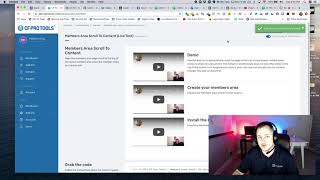
A short screen-recorded demo where Matt from CF Pro Tools support shows how to install the "Scroll to Content" add-on for ClickFunnels membership areas. He creates the add-on in CF Pro Tools, copies the provided JavaScript snippet, opens a membership area in the ClickFunnels editor, pastes the snippet into Settings → Tracking Code → Footer Code, saves, and previews the page to confirm that clicking lesson links scrolls the page to the content area.
Foreign hey, what's up everybody? My name is Matt with CF Pro Tools support and in this video I am going to show you guys how to install the scroll to Content add on for your membership areas. So that way if you guys have like a lot of content and somebody goes to your page and then they click on one of the, one of the lessons, what happens is unless you have this add on installed, what happens is they'll click on the content. If it's like way down at the bottom and nothing happens and they're like I don't see any content. Where's that? What happened? Well, with the scroll to Content add on, what happens is once they click on that lesson or lesson section, it'll actually scroll up to the top of the page where the content is actually at. So I'm going to show you in one quick fail swoop how to install and create this add on. So if you're in your account once you go to create new add on and there is no configuration for this guys, it's really simple, really easy. It's called scroll to Content. Alright, so it's this one here, members area, scroll to Content. This is probably where you're watching this video. You guys can give it whatever name you want. I'll give it a live test and what I'm going to do is click on Create Add On. There's no configuration for this. Once you create it one time you, you can actually add this into any one of your, any one of your members areas, which is really cool. So I'm going to grab this little snippet here, Copy click the copy code button, whatever method you guys intend to use. And then we're going to go into my Click Funnels account. That is not my Click Funnels account. We're going to go into my Click Funnels account and we're going to go to one of my funnel areas or one of my membership areas and I'm going to go to the membership area page and then I'm going to click on the Open Editor button. Okay, you can see there's a lot of content in here. So if somebody clicked on something down at the bottom, it probably isn't going to come up to the top. So let's click on Open in Editor and I'll show you where to put that code. All right, so over here is Settings and then tracking code. We're going to go to tracking code. We're going to go to footer code. Again that was Settings and footer code and then footer tracking code. Over here or. Yeah, you guys know what I mean? Over here I'm going to do a Control V or an Apple V. We're just going to paste that in. So I get that. Right. We went to Settings tracking code. Okay. And then footer code. That's where that's at. Okay. And then I'm going to click on save and we're going to go test this out, guys. That's all there was to it. Let me hit the preview button and I'll show you exactly how well how simple this works. So there might be a lot of content. I'm just going to open a few of these up to make it longer. So hopefully there's content in all of these. So let's say somebody comes all the way down here and they're like, I want to watch how do the. How the order process works. Oh, look at that. It went all the way up to the top of the page. Let's see. Using Digital Assets. Oh, bam. It went all the way back up to use. Back up to the content. That's how this works. Hopefully you guys find a great way to use this inside of your own membership areas. You can use this in all of them. It's really easy to create and install. Listen, if you guys have questions or issues, please don't hesitate to reach out and I'll show you guys how this works. Okay, thanks.