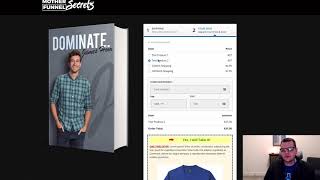
This short demo video (by Jaime Smith) shows how the "Select Default Product" add-on for CF Pro Tools changes which product is chosen by default in the ClickFunnels product selector without reordering products. The speaker enables the add-on on a page, refreshes, and demonstrates that the second product (Test Product 2) becomes the default — changing the order total from $27 to $37 and thereby increasing average cart value. The video also notes the add-on works well paired with the Bestseller highlight (yellow box) to both highlight and preselect a higher-priced product.
Chapters
In this video, I want to show you a quick demonstration of an add on called Select Default Product. Now out of the box, click Funnels will automatically select the first product in your list of products in the product selector and that may or may not be what you want. And so we'll show you what that looks like here. If we go to click this page and we click Go to step two, we'll notice the first product selected here or the first product in the list is the one that's selected by default. But let's say this $37 price, the second one is actually the one we want to be selected because hey, guess what, it's $10 more. It's going to give us a higher average cart value if that's the one people select more often. So we might want to have that one be selected by default. But we don't necessarily want to delete the first product and then recreate Product two as the first product and then recreate Product one as the next product. We just want to change which one is selected by default without having to go through a bunch of rigmarole to get in the order that we want them to be in. So we can do that by using the Select Default Product add on. So I'm actually going to bounce into my CF Pro Tools account here and I've got this add on already configured. I'm just going to enable it and I've already got it installed on this page. So now if we just refresh this page, we're going to reload here and we're going to go back in. It's going to load up this page. We'll give it just a second to load and then I'm going to go ahead and click Go to step two now. And now we can see that The Test Product 2 is the one that selected. And now our order is a $37 order instead of a $27 order. So it's going to help us to increase our average cart value. And I tell you what, this works great when you're using the Bestseller highlight as well, where if you can highlight that second product with the yellow box around it to also be the one that's highlighted as well as that's the one that's selected by default. So those two work great in combination together. But that's the Select Default Product add on and I hope you like it, hope you put it to good use.