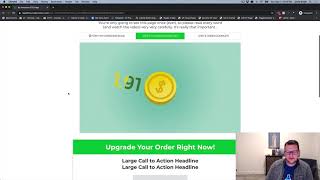
This YouTube demo (creator: Jaime Smith) explains the "Show / Hide on Previous Products" add-on for ClickFunnels. The add-on conditionally shows or hides products on an OTO (one-time-offer) page based on what the buyer purchased (or did not purchase) on the prior order form. The video walks through two scenarios in a live funnel: (1) placing an order without taking an audiobook order bump — the OTO shows an "all three audiobooks" offer at $74; (2) placing an order with the audiobook bump — the OTO instead shows a "two more audiobooks" offer at $37. The demo highlights how dependent offers can be configured to present missed or complementary items.
Chapters
Hey there. In this video we're going to show you a quick demonstration of the add on called Show Hide on previous products. And so as the name implies, what this add on does is it allows you to show or hide products on an OTO page based on what was purchased on the previous order form. So for example, we were inside of an OTO page here and our clickfunnels editor and we have two offers on this page. We've got a two more audiobooks and then we've got an all three audiobooks offer and they're different price points. This one actually would be 37 and I don't have the price right on this one. This one be 74. So this one is a he. Do you already bought the audiobook on the order form? So you want to get the two other audiobooks for just $37 or if they didn't buy the audiobook on the order form, then do you want to get all three audiobooks? So it offers what they missed on the order form and adds them, adds an extra option and you can get all three for just $74. So this, this basically allows you to have the logic that says, hey, I'm going to offer up an order bump on the order form page. And then if they don't take the bump, I want to show them one offer. If they do take the bump, I want to show them a different offer. And we'll walk through a quick demonstration to show you how that works here in just a second. So that's what this add on does. Let's jump in and show you what this looks like going through the order form process onto the oto. So just so you can see though, we have two different offers here and that's what we see in our editor. So now let's go to our order form and actually place an order. So let's go ahead and click Yes, I want to reserve my copy. We are in the order form page for this funnel where we have the OTO page. So we're going to go ahead and fill this in and, and we're going to just put in some. Dummy data here so we can get to step two. And now on step two we can put in a credit card number and then on this one we can go ahead and we're going to go ahead and skip adding the bump. So we have a bump here for the audiobook and we're not going to take the bump on this one. So we'll go ahead and click complete order. It'll take just a Second. And now we're on our OTO page. Now remember, we didn't take the bump, so now let's scroll and see what our offers are. And now we have our core offer and our hey, do you want to get all three audiobooks? That's the only bump we see for this oto and that's because we didn't take the audiobook bump on the order form. So we're going to offer it now on this one because they don't already have the one audiobook option. So now let's go ahead and go back to our order form and we're going to go ahead and close this out and I'm going to go ahead and open that again in a new incognito window. So we get a fresh session here and let's go through and actually place an order. That where we do take the bomb and. And we'll see what the difference is. And we're just going to throw in some bogus data. We're going to throw in a credit card number, And this time we're going to go ahead and add the bump. Now the bump is added. So now we've got our audiobook bump. Now let's go ahead and click complete order. And now it's going to take us to our OTO page and let's see how our offer changes. So now if we scroll down on our offer now we can see we get only the hey, do you want to add two more audiobooks? You already took the audiobook in the order form. Do you want to add two more audiobooks for just 37 bucks? And so that is what we see different about how this offer works. That is the show hide on previous products. So it basically gives us the ability to have dependent offers based on what was ordered, offered, and purchased on the order form. So hopefully that makes sense. And hopefully you like this one, hopefully put it to good use.