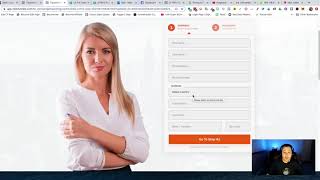
A short demo by Matt from CF Pro Tools support showing how the "State/Province Selector" add-on works on order pages. He explains prerequisites (a shipping container or shipping input fields and a country dropdown) and demonstrates that when the user selects United States the control shows US states, and when Canada is selected it becomes a province dropdown. He notes a follow-up video will show setup steps.
Chapters
Foreign. Hey, what's up guys? It's Matt here with CF Pro Tools support. Just wanted to make a quick video here and show you guys how the state province selector add on works. So once you guys add the code in, I'll show you guys how to do that here upcoming in another video. But it's real easy. You can take any order page that you guys have and as long as you guys have like a shipping container added in. So this is a two step, so the shipping is already embedded in there. Or if you have a single step order page, as long as you have the shipping input fields added onto that order page, as long as it's got the country drop down in the state selector, then you guys should be able to utilize this and make use of it. So what happens is real simple. You just select a country and go, hey. As long as United States and Canada are one of those two options, you select that and then you pick your state. If you're. If somebody is selecting Canada, then it becomes a province drop down just like that. Way too easy. Super simple. I know you guys are going to find a lot of awesome ways to use this, so I'm going to show you guys in the next video how to set this up. Okay, I'll see you guys in the next video.