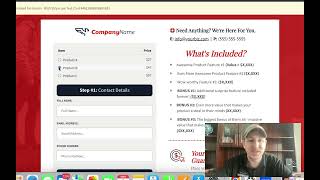
A short CF Pro Tools product-demo video (presented by Matt) showing updates to the "pass product" add-on. The demo explains how product selections made on a sales page are passed to the order page (pre-selecting the chosen product), and presents a new optional setting that, when enabled, hides other products on the order page to reduce customer confusion. The new option is optional and defaults to "no." The video includes an on-screen test (incognito window) showing the hide-other-products behavior and finishes with a CTA to links in the description and comments.
Chapters
Hey, what's up everybody? It's Matt here with CF Pro Tools. And in today's video, I'm going to show you some new updates for the past product add on here at CF Pro Tools. All right, let's jump right in. So in this video we have made updates and I'm going to show them to you right now. But first, what is past product and how does it work? So this is just a test page that I created. But what if you had a sales page with a sales video, something similar to this, and maybe you just had a, maybe you had options that you wanted to give to the customer. What it would look like from the get go is something like this. Let's look at the page itself and you would have options. Hey, I want to buy product one, Product two. Product three. You could have product selected. You could have this all built out and make it look pretty good. Now I've just added a couple buttons, but what's cool about it is that it passes that product onto the next page, which is your order page, and that's of course where you have the code. So, so like any good test, I'm going to go into an incognito window and we're going to check this page out and see exactly how this should go down. So let's say we wanted to buy product number two. What it would do is pass that over and then you would see on the second page, the product page, the order page, that that product, the second product, Product B is pre. Is pre selected, right? So you could still see the other ones. They can still go, oh, you have other products, Product A, B and C. I want, I really wanted C because I just didn't know what I was clicking on right. So, but it will pre select the one that is predetermined on the previous page. Now here's the update that was made on this add on. So this is the past product add on. If you're watching the instructions, we have a whole bunch of instruction videos here that show you exactly how to set this up. And the way that the add on update that was made here was to hide other products. So check this out. I'm going to go and edit this. And while you're inside of it, the only thing that's been added is another option, completely optional and defaults to no. But you can choose optionally to say, yes, I want to hide the other products. So if you want to keep things clean and not give them the option on that second page to actually change their product that they've selected, then what you can do is just say yes to this. So I'm going to do that. I'm going to say update, and it could take a few minutes for that add on to change. So what we're going to do, we're going to go into an incognito window again and test this out. So when I click Buy Product two, I should see just Product two and it should not show product one and three. So if I click that, there it is, I see Product two, it hides the other ones, and that's the update that was made. Um, so I think that that's actually pretty clean and can make things a little bit more straightforward for your, your customers. Um, the last thing you want is a confused customer. Confused customers do not buy and you don't want them to see. Like, if you have, like, I only had three, there weren't that many options. But I have seen order pages with a lot of. Lot of products on there. And it could be like, whoa, what's all this? And then, you know, you're gonna, you. It's very possible that you could confuse the customer. You don't want to do that. So this is going to be your best option. So anyway, if you guys like what you see, if you guys like CF Pro Tools, maybe you want to get started, then click the link down in the description. Maybe I'll leave something down in the comment and get started today. Leave a good link down there for you. Okay. If you have any questions, leave it down in the comments and hit that like button. Subscribe and I will talk to you guys in another video. Take care. All right, See you.