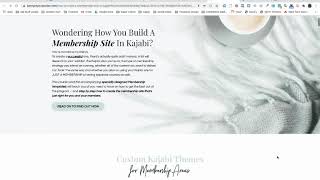
A tutorial-style YouTube walkthrough by Christina Haftman on building a membership site in Kajabi, with emphasis on design customization and improving member navigation. The presenter introduces two custom themes (Premier and Momentum), demonstrates a customizable dashboard/welcome page, and outlines course modules covering planning, theme installation/branding, navigation setup, recipe-library examples, launches/drip schedules, subscription management, and community support.
Chapters
Penny, you have such a beautiful designed website. Oh my goodness, it is so nice. Hello. Hello. My fellow membership site builders, I have a little trick today. I have managed to finally get around to finish a course that I have been wanting to build for ages and something that I know a lot of us need when we're working Kajabi and trying to create a membership site. So one of the things that we have discovered with working with many different clients, particularly ones that want to build membership sites, Kajabi held us back a little bit in terms of customizing and making things look really beautiful and particularly for those that want to up level their branding and make this site really shine and look like an extension of themselves. So we've created couple of special very template themes for you and that's what this site is all about. So I'm teaching you how to build a membership site in Kajabi, but you also get access to the two amazing themes which we have for you, which are going to hopefully save you a whole lot of time and be able to give you that little bit of extra pizzazz that you've been wanting to put into a membership site. So I wanted to give you a quick walkthrough. What you're looking currently is one of the themes and one of the big areas we've been able to play with is this, what I call the welcome page or the dashboard area. In the past in Kajabi we were quite restricted in terms of having to put a syllabus and the area and the space that we had to work with on a home page wasn't great for design purposes. So now what we've done is we've managed to be able to create it so that it almost looks like a little mini website within itself, complete with teaching you how to use the navigation bar at the top to really give your users an enjoyable, easy to use experience on one of these sites rather than constantly getting lost and never knowing where they are with the navigation. So basically now with what we've got on here is some videos, we've got textbooks that you can use, you can put images that are actually buttons, you can create columns on here, you can pretty much put whatever you want on this homepage within limits. There are some limits of things that we can't do, but compared to what we could do, it's 10 times better or we've given you basically it's kind of like the premier thing, but now on steroids. So let's have a quick walk through. I just wanted to show you as well, what we cover inside the training. So we do a little bit of background which is really around psychology. I don't go into that too much because there's already really amazing gurus who totally specialize in that area. And that's not what my training is about. My training is more about getting you set up and using Kajabi as your product of choice or your platform of choice to make your membership work. Plus, I teach you how to use and set up and install the two things that we've created. So we do discuss planning because planning is a huge part of creating a membership site and you kind of really need to get the planning down pat first before diving in and setting everything up. So that's something that we do spend a little bit of time on. Plan themes we walk you through two of the themes that you actually get. One is the premier dashboard. Sorry, one is premier theme and one is momentum theme. Both are customized and both will give you that little extra bit of pizzazz to add to your membership site. But we talk about, as well as the installation of branding, we talk about how to create navigation for only using a single product in your membership, as well as using multiple products. So we cover that as well. There's some bonus trainings on how to actually create a recipe product or a recipe library using one of these things. We also look at launch dates and starting everybody on the same date and time and also then dripping out content. And we also cover a little bit on how you would manage the money side subscriptions inside your membership. And plus we have a community area where people can pop in there and ask in extra questions if they need extra help. So let's have a little quick walk through or look at what one of these themes might actually look like as a membership. So this one that we're looking at now is the premier theme and it would be typically set up, you know, with current month coaching calls, etc. But the big thing that we've managed to do here is we've turned it into more card like images rather than having them as rows. We we've now given you, I guess, columns with nice looking cuts. We can still have our sidebar in. So if anybody wants to do any extra upsells or linking out to Facebook groups, you've totally got a sidebar that you're able to use. So none of that has been removed. It's all still there. The real trick was being able to make this look good and work with the navigation so that your users do not get lost. So this is an example of what a recipe library might now be able to actually look like in Kajabi. And again, this is using the Premier theme, touching on the Momentum theme for you. So this one, what we do is we have all the navigation that runs down the left hand side, but the difference between our themes is we now have an accordion menu that contracts and expands as people walk through it. So if you have a lot of lessons or posts, at least they're able to shrink up. So it's not as overwhelming for people when they get inside your membership area. And then this also works for subcategories as well. So if you had recipes and you wanted to drop the subcategories down, you're more than welcome. You can actually set it up to do that too. Now the thing with the Momentum theme is we have the same ability in terms of the dashboard or the welcome area. We can really kind of jazz that up a little bit more as well in it's not as customizable as what we've created with the Premier theme, but you can still really create a special area that gives a lot of instructions to your members so that no one ever gets lost. And of course you have your typical links that you're able to put things in down the sidebar to take people out to extra areas. Like you might have a whole extra section area for FAQs, you could have Facebook groups, you could have communities, you can do upsells, you can still have instructors in there, you can still set it up as what you're used to. We've just given you extra, that's all. So that's a quick little walkthrough of what you can expect inside how to build a membership site in Kajabi. And like I said, I'm really excited to be able to finally bring this to you and I hope to see you inside soon.