Jonathon Ende shows how to set up a fillable document in SeamlessDocs using Google Docs. Map text fields and signatures, use Auto Detect to convert bracketed placeholders into fillable fields, then click Finish to generate a shareable URL. Signers can type, draw, or upload signatures, and each signer is notified automatically when it's their turn.
Chapters
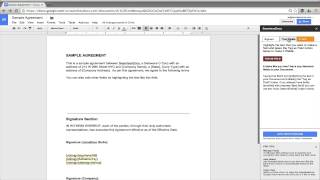
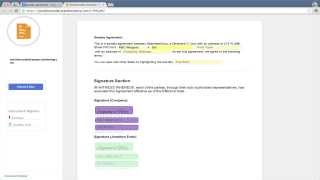
Thank you for trying the Google Docs Seamless Docs Add-on. To get started, if you haven't already, open your main manager. Using the Seamless Docs Add-on, it is easy to map both text fields as well as signatures. In this situation, we would like to get a document signed by both Seamless Docs, or me, and a sample company. Use an unknown signer if you don't already know who is the end person that's going to need to sign. In order to change the order, simply drag and drop. Now let's add a signature section to the bottom of our document. We automatically can add a signature section at the bottom of the document. Feel free to adjust formatting as needed. But keep in mind, don't change any of our code because this is how we identify the unique settings when we convert it into a CMS doc. We also need to get some text fields filled out by the company. You will notice that we have brackets around some of the text. Using our detection technology, you can simply click Auto Detect and we will convert anything with brackets around it into a fillable text field. In addition, you can highlight any text and tag it as a text field as well. For any of our text fields, you can also add additional settings such as a hint bubble or making it required. Now that we have both the text and the signatures mapped, it's time to get it signed. Simply click Finish and we will automatically generate a unique Seamless Doc URL. You can easily share this link or click Visit Your Doc Now to see a preview. Now the document can easily be completed. You will notice that we use dynamic fields that automatically adjust as needed. It will not let you fill it out until all required fields are completed. Now you can easily sign by either typing, drawing, or even uploading your own. After the first signer signs, the next one will automatically be notified, and finally, an executed copy will automatically be emailed to all participants. Thank you for trying the Seamless Docs Google Docs add-on. With any feedback, please don't hesitate to reach out at info@seamlessdocs.com. Thank you.