Metrobyte - Speech Recognition Software 1999

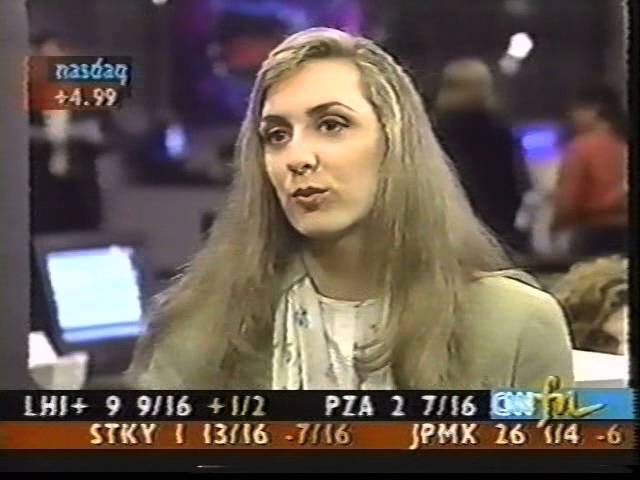
Scott Rigby and Courtney Pulitzer test Dragon NaturallySpeaking and IBM ViaVoice, two speech-recognition programs from the late 1990s. Both software packages achieve roughly 50% accuracy out of the box, jumping to 80-90% after a half-hour training session where the program learns your voice.
Chapters
Hey, I'm Scott Rigby. Welcome back to MetroByte. In this segment, we're going to be taking a look at something that is truly space age. I remember watching Battlestar Galactica in the '80s, and Lorne Greene would actually talk to the computer and it would type, and I thought, "Wow, that's amazing. That'll never happen in my lifetime." But it's here today. There are software packages that let you do that, and we're going to take a look at a couple of those packages. And here to help me do that is cyber journalist Courtney Pulitzer. Courtney, welcome back to the show.
Thank you.
Great to have you back on.
Wired already.
Wired and ready to go. You look like you're ready to take somebody's phone order.
I am. Oh, one's coming in now.
That's right. Listen, we want to— first, let's take a little time to go over the history of this, which is a pretty exciting piece of software, actually. I mean, voice recognition is something people have been playing around with since back in the '50s. IBM was one of the first people to kind of get this going. And there have been a lot of ways that they've tried to do it. It really wasn't until the 1990s that these packages started to appear, and they were really very expensive. I remember when they used to cost $1,000, $1,500, and they didn't work that well. They were kind of laughable. And we kind of had some mixed results too. We'll get to that in a minute. But let's, let's go through— now, now the programs are a lot cheaper. People can get them, and actually they're a lot more accurate. And so we're going to do a demo here. Let's talk through how you set up these programs.
Yeah, both programs are basically the same in how you set them up. And I mean, you install your CD or the disc that you get with it, plug in the microphone, and you're going to go through a few practice sessions of having the program get adapted to your voice and recognizing how you say a certain word. And it'll take you through a whole little training session, and they usually recommend like at least half an hour and more so that the program can get used to your voice.
So it's a little more work than a lot of software programs are because you actually have to train it.
Yeah, there's definitely a learning curve with getting used to the program and how it's going to— how you get around it and navigate it and for it to get used to you.
Great. We have two programs that we want to take a look at. The first is the Dragon NaturallySpeaking program, and the second is IBM's ViaVoice. We both spent time with these programs. Actually, it was a lot of fun.
Yeah.
But we're going to take a look first at the Dragon NaturallySpeaking. So let's take a look at that. Let's take a look at that now.
Okay. Let's see. So first you have to say the microphone on and get the microphone going.
Okay.
Let's see. Oh, we've got a whole bunch of things.
Now this is very important because you said microphone on and you can see that that's what it typed. All right, now we're going to be quiet.
This is a test of Dragon NaturallySpeaking.
Okay, and if you look down there on the list, you can see it actually typed that.
It does pick up things you say in your microphone, so sometimes you should be careful What you say to your computer.
So, you should not use this program if you're mad at your boss.
Right. Exactly. And then you can navigate around it and do things like that. And I actually brought along some light reading of Emily Post and email etiquette.
Excellent.
If you'd like to see that.
Now, I want to point out that while you were just saying that conversationally, as we read over what it says, and then you cannot navigate around and do things like that. It's, you know, obviously you weren't even trying, and it was doing about 50%. And the reality with these programs, and we should point it out, is that people do need to speak clearly and a little distinctly, a little bit like a robot. That's still one of the things that isn't quite there yet, but it's getting a lot better.
Yes, that was something that I definitely learned.
Great. Let's do Emily Post.
Okay, so, um, it is impolite to type all in capital letters. Comma. For example, comma, because this means that you are shouting. Select shouting. All caps. SHOUTING. Comma. Something you would not do in face-to-face conversation. Period. It is advisable to capitalize words only when you want to highlight an important point. Period.
Now I gotta tell you, that was pretty impressive, and it's not easy for— most impressive was I didn't— I actually refrained from talking. That's the most impressive thing. But as you were talking there, it actually— I'm very impressed with what it did because even though you sort of were laughing at what it was typing and everything, it still did a pretty good job. Now, are there ways you can also control menus and things using this?
Yes, for instance, go up one line. Move back— move left one word.
Ah, it did it.
Move up one line.
Wow.
Move left two spaces. Delete that. Delete that. Next paragraph.
Wow, that is really amazing. I mean, the reality is that it's getting about 80-90%, and we also want to point out that we only practiced with this for about half an hour.
Right.
And it seems like with this program, if you practice longer, it might do better. Okay, now it's my turn, and I use the IBM ViaVoice package, and I'm going to put this on. And, uh, hello, hello, you want fries with that? Okay, um, I'm now hooked in. Okay, now I want to, before we move on to show the IBM, I want to tell people, people have been waiting for the whole show, that we have a special contest tonight. We want to point out a very important fact about voice recognition software, okay? The important fact is that the more that you train with this software, the more accurate it will become. Okay, I want to tell the viewers that directly. The more you train with this software, the more accurate it will become. Now, if you can give us a call, if you can give us a call at 877-MSG-METRO, if you're the first person to call in and can repeat that back to us, you're gonna win our mega contest tonight, an Epson Stylus printer. So write that down. The more accurate your dictation will be, the longer you train with the software.
Right, and it actually is useful. It's just You have to get familiar with the program and not crack up when it catches a bad word or something.
It's hard to do because it can be pretty funny. Yeah. And you even had a text you were supposed to read. I don't even have anything like that. So anyway, let's take a look at the IBM ViaVoice, if we can pull that up. We're going to pull that up in just a second.
Sure.
What they had up there right now was the lovely printer. So let's take a look now at the ViaVoice program. OK. And this looks very similar. I am now working with Via Voice.
There's a little bit of a delay sometimes, it seems. I've noticed that with both programs, actually.
Yes. I am now working with Via Voice. Period. Now Now I am working with ViaVoice.
There we go.
Period. The software seems to work pretty well. Period. As long as I talk like a robot. Period. Danger, Will Robinson.
Danger.
Period. So you can see that it works well if you are disciplined in how you talk. Period. OK, now let's take a look at that. First, microphone off before it types more. You can see that it pretty much got every word. Appellet still did that. Microphone off. It got pretty much every word right except for disciplined, which is kind of a complicated word. But as long as I talked very slowly, it worked reasonably well. So, alright, we've taken a look at the software. Now let's kind of give a review. I kind of feel, and I don't know if you agree, but I feel that these programs are pretty much— they're almost moving into the prime time. You can see that you've got to be patient. You've got to be able to work with it, to train with it, as long as you possibly can and to be able to speak in a disciplined way. You also need to be in a quiet work environment. If you're willing to work under these circumstances, works pretty well. So Courtney, thanks a lot for being on the show and for helping us test out the software. When we come back, we're gonna answer frequently asked questions here on the show. You might win an Epson Stylus printer if you call in with the special fact we just gave you about voice recognition software. So give us a call at 1-877-MSG-METRO or email us at learning@msgmetro.com. Come on back.