Practical Experience in Teaching Numerical Methods with IPython Notebooks|SciPy 2014|David Ketcheson

In this SciPy 2014 talk, David Ketcheson describes his five‑year experience teaching a graduate‑level numerical methods course at KAUST using IPython notebooks. He outlines the course objectives—understanding algorithms, selecting appropriate methods, implementing them, and testing/debugging—emphasizing that students must learn to code in class rather than merely solve textbook problems. Ketcheson compares IPython notebooks to Sage worksheets, Mathematica, and Maple, highlighting notebooks' advantages: open‑source, plain‑text format, version control, nbviewer, and superior tracebacks. He discusses the transition from Sage to IPython, the use of cloud platforms (SageMath Cloud, Wakari) to simplify installation and provide collaborative environments, and demonstrates an interactive aliasing widget as an in‑class example. He addresses challenges such as software installation, grading open‑ended programming assignments, and scaling to larger classes, proposing peer‑presentation, written homework, and project‑based notebooks as assessment methods. The talk also touches on interdisciplinary enrollment (applied math, engineering, physics) and provides links to his course materials on GitHub and his personal website.
Chapters
Thank you. Thanks, Matt. Just to have an idea, how many of you were at the tutorial yesterday? The tutorial that Aaron and I gave? Okay, so there's a lot of people that weren't there.
Good.
There will be a little bit of overlap here, but obviously— well, I could just play the tutorial at 8x speed, but I decided to go with an alternative strategy. Okay, so—
Hi.
So, as Matt said, I'm from KAUST.
That's the King Abdullah University of Science and Technology.
It's in Saudi Arabia. I get a lot of questions about it usually when I travel, and this is the first time I've been at SciPy, so I just wanted to say where we are. So there's the Arabian Peninsula. You have on the right the Persian Gulf, on the left the Red Sea. We are right on the Red Sea. So if you zoom in, it's a little bit hard to see from here, but Jeddah is right there on the coast. Mecca is a little bit inland, and we're just north of Jeddah near a fishing village called Thu'l. There's campus. You can see a long strip of nice white sand on the left there. That's the beach, and my house is one block away. This is the view on my 5-minute bicycle commute home. So KAUST is really an awesome place to be if you want to have lots of research funding and not spend time looking for money and just really devote your time to doing interesting research. It's also, I think, unusual as a university that supports careers for computational people. That is, you can be a person who mainly writes code and have a career at KAUST. If you're interested in that, talk to Aaron Ahmadiyya. He was at KAUST as a computational scientist for a number of years. So, we get some interesting visitors there. So, last week I got this email from one of my colleagues. He said, we have a visiting computer scientist today. If you need to troubleshoot your Windows machines, he may be of help. So, we get a lot of interesting visitors there. This may not impress you, so I should tell you we get really important people like Matt Rocklin, Andy Terrell, Lorena Barba.
They've all been out to KAUST.
All right, so I'm giving— I gave a tutorial yesterday about teaching with IPython notebooks. I'm giving a talk about it today, so you might wonder, do I actually do anything else? Yes. So one of the things I do is develop software. So there's a sort of diagram of the code that I work on up there called PyClaw that includes Fortran, C, and Python code all wrapped together. And we use it to model waves. So there's a picture there of water waves propagating over a periodic bottom. You can get interesting things happening when you do that. I also do numerical analysis. The bottom right picture there is a picture of some stability regions of numerical time integrators. And I like the outdoors. That's actually me at the bottom of the Wahiba Crater in the Arabian Desert. And I think that was the first time that anybody wrote Python code in that crater.
All right.
So just a little bit of context. And I think I like being in this session because the context for my course is a little bit different from the one before. And there are probably some things that I do differently because of that. So I teach graduate-level courses. We only have grad students at KAUST, and these are for applied mathematics and engineering students. I've also taught some short courses for grad students and for engineers from industry. And these courses usually have between 5 and 25 students, and some of the things that I'll talk about I think would be difficult to scale up to larger numbers of students, but that might be interesting too. OK, so the objectives in this course, which I feel like are really different from the courses that I took as a student, but after the last talk, maybe this sounds standard. So students should be able to understand numerical algorithms, their stability, accuracy, and complexity. But they should also be able to, if I give you a problem, select an appropriate algorithm. This is a really hard thing, even for an expert often. They should be able to at least get, you know, steer themselves in the right direction and be able to find an appropriate algorithm. They should then be able to implement the selected algorithm and test and debug their implementation. And I'm not necessarily referring to formal testing here, but they should be able to make sure that their code is solving the equation that they think it's solving and that it's solving it correctly. So usually the courses that I took as an undergraduate and graduate student in mathematics and physics were mostly focused on just the first bullet point. I did have to do some of the third one as homework, which meant that I learned really poor programming practices that I had to then unlearn and improve later on. And I learned very little about the second and fourth ones at all. And in order to really cover, you know, bullet points 2 through 4 here, I think it's necessary that students should code in class. And I think after the talks that have been given already this morning, I don't need to emphasize that point anymore. Okay, so why do I use IPython notebooks? Well, again, I'm preaching to the choir here, but the notebook lets you put in a single document mathematics, text, executable, and importantly modifiable code, right? The person who's reading can change the code. And also figures, animations, interactive widgets.
OK, this is a big step beyond a printed textbook.
OK, and the main advantage that I see here is that it's interactive. The code is interactive, and the figures and widgets can be interactive. It's often been said that when you're reading a textbook, you need to mentally interact with it. You really need to sort of be asking questions in your mind. Well, if you have a note in an IPython notebook, that comes naturally.
OK.
Maple and Mathematica, for instance, have had the kind of things that I'm talking about for a long time, actually. So you might ask, why don't I use those? There are several advantages of the notebook. Python, enough said here. It's free. It's open source. It's a text-based format rather than a binary format. So you can do things like diffing, merging, grepping, search replace, keep it under version control in a meaningful way. You can also convert between different text-based formats. So you can use nbconvert, for instance, to convert your notebook to other formats. And I think nbviewer is actually a really big advantage. So there's not, as far as I understand, an equivalent to nbviewer for Maple and Mathematica worksheets. So if I don't have a $3,000 Mathematica license, I can't view a Mathematica worksheet at all. And even if I do, I have to go and download it without knowing any more than, you know, the name of the file or something written about it on a web page.
I have to have that faith that it's worth my time to download this, launch Mathematica, and run it, whereas with IPython notebooks I can just click a web link, see, oh, this is cool, I want to download it.
Okay, and I want to emphasize that point about plain text just a little bit more. So a little bit of history. I've been teaching a graduate course in numerical methods at KAUST for 5 years, actually for as long as the university has existed, and the first 3 years that I taught it I used Sage Worksheets.
How many people here know what a Sage Worksheet is?
Okay, most of you. So the Sage Worksheet in some ways was sort of, you know, the older stepsister to the IPython Notebook. Back then it was— well, the IPython Notebook didn't exist when I started teaching this course, I think. And Sage Worksheets offered a lot of the same advantages. And that's why I started using them. In 2013, I decided to switch to IPython for reasons that I'll get into a little bit later. And I was really glad to find out, because I didn't know until that point, that Sage worksheets had a— so at the time at least, they were actually natively stored as binary files, but there was an HTML representation of them that was complete.
Right?
You had all the information in the worksheet in that HTML document, and so I wrote a little Python script that took all my Sage worksheets that I'd spent many, many hours developing and converted them to IPython notebooks. And that was easy to do.
I mean, it took me an hour or 2, right?
Whereas if I had had all this stuff in Mathematica notebooks and I wanted to switch to IPython notebooks, that would have been a very lengthy process.
Okay, so there's that little script.
It's probably not useful anymore because this was with very, you know, this was 2-year-old versions of Sage and IPython.
But if you're curious, it's up on GitHub.
So why did I switch from Sage to IPython? I think you could do all the things that I'm going to talk about with Sage worksheets. There are tiny little differences. that were enough motivation for me, but you may want to consider either of them. So I'll talk a little bit about SageMathCloud in a bit, that's what SMC there is. So Sage worksheets run native on SageMathCloud, which is really nice. You can just type plot sine, right, in, in a Sage worksheet and it plots the sine function.
That's pretty cool, right? And there are other things like that.
Whereas in an IPython notebook you have to import a bunch of stuff, set up some NumPy arrays, and then plot. The Sage worksheet is, I think, still more mature. It's just been around longer. But it was built by and for pure mathematicians, and that leads to the main drawbacks in my opinion. So if you want to create a Sage 2x2 matrix, you have to define the ring over which the elements of your matrix are going to live, right? Which for me, that's not what I want to spend my time doing. The other thing is that in the Sage worksheet you get these really unreadable tracebacks. So if you have an error in your code, you don't get a listing of the code pointing to the line where the error occurred because the Sage worksheet feeds your code through another processor. And so you get back kind of gibberish. And that was a real problem for students, right? When you're first programming in a new language, you need good tracebacks. So that was really the Achilles heel that made me switch to IPython. So IPython has good tracebacks. Even in the notebook, you get these really nice syntax highlighted, you know, clear your error is here and here's what the error was. It doesn't muck with your data types. So I wanted students to learn to program in Python. And Sage, it uses Python, but it has its own language. And if you type x= 1 and ask what the type of x is in a Sage worksheet, it's not a Python integer, it's a Sage integer, and they behave a little differently.
So that was a little problematic for students. And then really I think IPython was built by and for computational scientists, and that's what I am, and that's what my students are, and so it just fits.
Thank you.
OK, so what do I use the notebook for in my courses? At the beginning, I really just used it as a way to distribute homework exercises. So there'd be a little bit of explanation of the homework problem with some mathematical description. Sometimes there would be a little bit of code provided to sort of help the students get started. And then they needed to write some code, look at the results, and write an explanation of their results. Now I use it for a lot more. So it's become a more and more integral part of the course every year. So here's an example of an in-class sort of demo that I would do. Actually, I think since a lot of people here weren't at the tutorial yesterday, I'll show the same demo that I showed there.
Oop.
Let me just make this smaller.
So this is a notebook that explains aliasing. So this is something I would give in the middle of a lecture after discussing a little bit this phenomenon. So aliasing is a phenomenon that occurs when you have some high-frequency function that's very oscillatory and you represent it on a grid, but you don't have enough points to really represent that function on that grid. And this is just a little bit of code using Matplotlib and IPython widgets to demonstrate what can happen. So here the true function that I'm trying to represent is in red. And then the blue dots are my grid points.
And I've just done linear interpolation between them to give you an idea of what you would know about that function if you just sampled it on that grid.
So if we keep the grid fixed with 12 points, but we change the, the wavenumber of this function, we increase it, you see that at some point you stop being able to really see what that function is, and it looks like some other function, right?
Now this high-frequency oscillating function looks like wavenumber 0, right?
And it can look like other functions too, other low wavenumbers.
Right, so there it looks like it has half of an oscillation over the whole period. So that's what aliasing is.
And I think that, you know, playing with this widget for 1 minute is more useful than me explaining to the students for 15 minutes.
You really get it, and it sticks with them afterwards. Okay, let me just— Let's see how I'm doing.
Yes.
So I'll— in just a second I'll show you how I distribute the notebooks.
Yeah.
And maybe I'll come back to this if I have time at the end, but I'm going to go on. So some of the challenges in using IPython in a course. Well, there's installation. You have to get Python installed and all the packages. Students need to learn Python. They need to learn how to use the notebook. And there are issues with evaluation that I think were discussed quite a bit in the previous talk.
How do you grade students in a course where a lot of the work is computer programming?
OK, so for installation, I think this is really a solved problem. This was difficult when I started in 2010, but nowadays You have binary installers for whatever platform you want of Python, NumPy, Matplotlib, SciPy, right?
And that's really enough for this kind of course.
You can also use the cloud. So this spring, I didn't ask the students to install things locally on their machines.
And all of them for the entire semester did their homework using a cloud service.
They were allowed, of course, to install things on their computer, and some of them did, but I polled them at the end of the course and they all said that they primarily, through the entire course, used this cloud-based service. And the service that we used is called SageMath Cloud. So it was, again, built for Sage, but it also runs IPython notebooks. You can also run R. You can write papers on it.
It has to-do lists.
It's a complete— you can SSH into sessions there. You have a terminal. It's a complete environment.
You can— anything you can do on your laptop, just about, you can do on it now.
It has synchronization between multiple users for IPython notebooks, so that's really cool. I'm told by Fernando that that will be a native feature of IPython notebooks. tomorrow, so I'm interested to find out about that. But right now you can— for today, you can do it on SageMath Cloud. So 2 people can be editing the same notebook at the same time. And right now there are only free accounts. It's only existed for less than a year. It's developed by one man, William Stein, the same guy that developed Sage. Another platform that's actually been around longer is Wakari. developed by Continuum Analytics. I've also used Waqari. I haven't used it for teaching, but I've used it to host reproducible notebooks that reproduce computations from my research. So you can put a link— if you go to my group's webpage at KAUST, numerics.kaust.edu.sa, for some of our publications there are links showing the figure from the paper. If you click on it, it will take you to a notebook on Waqari. that you can run that will reproduce the figure. Except I tried to do that yesterday, and apparently some of the software is no longer installed there.
They must have re-imaged or something. So, but we'll get that fixed.
But they have these bundled environments where you can say, here's just a binary that will put in your Wakari account all the stuff that you need to run my notebook.
Okay, and they have free and paid accounts.
Thank you.
I just want to—
because the Wi-Fi is better here than it was in the tutorial room, I'm going to try to demo SageMath Cloud.
Because this to me was a huge step forward in what I could do with teaching this course. So one nice thing, by the way, if you go and create an account and log in once, basically forever your browser will just automatically log you in when you go back.
So here's the project for my class.
So you can create projects. Each of these is a separate sandboxed environment. If I go to new files here, what I can do is actually—
here, yeah, I'll just go to a different project on GitHub. Maybe it's not fast enough.
It's not.
Well, okay, I'll just tell you what you can do because I don't want to spend more time here.
But if you type a GitHub repository URL in this box and you click this button, it will clone that GitHub repository to your project on SageMath Cloud. So this is how my students got all the course materials without knowing any Git commands, without ever learning Git. Okay, I didn't require them. Maybe I will next year.
I'm kind of excited after listening to other people's talks about about maybe having them learn version control and use it in the course. But this was a dead simple way for them to just get all the material. Of course, you can just create a downloadable file too.
But this way they could— they did learn to type git pull because I added things during the course.
Yeah. OK.
So what about learning Python? So I start the course with a 1 or 2 hour— start the class with a 1 or 2 hour crash course. All the students have their computers and there's an IPython notebook and we kind of walk through it together, right? And they learn all the basics of Python, of NumPy, of Matplotlib. 1 or 2 hours isn't very much if you've never programmed in Python. And actually, I don't like to try to give them too much at the beginning of the course because without a reason to understand it, they'll just forget it anyway. And the advantage of having them code in class is that then you can introduce new programming concepts as they need them.
And that way they really retain them afterwards because they remember, okay, I learned how to slice arrays because I had this loop that was really slow, right? And this is— and now I can make it fast. Okay.
So you have to do lots of in-class instructor and peer-assisted programming during the course.
So this is just a screenshot from one of my crash course notebooks.
Actually, I stole the crash course term from Lorena's Intro to Python notebook.
Okay.
So you mentioned that you were What about evaluation?
So this was a question that got asked in the tutorial yesterday.
How do you evaluate students if what they're doing is programming?
Well, your code is not the answer.
I drill this into my students.
You can't just— the code is something you use to communicate with the computer. You don't use the code to communicate to the professor. And if you want to get a good grade, you need to communicate to me.
your solution, right? And I don't speak in code. Also, your plot is not the answer, right? You need to show that you actually understand something.
So, and this means that the— well, this means a couple of things. One is if you do evaluation in class, if the number of students is small enough and you can do evaluation in class, by having them explain their understanding to the rest of the class, this is really easy, right?
Then there's no question. They can't just put code up on the screen and say, look everybody, you know, they have to explain what they've learned and what they're seeing in the results. Yeah, so that's what I've done when the course is small enough.
Also, the homework questions are sort of open-ended.
They often say things like, you know, Try changing this parameter, right?
What do you see?
Can you explain what's happening? Right? And they— the students hate these things at first because they're like, what are you looking for?
And I try to write them in a way where there's not, you know, just one right answer, which is really unusual for math students.
So it takes them some time to get used to this idea.
But it's much closer to what they'll be doing.
You know, these are master's students who are about to start their PhD, and they're going to be dealing with open-ended questions for the rest of their life as researchers. So I think it's very useful for them.
Okay, and at the end of the course, they— or in the last month of the course, I have them do a project.
And this year I had them actually write an IPython notebook as the sort of outcome of their project. And the notebook is supposed to teach everybody else in the course about some numerical method or about some interesting equation that they're solving and then implement the method.
All right, so if you want to see my materials, I don't, you know, guarantee that they're extremely polished. Some of them are more polished than others, but you're certainly welcome to look at them, welcome to use them if they're useful to you. So they're all on GitHub. The materials from my course for the last 2 years are in these 2 repositories. There's some overlap but some differences. They're going to get upgraded and polished and worked into the 4-university plus MOOC course that Lorena mentioned in her keynote this morning. And then this short course that I've been teaching on hyperbolic PDEs, it's really a very, very short course, so it's designed to be something that you can complete in a single day in like 6 or 7 hours.
called HyperPython is also there on GitHub. And then you can get all of this stuff from my webpage at davidketcheson.info. So thank you. So happy to take questions.
Oh, here.
Why don't you pause and evaluate the larger classes where the small class, class-in-a-person approach to demonstrate understanding is not viable because of the number of students?
I didn't hear the very first few words of the question. Why are you—
What are your thoughts on evaluation—
What are my thoughts?
OK.
—in large classes where the approach you described is just not practical because of the number of students?
Yeah, so the question is, what are my thoughts about evaluation in a larger class where you can't do a lot of in-class evaluation? So I do have the students turn in written homework, right? Well, usually they turn it in electronically now. And the open-ended questions are part of that. Of course, grading Open-ended questions takes even more work because the amount of information the students might give you as their answer can be really big.
And helping them learn what's a useful way to answer a question is also a challenge. I haven't thought about it a lot.
I haven't taught a course with more than about 25 students for 5 years. So—
I'd be happy to discuss it, but I won't try to give an answer right here. Yeah.
Do students have laptops or desktops or— Yeah, so initially I would— what I did was go to the computer labs for half of the class sessions, say.
Sometimes I'd give a more traditional lecture style and then like Tuesdays were lectures and Thursdays were laboratory sessions. And they were all at a big desktop computer.
What I do now is just tell them— and they prefer this— bring your laptop to class every day. It works a lot better because you can see their faces. They don't have a giant monitor in front of them. They're working on their own machine. They feel more comfortable with it.
They have fewer issues, just logistical issues.
And that way, you know, they can just keep going after class is over, right? They don't have to go back to the lab to work on it.
They can do it in the middle of the night, you know, while eating pizza in their underwear or whatever, you know. So, okay.
Anything else?
So I have a quick question, actually. So what are your thoughts— so you're teaching an applied math course. What are your thoughts generally on teaching programming techniques within a domain department like applied math?
Within what?
Within a department like physics or mathematics versus teaching programming within a computer science course. Are your students getting really programming training, or are they just getting applied math training?
Yes, so the question is, what about teaching a similar course in other departments? So I lied a little bit. I said my students are all applied mathematicians.
That's not true.
Typically about half of the students in the course are applied mathematicians.
The others are also graduate students in electrical engineering, mechanical engineering, materials science, things like that.
So I do teach students in other disciplines. They're all students who—
they're graduate students and they've elected to take a numerical methods course, so they're very interested. And I think these 4 objectives are more relevant for the engineers and the scientists than they are for the mathematicians, in fact, going beyond just the theoretical understanding to the practical. selection of a method, implementation, and testing. So I think this really is the sort of right way to teach it.
But honestly, I don't feel like the course needs to be so different for mathematicians versus engineers versus physicists. The course that we're teaching in the fall, you know, at these 4 universities, at KAUST it's listed under applied math.
At George Washington, it's mechanical engineering, right?
And I think at Southampton, it's listed in math and engineering, you know.
So I think there's not a right way to teach to mathematicians and a right way to teach to engineers, but to me, these things are the things that all of them should be learning.
Okay, thank you. Let's give David another round of applause.
More from David

HYDW08 | Prof. David Ketcheson | Solitary Water Waves Created by Variations in Bathymetry

Prof. David Ketcheson | Analysis and Modeling of Solitary Waves in Non-dispersive Models


Teaching Numerical Methods with IPython Notebooks 2 | SciPy 2014 | Aron Ahmadia, David Ketcheson
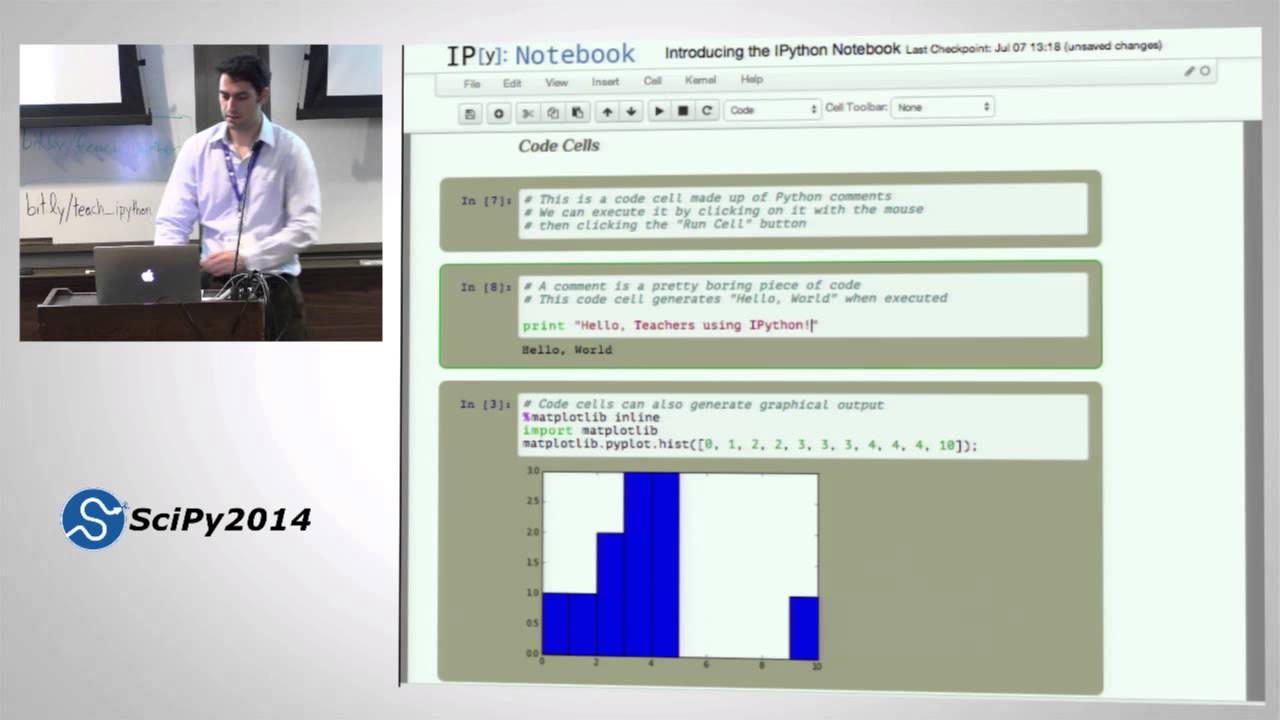
Teaching Numerical Methods with IPython Notebooks 1 | SciPy 2014 | Aron Ahmadia, David Ketcheson
Teaching Numerical Methods with IPython Notebooks 3 | SciPy 2014 | Aron Ahmadia, David Ketcheson
