Cohort 11 - Day 1 - 5-19-2024
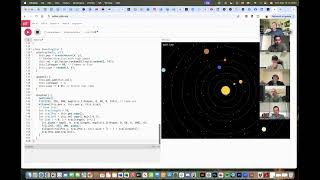
Recorded cohort session (Day 1) of "Build a Business with AI" led by John (Dean Graziosi). Instructor demonstrates rapid app prototyping using ChatGPT, Grok, Replit and P5JS, shows one-shot code generation (P5JS games/visualizations), and walks participants through an interview-driven workflow: create project memory, produce a 1500-word business plan in ChatGPT (Canvas), research with Grok Deep Search, refine plan, generate feature list/brand guide/user journey, then feed documents into Replit to build a V1. Participants (Shane, Nikhil, Preston, Thomas, Oz, Laura) each introduce themselves and their business ideas; examples include an Echoes travel-map product, GrooveForge learning app, Boostly voice-clone feature, and local task marketplace. Session covers key concepts (front-end/back-end, APIs, databases, CRUD, auth) and practical tips (use multiple models, iterate prompts, attach documents to Replit).
Chapters
All right, so Shane will jump on. Shane will jump on soon. But welcome everybody. Today, one of three of this build a business with AI. Course it's going to be a lot of fun. Lots of, lots of really exciting things that we're going to be going over. We'll be. I, I hope you guys are good at following along and moving quickly, because I do. But in case you do get, you know, held up a little bit and, you know, get behind on something, I try to get the recording out for each day. You know, within a couple hours after we finish, you can go back and, you know, watch something if you want to see how I did something again. But long term, you'll have, you know, you'll have the recording so that you can, you can go back and, and figure it out. I do move fast and I also basically take no breaks. So we're just going to go three hours. Boom. Even a 10 minute break is 10 minutes of stuff that, that we could be going over here. Laura, I'm not sure. You might be frozen. You need to like show some sort of life so that we can know if you're there. Looks like she just barely moved a little bit, but. Hey, welcome, Shane.
Hey, good to see you.
Yeah, good to see you too. How are you doing?
Doing fabulous.
Awesome. You're calling from Lehigh?
Yes, sir.
Very good. I recognize those window shades there. I've had a lot of offices in Lehigh, but I don't right now. Right now I work out of my home. I don't even have any lights on and I've got sweats on. This is good. This is the good life. All business up here. Right? But you guys know how it goes. No, I. So I live down here in West Mountain and West Mountain is just the South. Like I'm staring at, you know, Mount Temp and I can see the Y and if I look over that way I can see Payson Temple. So I'm kind of like up here on the, on the west side of the freeway basically on West Mountain just south of the lake. So. Beautiful, beautiful few storms we've had that I think went through LA to get to us. Nikhil. So thanks for sending that our way, you guys first. But yeah, Shane, I was just kind of getting everybody, everybody settled here. We'll be now this is being recorded and so you'll be able to go back and look at it later. Um, Shane guys has already had two of his employees come through, through this course over the last few weeks and so that's awesome. Excited to finally have Shane On. Shane is the CEO of Boostly and a good friend. So, yeah, looking forward to get to know all of you a little bit better here. Laura, I still. Laura, can you hear me? Laura, can you. Are you there? We're going to do a little chat with Laura to make sure. Can you. We can't hear you. If you're talking. We can't hear you. So sorry. Yeah, we haven't acknowledged you because at least I haven't been able to hear you. Maybe other people have. Okay, well, guys, I want to do. I know we just kind of did a. An intro. I want to do another one actually. You know what? We're going to dive right in. We're going to do something fun really, really quick and then we'll come back, we'll do some intros. Right. Um, just to kick this off, I want to make sure everybody has. Does everybody here have chat GPT? Raise your hand if you don't have chat GPT. Okay, good. What about Grok? Everybody got Grok. You can use the free version of Groq if you want. I like to use the paid version because there's some extra things. But it's nice to have access to two. Two different models that, that just think differently, you know? And then what about Replit? Has anybody here not signed up for Replit yet? Okay, you guys, I can do that right now. Perfect. Yeah, Thomas, do that in a minute. You'll have a minute here to do it right now. I want you guys to just watch. We're going to do something really fun. We're going to start coding right now. I want you to raise your hand if you have never coded before. Okay, most of you guys. Nikhil, you have some coding experience.
I'm a software developer as my day job, so.
Fantastic. I love it. I love it. That's cool. So why are you taking this course? I'm curious. Right? Are you just trying to figure out the whole business side?
Yeah, like figuring out the business side and then how to actually take the skill set and apply it to any AI as well as business and build the whole. The whole product.
Very cool. I love it. Yeah, we're going to be using. We're going to be using all across the place. And yeah, to be clear, guys, this isn't a software, you know, development course by any means. By the way, guess how many lines of code I know how to write without AI? 0. I couldn't write a line of code if my life depended on it. Like, I can look at code and kind of understand what's happening only because I've been a software CEO for, you know, a decade and you know, I've paid a lot of really smart people to come in and build software for me, but now I don't have to pay them in the same way. And that's really cool and scary at the same time. And we'll talk about that, right? Scary for people like Nikhil. Right. And other people. You know, so many developers. I don't know if you guys saw Microsoft let 7,000 people go like Friday of last week, Thursday of last week and, and a huge chunk of them were software engineers and they cited because of AI, right? AI is, is replacing a huge amount of work in the software world and that's, that's pretty crazy. So. All right, guys, let me do something really quick here. I need to just make sure my Internet is going fast. I feel like my Internet's fine. I'm at 150, 170. I should be doing pretty good. So I'm just seeing a little bit of jumpiness and I don't know why. Maybe it's, maybe it's other people. So, okay, we're going to share my screen and we're just going to dive in. I never like set up my screen so it always just lands on my LinkedIn or my Facebook or something. So we'll be doing this a lot. I've got a million tabs open. We're going to start with, we're not going to start with Grok. We'll go to, I'll go to X. I just use it inside of X and use Grok here and. Okay guys, so we're going to do some fun stuff. Even those of you, Nikhil, that have done development before, most people haven't ever played around with coding a front end language called P5JS. It's just a form of JavaScript. It's kind of fun. It's, you know, you could use it to make all kinds of fun little things. But we're going to, we're going to just make something really quick. We're going to bring it to life. So let's just do, let's just do this. Create a mind blowing visualization of. We'll just say visualization with P5JS and show me where I can play it. Yeah. All right, here we go. So I didn't really give it a whole lot of instructions. I just kind of said, hey, do something right. Use this P5JS language. Okay. And you know, so that's going to create this. So here we go. I'm going to click copy. Whenever you're using your writing code or doing a lot of things, even if you're writing a business plan or code, whatever, there's always this cool little copy button. You see it all over different AIs, but code, you just grab the whole thing by clicking that little button there. And then we're going to click on this P5JS editor. It just says, hey, go here. And that opens up editor.p5.js.org and I'm just going to paste it right here. I'll select all that, delete it, paste it and play. Boom. I just created a visualization with P5JS now. Super easy, obviously. Okay. Anybody can do that. Really, really fun. I don't know if I don't think it's interactive. I don't think my mouse is doing anything. I didn't give it. I would call this, by the way, guys, a bad prompt. Okay. Create a mind blowing visualization. The part of the thing now my stars are rotating. That looks pretty awesome. I'm happy with my solar system now. You guys can make a solar system. You could say, make a Pac man clone. Make a Flappy Bird clone. Make a game where I use my arrows to run away from something. Make an Asteroids game. I, I always tend to think of like older arcade games when I look when I use this because it's kind of a low level graphics engine. But yeah, just tell it to do it. And you're going to say, you're going to say, you know, create this. Let me find my thing here. All right. Create a visualization of the solar system or a game or whatever. I'm going to drop this prompt into the chat here. Okay, JS and show me where I can deploy it. Okay, that's the chat that. So I just dropped in the chat there. I will do this a lot today where you're going to use a prompt that I share. So you just copy it and then you can edit it if you want to just copy mine, totally fine too. All right. But jump in and make something cool, right? And as soon as you got something ready to rock, you know, somebody raise your hand. And by that I mean just speak up. We're a small group here. Like I said, it's going to be good because you guys can just kind of jump in and ask questions. I'm quite loving my little, little thing here. This is nice. It. Anybody have anything up yet? Anything worth showing?
I already wanted to modify what I created.
Yeah, no, go ahead and Do a modification or two to it if you want. Right. But if anybody has something they're ready to show, speak up. I just added a spaceship to mine. See if I can fly around my little solar system. Actually. Super, super cool. That's cool. I actually really love my little spaceship thing. I'm going to save this one. I don't normally save these, but this one's really fun. I like the. The controls of this spaceship. All right, who's got something?
I'm getting. Getting errors that I'm working through.
Okay. If you have an error, that's great. If you have an error, just copy the error and paste it to Grok and say, I got this error. Right. And then it'll say, oh, sorry, we made this mistake. We can fix that.
Yeah, I'm trying to figure out how. I got a little golf game here. I'm trying to figure out how. They gave me some instructions, but I'm. It's not working, so I gotta figure that out.
It gave you. What kind of instructions did it give you? Preston, the. Did it actually write the code for you?
It wrote the code and it actually is a preview in Grok.
Yeah, yeah, that's fine. That works.
And then it's saying click and hold to aim, but I'm not seeing anywhere where it's letting me click and hold.
To aim anything and I'm not getting.
Any actions from it.
So, yeah, just. Just tell it that really quick. Just say, hey, hey, Grok. I mean, exactly what you just told me. Boom. Grok is your developer at this point. Right? So just as you would talk to a human, talk to it. You got something up and running, Nikhil?
Yeah, I do. I was just messing around with, like adding little tweaks, but at a basic level. Yeah. So let me. Let me share that screen.
Share real quick. The purpose of this section, guys, is to make sure that everybody's microphone works and everybody's screen sharing works and everybody knows how to, you know, copy paste. Yeah.
Can you see. Can you see what I've got on my screen?
Yeah, we can see it. It says gamer. Yeah, sweet. Oh, nice.
This Brick breaker, I figured it was simple enough to make it make it work and yeah, this is what it spit out on the first go, actually.
That's amazing.
I can add like scoreboard and power ups and that's what I was working on. But yeah, basic thing.
That's cool. I love Brick Breaker, man. It's just so, like, satisfying. And because I'm ocd, I always have to just finish it, right?
Yeah. It's kind of hypnotizing.
You got a good one there.
Got a whole chunk. Yeah.
Yeah, that's pretty cool. It works pretty well, too.
It's very responsive. I told it to be like. Yeah, I didn't even tell it much. It's just like, you know, tuned all that, tweaked all that of its own accord.
Yeah, yeah, yeah. It seems to be bouncing. Yeah. The physics are pretty good on it.
Yeah.
I'm very impressed at how that's a one shot. That's so cool. Very nice. Very nice to kill. Thank you for sharing. All right, who's next?
So it's telling me a lot of I've got to download these files and upload them somewhere. So it's giving me more work to do.
Go ahead and share your screen. Let's look at it. Okay. All right. Yeah, you don't want to do that. All right. Scroll to the very top. Okay. I want to jump to see your first prompt. Let's go all the way from there.
Well, my first prompt was just. I didn't have the P5Js.
Yeah. Did you change it? Did you add that in?
Yes. Then later on, I said, hey, make it in P5Js.
Let's see.
Where is that other prompt?
Show me where I can deploy it. P5JS. You need three files. Just say this. Say, I want to play this on the P5JS web editor. P5JS web editor. Please, just please rewrite the code or rewrite the code so I can copy it. And show me the link where I can do that.
So it continues to say something went wrong. Please refresh. I continue.
Look at yours in a second. Oz. Thank you. Yeah, we'll get yours. I would. Yeah. I mean, normally it's just. Hey, you know, this isn't. This isn't working. This is what I'm getting. If you continue to find an error, say, try again. Rewrite this whole thing. Right. All right, here you go. Now it's. Now it's giving me the P5JS web editor. Okay. It is thought through. And. Yeah, you can absolutely, as someone said, play this. You have to wait until it's done. You have to wait until it gets all the way to the bottom. Yeah. Scroll. Going.
Still thinking.
Okay. Yeah, yeah. If you don't wait. Okay, go ahead and copy it. Yeah, Push that button right there. Yeah, there you go. And then scroll down and it should give you the editor right there. There you go.
Okay.
And then, yeah, just delete all that paste and play. There you go missile command. Love it. Yep. So it's. Yeah. See, the one thing that you can say is, you can say, hey, the. The ships as they're coming down or whatever look like lines, make them look like ships. Right. And so. Yeah, but you have somebody running now. And so now at this point and.
Yeah.
And you don't have like a, you know, a way to die. And it just all stopped. Right. So now talk to it. Just tell it, say, hey, you know what? These are the things that I want to do to improve it. And you just keep iterating until all of a sudden you've got a game. Right. That's cool. Very good. Oz. You want to share your screen?
So I was trying to do an aquarium with five different colors of fish and it did produce that.
Yep.
And so we got that. But I wanted to do the interaction to try to make it more realistic. And every time I've stated that, it just keeps giving me an error that something went wrong. Please refresh.
Did you refresh the page?
Yes.
Yeah, sometimes AI is just do something stupid. So you may not be able to make the fish more realistic. Go ahead and ask it. Right. But just know that this P5Js and this is just something you would have to learn. Right. That P5JS isn't really made to be realistic. Right. It's really going to be kind of math based. It's going to use polygons. It's going to use things that are really, that are. That are not made for, you know, you're not making Call of duty with P5Js. If you want to make it really, you know, real, then use Unreal Engine or something like that. Right. And use an MCP or something like that. I don't know why that's doing that. Can you add bubbles, please refresh to reconnect or try again. I don't even know why it's doing that. Can't tell you why. But the good news is you got it up and working.
Yeah.
We'll come back to Grok later and. And you know, we'll start a new chat and hopefully that fixes it. Sometimes you do just have to start a new chat. I can't, you know, I'm not. I'm not Elon. So I don't know how to fix his stuff. All right. Who hasn't gone yet? Shane, go for it.
All right.
All right.
So I create a little just like dirt Dirt Bike game. You can speed up. It has some obstacles as the farther you go, the more obstacles it creates. And you just kind of navigate. Navigate through.
That's super fun. Shane, you have kids, right?
Yep.
I have a. I have a sick kid who loves dirt bikes. So that was the inspiration for this.
Yeah. And you know what's cool? Like, I have. So I have four kids as well, and their ages 8 to 13. And all of them know how to do this, right? Because they know how to talk. Right? I mean, it's not hard. This is not difficult. We're not doing anything. That's rocket science here, right? I mean, Nikhil said my prompt was pretty simple. Create a simple brick breaker clone and P5Js done. You know, like. And you can, by the way, at this point, a lot of the AIs that are out there can recreate Minecraft, Right. At least lower level ones. Right? They can. You know, you can. Obviously, you know, there's a huge amount of work that goes into a game like Minecraft with textures and things like that and 3D models. But, um, but you can create pretty amazing games. And so my kids will sometimes say, hey, can I go play Roblox? And I'm like, no, but you can go if you want. You go make your own game with AI. And they say, okay. And they all take off and they get on their computers and they start coding and they have me come in and see all the stuff they built. All right, who hasn't shown yet? Laura and Preston. Preston, go ahead, we'll do it.
So I built a. You guys see that?
Yeah, yeah, we can do it.
It's a little golf game. So it's kind of like the pool games where you drag and.
Yeah, yeah.
Show you how far to hit it. Get stuck in the bunkers, doesn't go very far.
And then you just try to get.
As close to the flag as you can.
Nice. That's pretty good. That's honestly pretty good for. I've seen other people try to make a golf game and I've never seen one this simple. How did you think of. Did you think of this style and tell it to do kind of a top down view or what did you.
Yeah, I just said I included to create like a 2D arcade game based on the Masters golf course at Augusta. And so it automatically threw in the rough, the fairway and then the bunker in there. And then it was having a hard time. It was only letting me shoot it once and then it wasn't really working. But after. Just explain that. Hey, it's still not working. It's not working. It fix it.
Yeah, that's awesome. I love it. Very cool. Thanks, Preston. Well done, Laura. Looks like she might have disappeared or might be trying to reset something. Laura, are you able to share. I still haven't heard you actually speak at all because I think something might be messed up with your connection or your microphone or whatever. Okay. I just sent Laura a message, a direct message here on. On Zoom, so hopefully we can get her connected. Are you able to share your screen? Laura, if you can hear us, go ahead and share your screen and just show us. Even if we can't hear you, maybe you can figure out your microphone. If you. You can't, then we'll give you about 5 seconds to respond here, and then we'll keep going. Okay. It looks like she's reconnecting to audio.
See.
See what happens here? Yeah, Great. Great job, everybody. You know, it's for. For me, the first time I created something like that was. Was pretty fun. It was pretty exciting. Um, you know, just. Just being able to. And I did. I did this the first time. I don't know, maybe, I don't know, 18 months ago or whatever. And. And I've tried it more and more and more. Right. With different models when they come out and. And I follow. You know, a lot of people ask me, where do I learn about AI and how do I keep up? And honestly, it's X and like Instagram. I mean, that's where I'm. That's where I learn it. I just follow threads and follow good people that are out there following all the different models and a things and agents and all the fun stuff that's out there. And then there's lots of threads that'll say, hey, here's 10 ways that, you know, this new model is being used by people out there, and I'll see what they're doing and then I'll just go try it. Right. When I see something I really like, I'll go try it. So that's pretty fun. Yeah. Laura, still can't hear you, so we're going to keep just kind of moving forward here. I'm going to try to message you a different way.
Maybe.
Maybe. I think there's something. Something's down. I think there's like a certain, like an AWS outage or something this morning. I've seen some problems. Okay. All right, so let me just message Laura real quick. Okay. All right, perfect. So we're gonna move. We're gonna move forward now, and I'm gonna do. Or let's do the more official intros now. Hopefully Laura can get hers Fixed. And we'll go. We'll go. Preston, Thomas, Oz, Nikhil, Shane, Laura. Hopefully she has hers fixed by the time we get to her, but yeah. So in your intro, tell us where you live. I know you already kind of said at the beginning, but I don't think Shane was on. So we'll just say it for everybody. Tell us where you live, what you do, and, and then what you know, whether or not you have. If you have a business idea that you're wanting to dive into in this course, share it. If you don't have one, share that too and we'll talk about it. And you get about 41 seconds per person. So. Preston, go ahead.
Sure.
Nope. So live here in American Fork. Been working at a company called Utilize for the last few years. It's a peer to peer rental marketplace. And then a few months ago launched an app called Cake. It's like a, like Evite, like a RSVP for personal events. So simplified Evite or Luma. And I have way too many business ideas and that's why, that's why this course is exciting. I want to learn iterate, launch quickly and get to something meaningful.
That's really cool. What, what business do you want to focus on right now? Do you have one that's floating to the top for this course?
I've got a, I've got a hand for you. A handful of ideas I'm kind of deciding on ones like a cr, a CRM, personal CRM. Another one's like a dating app, using some AI features and then ideas around some local services as well.
So tell me what you mean by a, by a personal CRM. That's a fun topic for me. That's interesting. Tell me, tell me about that.
Yeah, so I've just, I think everyone experiences. There's so. There's so many different ways that people are tracking how they keep in touch with someone. I've seen a lot of new digital cards recently, but none of them have seemed to solve the problem for me.
Right.
So, you know, let's say John, we meet at this class and then two years from now, you know, we, we reach out on LinkedIn. I'm like, oh man, how did I meet John? Like, I've got all these LinkedIn connections.
I'm like, I don't, I don't remember.
How I met this guy, where I met this guy, what the context was. So some of that. And then in terms of keeping those connections fresh, up to date.
So very cool. I really like that idea. You can build that really Fast with replit and the tools we're going to be using, it's going to be really fun for you. Yeah, but I love what you said and I want to reiterate this, guys. If you have an idea and you start building it in the course, whatever. I've had people build three ideas during this course, right? Over. Over the nine hours or even five ideas. I had one person launch his idea and get his first customer before the course was over. And you'll learn how to do it. So even if you do something totally different, if you're like, hey, you know what, I just want to make a personal blog for myself or, you know, whatever it is, you'll be able to build that. You'll know how to do it. You'll be able to build really fancy stuff. I do recommend trying to do things that will require APIs, that will require connecting to other systems. Right. Maybe you want to make it AI powered or maybe you need email or Twilio or something. SendGrid or Twilio or something like that where you're connecting to other services so you can kind of learn how to do that with the systems that we're doing. All right, great. That was longer than 41 seconds. And that's my fault. Thomas, go ahead.
No, John, very glad you mentioned some of the things you just did, but yeah, a little background on me. I do a lot of work in the solar industry. Been doing that for 10 years. Pretty much everything from sales to marketing to operations. But really just love entrepreneurship and get excited about all sorts of different business ideas all the time. As far as like some projects immediately. There's a company that's created a financing option for solar that I do a lot of business development for. And on the back end, I've just stitched together a lot of Google sheets to run custom calculations and then I've hooked up to MAKE to automate things and update their CRM. Been done some stuff that's really allowed them to grow and scale their business. But I'd love to definitely take that to the next level. Like if I could build some really nice portals with a cool you, you know, a good UI to house a lot of the Google sheets and calculations. And again, I don't have a coding background, so I've just used MAKE to stitch stuff together and don't really know much about APIs, but I feel like that's one of the things I hope to gain out of the course is the ability to just do a lot more customization.
Then.
And where I find the gap, you know, be able to have AI help build some solutions for, for some of the tools that I'm trying to make.
I love it. I love it. Very cool. Yeah. I find that now that I know how to use AI in the way that I do, I can spin up any idea that you guys have both mentioned and most of you guys will mention. I can spin up in about two hours to where it's working now. It's not finished, it's not perfect, but it's good enough to where I'm now. Like, okay, do I want to keep going on this? Right. And to be able to get to like an MVP stage, like way past wireframes. Right, but like an MVP stage where you can start to click on it and play with it and use it for $10, $5 in, you know, AI credits basically is just out of this world. Right. We'll talk about that more in a minute. All right, Oz, go ahead.
So, yeah, St. George, Utah, I had a medical device company, sold that back in 2021 and currently have an e commerce company that I run right now, kind of like Preston. And I'm constantly thinking, adding, I have a lot of different thoughts and ideas and I have five companies that I've been itching with over the last two years. But it's just time, time, effort, energy, how much do I want to put into it? And so funny enough, I actually took those five ideas, gave a summary of each market, cap, markets and profitability that I believe put it in Chat GPT and it actually changed where I should focus because based off of ease of buildability and profitability. And so my newest idea actually is number one based on ChatGPT's opinion. So it's kind of funny how it's what I was looking at doing, I think when I originally reached out was social media, kind of a social app with a puzzle, gamification. Right. Challenge your friends. I'll send you a picture of me, I'll mix it all up and I set the time, the parameters. You have to figure it out or you don't get the picture. And so it's kind of challenging. Gr. Grandparents, like my kids with grandparents and as they get older and their memory to help them work together to solve and keep, keep their, their, their minds going. That was my initial thought and it's now changed over to a service opportunity. Obviously being in St. George, big resort town, tons of Airbnbs. I've got some friends with Airbnbs and, and just like little simple tasks not getting done and they need somebody to do those tasks. And so it would be building a marketplace for those tasks. And so based, based off of like what would be the easiest to build. So I'm gonna go, I'm gonna pivot and kind of go that route.
And you know what, I actually might even recommend try the harder thing to build in this course. Try the easier things once you get it because you just whip them up really fast. But it's nice to be able to ask questions while you have me live, you know. Okay. And by the way, guys, I'll say this now, I normally wait till a little bit later, but we have a Facebook group for everybody that's taken this course. And so it's called Build a Business with AI, right? And so you'll join that group and everyone else is taking it. They're all experts at replit and they, some of many of them have launched businesses now that are cash flowing and they all are really good at helping you kind of work through your bugs and problems and things like that. So just because, you know, we're done with this course doesn't mean it'll be the end of your, you'll be part of that community and that's pretty fun. All right, cool. Nikhil.
Yeah.
Hey everyone. So my name is Nikhil. As I mentioned, I live in Los Angeles, California. I work as a software developer and honestly I've been doing kind of the same thing for a really long time. I'm actually a front end web developer. So I build websites as a profession, but after a while I think that can get kind of, kind of like repetitive. AI has been the first thing in tech recently that I've just been like super, super excited by. I've been messing around with it for all kinds of, all kinds of usages in my, in my own life, you know, planning my week out, creating meal plans, creating workout plans, all this kind of stuff that.
Really just love entrepreneurship and get excited about all sorts of different business ideas all the time. As far as like some projects immediately there's a company that's created a financing option for solar that I do a lot of business development for. And on the back end I've just stitched together a lot of Google sheets to run custom calculations and then I've hooked stuff up to make to automate things and update their CRM and been done some stuff that's really allowed them to grow and scale their business. But I'd love to definitely take that to the next level. Like if I could build some really nice portals with a cool you, you know, a good UI to house a lot of the Google sheets and calculations. And again, I don't have a coding background, so I've just used make to stitch stuff together and don't really know much about APIs, but I feel like that's one of the things I hope to gain out of the course is the ability to just do a lot more customization then and where, where I find the gap, you know, be able to have AI help build some solutions for, for some of the tools that I'm trying to make.
I love it. I love it. Very cool. Yeah. I find that now that I know how to use AI in the way that I do, I can spin up any idea that, you know, that you guys have both mentioned and that most of you guys will mention. I can spin up in about two hours like to where it's working now. It's not finished, it's not perfect, but it's good enough to where I'm now. Like, okay, do I want to keep going on this? Right, and to be able to get to like an MVP stage, like way past wireframes, right, but like an MVP stage where you can start to click on it and play with it and use it for $10, $5 in, you know, AI credits basically is just out of this world. Right? We'll talk about that more in a minute. All right, Oz, go ahead.
So, yeah, St. George, Utah, I had a medical device company, sold that back in 2021 and currently have an E commerce company that I run right now, kind of like Preston. And I'm constantly thinking, adding. I have a lot of different thoughts and ideas and I have five companies that I've been itching with over the last two years. But it's just time, time, effort, energy, how much do I want to put into it? And so funny enough, I actually took those five ideas, gave a summary of each market, cap markets and profitability that I believe put it in Chat GPT. And it actually changed where I should focus because based off of ease of, of buildability and profitability. And so my newest idea actually is number one based on Chat GPT's opinion. So it's kind of funny how it's. It what I was looking at doing, I think when I originally reached out was social media, kind of a social app with a puzzle, gamification, right? Challenge your friends, I'll send you a picture of me, I'll mix it all up. You and I set the time, the parameters. You have to figure it out or you don't get the picture. And so it's kind of challenging. Grandparents like my kids with grandparents and as they get older and their memory to help them work together to solve and keep, keep their, their, their minds going. That was my initial thought and it's now changed over to a service opportunity. Obviously being George, big resort town, tons of Airbnbs. I've got some friends with Airbnbs and just like little simple tasks not getting done and they need somebody to do those tasks. And so it would be building a marketplace for those tasks and so based off of like what would be the easiest to build. So I'm gonna go, I'm gonna pivot and kind of go that route.
And you know what? I actually might even recommend try the harder thing to build in this course. Try the easier things once you get it because you just whip them up really fast. But it's nice to be able to ask questions while you have me live, you know? Okay. And by the way guys, I'll say this now, I normally wait till a little bit later, but we have a Facebook group for everybody that's taken this course and so it's called Build a Business with AI. Right. And so you'll join that group and everyone else is taking it. They're all experts at replit and they, some of many of them have launched businesses now that are cash flowing and they all are really good at helping you kind of work through your bugs and problems and things like that. So just because, you know, we're done with this course doesn't mean it'll be the end of your, you'll, you'll be part of that community and that's pretty fun. All right, cool. Nikhil.
Yeah.
Hey everyone. So my name is Nikhil. As I mentioned, I live in Los Angeles, California. I work as a software developer and honestly I've been doing kind of the same thing for a really long time. I'm actually a front end web developer. So I build websites as a profession, but after a while I think that can get kind of, kind of like repetitive. AI has been the first thing in tech recently that I've just been like super super excited by. I've been messing around with it for all kinds of, all kinds of usages in my, in my own life, you know, planning my week out, creating meal plans, creating workout plans, all this kind of stuff that I kind of like repetitive. AI has been the first thing in tech recently that I've just been like super, super excited by. I've been messing around with it for all kinds of, all kinds of Usages in my own life, planning my week out, creating meal plans, creating workout plans, all this kind of stuff that used to take me so much time before and so many decision points, it's made it almost effortless at this point. And so I just, I see the potential in it and I'm just, I'm really excited to kind of see what I can build and learn how to monetize it. Because I've tried building apps and stuff in the past, but the time and effort that it takes to spin something up, developing something from scratch as compared to developing it by AI is like, often not worth it. It used to take me so much time before and so many decision points, it's made it almost effortless at this point. And so I just, I see the potential in it. And especially because you don't know what the demand is unless you're serving a target. I'm just, I'm really excited to kind of see what I can build and learn how to monetize it because I've tried building apps and stuff in the past. Your customer directly.
Yeah.
So I've got a few different potential ideas. One of them is, is a. So I tend to be like an autodidact in that I learn better. But the time and effort that it takes to spin something up, developing something from scratch as compared to developing it by AI is like, often not worth it, especially because you don't know what the demand is unless you're serving a target customer directly.
Yeah.
So I've got, I've got a few different potential ideas. One of them is a. So I tend to be like an autodidact in that I learn better by myself, like sitting down, doing something instead of like going to a lecture or something. And what that means is usually going to YouTube University, you know, finding a video, you know, clicking through this, trying to find this video and this video and this video. But what I find is I'm often just like finding a skill here and I'm finding a skill here and I'm finding a skill here, but I'm. I'm not necessarily, like progressing towards a goal by myself, like sitting down and doing something instead of like going to a lecture or something, I'm just kind of watching a series of videos and maybe picking one or two things up. So it would be really cool to be able to build an AI kind of lesson planner. And so what it would do is you'd be like, hey, in three months, I want to learn how to improvise a solo on the guitar. It would basically construct a lesson plan for you on like a weekly basis. And then maybe every week it would be cool to have a check in, like an assessment where it's like, hey, where are you in terms of your skills? And then it'll like modify your lesson plan and update your lesson plan, which is kind of the magic of AI it's able to kind of react to you real time and kind of be a real guide and real mentor along the way, which is something I don't see in things like Udemy and Coursera and stuff like that.
Would you be asking it to like scrape or search YouTube and find videos or. Or are you going to be asking it to just teach on its own?
Maybe a little bit of both. I would actually prefer it to scrape YouTube, I think.
I think that's cool.
I can teach a lot, but it's like, it's like if there's 10,000 videos on YouTube, you don't know, like, which one's the best for your. For your current situation.
And.
And it's probably better to learn from like a human being on a camera. So I just think it would be more effective if doing it that way.
Especially if you're learning guitar. That's hard for AI to teach the guitar right now.
Yeah, exactly.
Yeah, I really like that. I would use that. I would use that. I think it's really cool to be able to just quickly help you find, like, hey, I found I spent all this time, or AI spent all this time, whatever. But I've got this, this tool now that helps me learn anything. Right. And it automatically builds a lesson plan based on all the best resources that are out there that are free. It's pretty cool. Love it. All right, Shane. Super cool.
Yes, I'm Shane. I'm in Lehigh, Utah, and I'm the founder and CEO of Boostly. We're an SMS marketing system for restaurants. And what I. There's a feature that I've wanted to build, that I've wanted for us to build for ages, that we've just never gotten prioritized. And so I'm going to try and spin up a proof of concept for this. Essentially, it's like a ringless voicemail system. So if a customer hasn't been in in three months, we AI clone the restaurant owner's voice and then it can automatically send like a voicemail in the owner's voice. Just given a personal touch, asking to come back and give him a promo code. And so that's what I intend to try to build during this Course, piece of cake.
You're going to use 11 labs. You're going to use, I mean, you know how to use Twilio. You're going to use your SNS system. You're going to use Boostly really to do the messaging part, right. But you'll use 11 labs to clone the voice. You'll use probably chat, GPT or OpenAI, I guess, to. To construct what it's going to say. You might even be able to just do it all with 11 labs. That's pretty cool. You can build that in, in an hour once you know what you're doing, like, you can whip that up so that it's working in an hour. Like, it's really cool. That's really. That's really awesome, Shane. That's fun. All right, Laura, can we hear you now on your, your phone? There we go. There you are. Can you hear me? Okay. Sorry about that. I don't know what was going on. My name is Laura. I am so far behind all of you guys. I don't know much about AI. I just have been practicing.
Little here, a little there.
I own. Well, I don't own, but me and my sister came up with a product that we've been selling on Amazon. But I want to be able to utilize AI to be able to start writing my content and so that we can just be able to sell a little bit more in different places. But I just struggle with just trying to create content on my own. So I want to be able to use AI to be able to create it for me and streamline. Do you have a website right now, Laura? Kind of. Somebody else set it up for me and so we really don't utilize it. Got it. Well, that's what I want you to focus on building today, right? Because obviously you learn how to make messaging, you know, if you just build a website, right? So just focus on your own landing page and it's going to. AI is going to do it all for you can be super, super easy and super. Okay, so. All right, guys, that is a great start. Excited to dive in a little bit deeper here. We're going to have a lot of really fun discussions. Some, you know, at the, at the theory and theoretical level, there is no, you know, I know, I know you said, you know, Laura, that, that, you know, you're worried about, about, you know, making things work and I don't know any of this stuff and like, you are good enough to do everything that you're going to be doing that we're going to be doing. In this course today. So don't worry about it. You're going to be on top of everything, and it's going to be a lot of fun. Okay. All right. Right now I am going to share my screen. Oh, hold on. We've got. Okay, Laura, this is your computer coming in, right? Yeah. To rejoin. All right. Yeah. So Laura's gonna do her phone for audio and video, and then the computer will just turn off your audio and video so that you can save all that bandwidth and use all that computing power on. So we'll go like this. We'll just. Yeah, you're muted there. That's good. Yeah, just turn your video off there, Laura, so you don't have to have your computer use that resource. Stop video. I got you. Okay. All right. And then maybe even disconnect from audio. Yeah, if you're. If you're getting a little bit of an echo there. I am. Okay. Share screen. So here's what we're gonna do right now. We're gonna jump into replit. Getting an echo from you, Laura. Yeah, give me a second. Just turn off your audio on your. Or turn your audio all the way down on your computer. Turn the volume down all the way. That'll fix it. That should work, probably. Yeah. Okay. All right. Nope, sorry. Turn it on your phone. Keep it on and on your computer. Turn it off. That should do the trick.
Okay.
Better? Yeah, Yeah. I think we're good now. Yeah. No echoes. All right, guys, so replit is an amazing, amazing tool. And you're not going to get into replit right now, so don't go ahead and pull up replit. But what I want to show you is we're just going to do, like, a little demo. A demo version here really quickly. But one of the things that I do every single time I teach this course, I build a new app. And so I've built dozens and dozens of apps, which is really fun. It's kind of fun for me to think of new ideas and new businesses, but every single time I do this, I'm like, man, I want to do that business. Like, I develop it and I work through the plan because we're going to be doing a whole lot more than. Than. Than just coding and developing and doing this. We're going to be working on business strategy, marketing plans, executing on some of those things, and no social strategy. And. And, you know, really figuring out, like, all of the pieces. Because really, guys, a business is nothing until you have your first customer tell you, like, that's paying you. Right. You don't have a business unless they're paying you money. Right. And so everything that we're going to do today is going to be pointed towards how do we get our first customer. And so starting with that in mind. So let me think, let me just think for a second here. I probably should do this before. Beforehand, but I think it's kind of fun to just, to just kind of think about things that I like to do. What would be a cool, a cool new thing that I've been wanting to work on? I do a lot of stuff. I'm a musician and I'm a kayaker and I love to be outside and go on adventures and. Yeah, but if I just created like this could be. This could be kind of fun. It's like a. An adventure guide adventure with John kind of thing. Right. So like I've been to. I've been like 40 countries and I've been on thousands of hikes and kayaked hundreds of rivers and all these different things. Right. So maybe I could just create. It's almost like a blog, but like an interactive one where you can see all the places and there's tons of information about it. So how about that? So let's see here. I want to create a travel blog that is highly interactive and shows everywhere I've been. You don't have a business unless they're paying you money. Right. And so everything that we're world. There should be map. There should be a map with pins. Going to do today is going to be pointed towards how do we get our first customer a way to. Yeah, let's see here. Yeah, let's just, let's just do this. Pictures, video sharing, easy links to social posts about these places. And so starting with that in mind. So let me think, let me just think for a second here. I probably should do this beforehand, but I think it's to going kind of fun to just. To just kind of think about things that I like to do and more. We'll just say. We'll just say it and. Okay, all right, start building. So let's just watch this for a second here. So this is the very beginning of when you're building an app and, and you know, I'm again, just like we did with Grok in the beginning where I said, hey, you know, build this thing. I'm going to call what I just did here a bad prompt. It's a couple sentences long, has a couple features, but it doesn't really have any of the whys or the hows or the monetization. Or the strategy or any of that stuff tied into it. And that's what a lot of people forget. They just come in and say, hey, you know what? I just want to do this right? So let's go ahead and just approve the plan and start. We'll let it start building even without giving it much direction. You guys are going to be blown away at what shows up on the screen here in a second, right? So it's going to start writing code. This is a. This isn't some just fancy animation that sits here. It's actually writing code and it's going to build this out and. But, you know, I haven't figured out how to do what would be a cool. A cool new thing that I've been wanting to work on. I do a lot of stuff. I'm a. I'm a musician and I'm a kayaker and I love to be outside and go on adventures and how to turn this into a business yet or how to make money with it. Probably going to be ads, it's my guess. And then, you know, comments in a community or whatever called it Wanderlust and it's. Yeah, it came up with this name all on its own and it's going to start building my blog. Look how cool that is, right? All of a sudden I've got a website. This is. Yeah, but if I just created like this could be. This could be kind of fun. Faster, guys, than using Shopify or Wix or WordPress templates or any of those types of things. You don't have to install anything. I just gave it a few sentences and it's done. I don't know about you guys, but I've set up, I've tried to set up all of those and I have set up. I set up Squarespace and wix and I've spent way too much time screwing around with stupid WordPress settings and plugins, trying to get them to work and trying to make it happen. Nikhil's like, yeah, I got this easy, right? But. But no, it's hard. Isn't it hard, Nikhil? Like, it's such a hard.
I. I've been doing this for like almost 10 years and it still sucks.
It's just horror. It's like an adventure guide. Adventure with John kind of thing, right? So like, I've been to. I've been like 40 countries and I've been on thousands of hikes and kayaked hundreds of rivers and all these different things, right? So maybe I could just create. It's almost Like a blog, but like an interactive one where you trouble. Right? And so yeah, you end up doing all kinds of stuff. Like we've got an interactive world map, it's getting started, Destination speed, these featured destinations. Or look at all these things that I'll just built for me right now. I didn't even tell it what to do. So what it's doing here, we'll talk about this for a second because I think it's kind of fun and I think it's, it's, it's interesting to understand how things work. Okay, now obviously I haven't told it where I've been or whatever and so it's just kind of creating some, some whatever stuff. But it's so cool. But what it's doing here, guys, is called Chain of Thought Reasoning. So AI, most people use AI like, like glorified Google, right? Like it's just, hey, it's a fancy search engine. It can help me do a couple things, can help me make some code really quick maybe, right? But when we get into a highly capable agentic system like we're looking at here, it is doing something called Chain of Thought Reasoning. Okay, so to demonstrate chain of Thought Reasoning, we are going to ask Oz, we're going to ask you, I want you to tell us how you get ready in the morning. What's your routine, see all the places and there's tons of information about it. So how about that?
I would wake up, go jump in the shot.
So let's see here, on to me how to create a our.
Well, probably use the bathroom, jump in the shower, brush my teeth.
A travel blog that is highly put.
On deodorant, start putting on clothes and then move into the kitchen and then.
Start that routine and move on, move on with your day. All right, cool. So let's zoom in on that a little bit. Tell us how you brush your teeth, be specific, interactive and shows everywhere. I've been detailed.
I'm pretty dedicated to like a solid two to three minutes and I could go top right, top left, bottom right. I, I, I like to make sure I hit all the quadrants inside and out.
Yeah, I love it. Okay, so let's go even more detailed than that. Let's, let's talk about it. So I didn't hear you when you like, if you were teaching somebody how to brush their teeth, right? You say, oh yeah, two, three minutes. That's great, that's awesome. But what'd you do first? Right, so go through it. Try to do it one step at a time. Like you're teaching a, an alien that just landed on Earth and they don't have teeth, but. Or they've never brushed their teeth. And you're gonna be like, look, this is how we do it, right?
World.
There should be map.
So rinse your toothbrush, brush with this water, get a little bit of toothpaste, and you're gonna do probably a quarter of an ounce of toothpaste on your toothbrush. And then again, put it underwater. Get it?
This should be a map with pins wet.
As you put it into your mouth, you brush up and a way to.
Yeah, let's see.
Down, right and left, up and down. You can kind of do circles. You can do, like I said, right, left motions, but you want to go from the outside to the inside. And then you want to make sure you hit all four corners.
Yeah, let's just, let's just do this.
All right. Using that up, down and back and forth motion.
I love it. Okay. And then at the end, you're gonna spit and you're gonna rinse and you're gonna turn off the water. Yeah. And so you could even get more detailed, right. You could say, hey, we're gonna turn on the water with the right faucet because that's cold. And maybe I'll add a little bit of warm with the left one. Or, you know, whatever your sink is built. Right. And you know, then we're gonna pick up the toothpaste, we're gonna pick up pictures, video sharing, easy links, open the cap. We're going to do this and we're going to close the cap and we're going to put it back. Right. So that is how AI is thinking, with chain of thought reasoning. You give it a high level task like get ready in the morning. Right. Or build a website. Okay. And then it thinks, okay, well if I'm going to get ready, I need to do this, this, this, this, this, this, and this. And within that, to social posts about these places and more. We'll just say. We'll just say it and have all of these subtasks and sub. Subtasks and sub subtasks. Right. And so it thinks out and creates this long detailed plan with all of these supporting elements to, to help the main goal. So here we just gave it this task. Hey, I want to create a travel blog. It says, okay, well, travel blog is a. Okay, all right, start building. So let's just watch this for a second here. So this is the very beginning of when you're building an app. Website. A website has a menu A menu has a home, he wants a map. So we're going to have that too. We're going to have an about me. We're going to have these buttons, we're going to have a hero image. We're going to find something that's travel related. We're going to come up with a name that's travel related. We're going to come up with a little logo even, right? So it thought through all of these little things and is doing them at, you know, breakneck speed, right. That no human can keep up with, right? And so that's, that's what that, that's the power of this agentic or chain of thought reasoning where it's going through it takes a big task, breaks it down and then just backfills and then keeps checking again up and, and you know, I'm again, just like we did with Grok in the beginning, instead it checks its own work against itself to say, have I accomplished this? Now the way that replit will work is it's gonna, it's building all kinds of things in here, right? And so those of you that have built where I said, hey, build this thing, I'm going to call what I just did here a bad website. So that are a front end developer, right? You normally have to go through and create all this stuff, right? And you have to build out this huge file structure. You've got all these different components that you're going to pull in where you've got charts and dialogues and carousels and cards and whatever. Laura, you don't need to know what any of this stuff is. You don't prompt. It's a couple sentences long, has a couple features. That's the beauty. I don't need to know what. I mean, I kind of know what it is because I've spent time around it. But I don't need to know this. I can just hide the files and be like, yeah, I don't care about you. Right? I just want to see what you're doing. And there's. But it doesn't really have any of the whys or the hows or the monetization or the strategy. I'm going to talk to you the way that AI works and you know, a lot of people are like, oh my gosh, I'm going to learn this really fancy technology. I'm going to be so smart and I'm going to like, I'm going to, you know, I'm going to learn all this technical jargon. No, you're not. What you're going to do is you're just going to act like you're talking to your developer. Shane, you probably employ a bunch of developers right now. When you need a new feature, do you tell them how to do it or do you just say, hey, I need a website or a feature that does this? Like tell us what, what's your strategy? Like when you need something new, what do you, what's your pattern?
What's your, yeah, I mean I, I rarely get into the technical details. I just describe what or any of.
That stuff tied into it and that's what a lot of people forget. They just come in and say, hey, you know what I just want to.
Do, I want it to do why I want it to be done that way. And then sometimes we'll talk like architecture and like properties that are necessary to do this.
Right. So let's go ahead and just approve the plan and start, we'll let it start building even without giving it much direction. You guys are going to be blown away at what shows up on the screen here. In a second it's going to start writing code. This isn't some just fancy animation that sits here, it's actually writing code, deliver.
The outcome, but that's it.
Yeah, totally. And when you're a CEO of a tech company and you have developers and you start to understand things like architecture and for those of you that aren't developers, architecture is like, like okay, we've got a database here, we've got the front end here and then we've got this API calling something so you start to understand a few pieces and I'm going to help you guys get there. We're going to do a little 10 minute coding boot camp later, later today where you're just going to understand a few of those words that I just said a little bit better. But, but the reality is when you're talking to AI, it's no different than if you were turning to your developer and saying, hey can you help make a blog for us? And they'll be like, and it's going to build this out and, but you know, I haven't figured out, yeah, great. What features do you want? Oh, I want a button here and I want this, I want to be able to click on this, I'm going to share this. You know, to turn this into a business yet or how to make money with it. Probably going to be ads, it's my guess. But you just use normal natural language, right? Nlp. Natural language processing is one of the primary capabilities of AI that has Made it so easy to use and so it's accessible to everybody. It's accessible to my 8 year old, it's accessible to all of you guys. And then, you know, comments in a community or whatever called it Wanderlust and it's. Yeah, it came. All right, so like I said, this is starting to look pretty cool. This is starting to look up with this name all on its own and it's going to start building my blog. It's like, I'm excited about this. The map's going to be a little bit more complex and I'm glad that I said that because it's a fun one to try to integrate and it'll be fun to, to kind of work through. And I'm kind of excited about this. This is something that I, I actually might use and share with people because I do love to create and I love to share and I love to do all my, you know, I, I post a lot on social media for those of you that follow me. And one of the things I like to post about is places I've been, especially places I've gone kayaking. That's my favorite thing. All right, so what we're going to do now, guys, is we're going to bounce over. We're going to leave this, we're going to just let this go. And you know what I'm going to do? This is a beautiful site, but I'm actually going to start from scratch. I'm going to start from scratch again later, right? We're going to go back and we're going to do a bunch of things that we should have done before we came over here. And now it's fixing its own problems. Look how cool that is, right? All of a sudden I've got a website. This is super cool. We'll let that, we'll let it keep working. We'll see what actually happens by the time it's done. But right now we're going to bounce over to do chat GPT. Okay? It's faster, guys, than using Shopify or Wix or WordPress templates or any of those types of things, you know, And I want you guys to watch for a minute and then, you know, we'll do another thing where we're gonna, we're gonna let you guys kind of get busy. And before we dive in too deep here, we're gonna use four O. I need to use O3 on this. I want to talk a little bit about how AI works in terms of it's capable to install anything. I just Gave it a few sentences and it's done. I. I don't know about you guys, but I've set up, I've tried to set up all of those and I have set up. I set up squarespace and wix and abilities and limitations in relation to something called context. Okay? Context is super important in everything that we do in life, right? If you say, you know, I'm going over there, what do you mean? You're going over where? Right? Like, you know, or your kid says, hey, what's, you know, what's under there? And you say, what's underwear? Right? And they're like, hey, I made you say underwear. You know, at least my kids do that. But there's no context because you're asking, right? When you say what's under where, you're asking, what. Where's the context? Right? What, what, what am I, you know, what are you talking about? Right? And so AI is the same, right? The more it understands what you're talking about, what you mean, the less. I've spent way too much time screwing around with stupid WordPress settings and plugins, trying to get them to work and trying to make it happen. Nikhil's like, yeah, I got this easy, right? But it has to guess now. It's capable of doing this cool chain of thought reasoning now, but the problem is it's going to do that chain of thought reasoning with its own data instead of your data. And so the goal to become a really, to become really good at working with AI is to be really good at helping it understand what you mean. And there's a few ways for it to do that now we learned. But no, it's hard. Isn't it hard, Nikki? Like, it's such a hard.
I've been doing this for, like earlier.
When we were building our cool, you know, I was building my solar system thing that's probably still over here spinning. Yeah, but we can go ahead and stop that. Save some resources on my computer. But it understands the context of this entire discussion, right? If I were to come back here.
You know, almost 10 years and it still sucks.
It's just two days from now, two weeks from now, and ask it, okay? Now at this, I don't have to bring it back up to speed. It knows everything that's happening in that conversation. Okay? It doesn't know what happened in other conversations, but it does know what happened in this one. Okay, so if I have a separate conversation, well, then we have to. We have to have another way to connect the dots. Okay? Some people erroneously Think that Chat GPT knows everything you've ever talked to it about, every single conversation. And I've had hundreds and hundreds, if not thousands of conversations with ChatGPT about everything you can imagine. And there's no way it can do that. Right? Because AIs or large language models that power these AIs, they have a limit for how much they can absorb all at once. Right? And so yeah, you end up doing all kinds of stuff. Like we've got an interactive world map, it's getting started, destinations, featured destinations, or look at all these things that I'll just built for me right now. I didn't even tell it what tonight and chat GPT4O, this one right here actually has a pretty solid limit. It's 128. So what it's doing here, we'll talk about this for a second because I think it's kind of fun and I think it's, it's thousand tokens and that, that it's about 128, 000 words is what that means. So that's, that's pretty significant. It can do a lot, it can take a lot in, but I promise you there are millions. It's interesting to understand how things work. Okay, now obviously I haven't told it where I've been in millions and millions of words in these conversations and there's no way it can do it all. Okay. So what Chad GPT did is said, hey, you know what, we want to get to know our users better because they understand that the better they understand their user individually. Right. Nikhil is different than Laura, is different than Thomas, than Odds and Shane. Right. So they built something in here called a memory. Okay, I'm going to go into my settings here. One thing I'll say really quick, just data controls for those of you that are at a, you know, are worried about Chad GPT spying on you or something, it will share what you're talking about with, you know, with the model to help it learn. Or you can turn it off, right? You just click here, turn it off. All done. Right. So if you don't like that, I keep it on because I don't have anything to hand or whatever. And so it's just kind of creating some, some whatever stuff. But it's so cool. But what it's doing here, guys hide. And I'm just talking to it and it's not stealing my ideas, it's not even stealing my Social Security number. It sanitizes all this. It just wants to understand how, how to, to how to get better, how to. Just called chain of thought reasoning. So AI, Most people use AI like, like a glorified Google, right? Like, hey, it's a fancy search engine. It can help me do a couple things, can help me make some code really quick, maybe, Right. But when we get into talk better to people, right, Mitten. So they use that data. All right, Personalization. So personalization here is memories and it, it understands who I am, right? It understands I'm an entrepreneur and a composer, a consultant. He's building businesses, working on a platform that empowers creativity. He's got four children, you know, devoted husband, father, whatever. Right. West Mountain, Spanish, Chinese, kayaker, member of the church. You know, it understands things, it understands who I am. Right. So maybe if I ask it a religious question, well then it's going to turn to teach teachings from the Church of Jesus Christ of Latter Day Saints instead of maybe Hinduism. Right? And there's nothing wrong with that if you're a Hindu. Great. Tell it. Hey, I'm, I'm a practicing a highly capable agentic system like we're looking at here. It is doing something called whatever. Right? And so now if I ask it a religious question, it's going to default to that unless it wants to go out farther. And unless you specifically. Unless you specify, hey, you know, I really want to know what, what Catholics believe here. Oh, hey, there's a new Pope. Teach chain of thought reasoning. Okay, so to demonstrate chain of thought reasoning, we are going to ask me about the Pope. I don't know a whole lot about it. Right? All that stuff. Right. So I could, I could, I can dig deep. Oz, we're going to ask you. I want you to tell us how you get ready in the morning. What's your routine? I can have it within the context of what it understands about me, talk about anything. But now that it knows these things, I don't have to tell it stuff, Right? Like there's one, there's one in here, I think that, that says I love using. Yeah, yeah. Build websites using replit by default unless specified otherwise. Right. And I can teach it that. By the way, it will learn this stuff on its own simply by using it a lot. So if you haven't been a heavy user of ChatGPT, you didn't have a paid account or whatever, start talking to it a lot, just use it a lot for different things and it will eventually understand who you are and what you're about. You can also literally teach it about you. You can say, hey, I want to just Teach you about me, right? You can turn on your dictate thing and just say, okay, hey, you know what?
I would wake up, go jump in the shop.
I want to teach you about me, right? I'm a whitewater kayaker and I love to travel and I, you know, I love to play with my tractor on my farm and, you know, whatever, right? So I can do that and I could talk for 10 minutes I wanted to, and then just click stop and now it's dictated all of this for me and boom, right? Then I can click send and it will, it will add all that hour.
Well, probably use the bathroom, jump in the shower, brush my teeth, put on deodorant, start putting on clothes, and then move into the kitchen and then start.
That routine and move on. Move on with your day. All right, cool. So to the memory, you can also just have a conversation with it. So there's two, there's dictate, which is really just transcription. It's just, you're just talking and it's just going to write what you say. And then there's voice mode, which is, hey, you're going to now be having a conversation with the AI. And that's a little bit different. Okay, so now we have two levels of context. We have this memory at a system level that knows everything about you. And then you talk to it about some topic, right? Usually that topic, you want one topic per, you know, per conversation. You can talk about multiple topics. But for me, I just, when I'm going, going to a new topic, I'm probably into a new conversation unless somehow those are related. But then the thing that I really, really, really love about ChatGPT that no other AI for some reason has figured out or put into is projects. Projects are such a cool feature, just an amazing tool. And so right here I'm going to click travel. I'm going to make one a project for myself right now. A project is going to keep track of everything that I talk to about it. Like all. If I could have a hundred. Let's zoom in on that a little bit. Tell us how you brush your teeth. Be specific in detail.
I'm pretty dedicated to like a solid two to three minutes and I go top right, top left, bottom right.
I like to conversations and it's going to reference them inside of this project. So I'm now having three levels of content.
Make sure I hit all the quadrants inside and out.
Yeah, I love it. Okay, context here. I've got this is who John is. This, you know, here's my Chat inside of my project. But then here is my entire project. You can even add files to it, right? I can jump in here and I can drop a bunch of, you know, files and blogs and other things I've written, pictures, maybe whatever I want to do related to this project, and it will be able to reference them, it will understand them, it will know that they exist, and it can even look at an image, right? If I show a picture of myself standing in front of a church with a street sign in Mexico somewhere, I could say, hey, you know, where is that picture? Where was I in that picture? And it would be like, oh, okay, well, it looks like you're here and there's a church and there's a sign. Oh, I think you're standing in this city in Mexico. Right? Okay, great. Let's write a blog post about that here. You know, just interview me about this. Tell me about it, whatever, you know, so you can do some really, really cool stuff with adding files, giving it, you know, especially if you're doing something for work or for a project that's already. So let's go even more detailed than that. Let's. Let's talk about it. So I didn't hear the existing. Already, already ongoing. You've done work elsewhere. Bring them in here. Okay, then you've got this. This is another part of the context of any AI. Are you. When you, like, if you were teaching somebody how to brush their teeth, right? You say, oh, yeah, two, three minutes. That's great, that's awesome. But what you do first, you turn on the water, right? So go through it, Try to do it one step at a time. Like, thing that's happening. Okay. By the way, guys, I said earlier that I don't stop, and I just kind of keep going. If you need to stop for a second, go bad. Go ahead. Right? You might miss three minutes, but just turn off the camera, zip away for a second, come back, whatever. If you need to eat during it, great. You're teaching an alien that just landed on Earth and they don't have tea. If you need to drink, do it. This is very relaxed. We, you know, we're all friends here, so. All right, back to this. So the instructions here, this is actually a pretty important piece. This is called a prompt. And what it's going to do is it's called a system prompt, right? Or in this case, I guess we call it a project prompt, right? Where it's going to listen to this set of instructions for everything that it's doing, right? So here we could Say, always address me as master. But. Or they've never brushed their teeth and you're gonna be like, look, this is how we do it. Right? Okay? And we could say, I want you to guide me in this project as if you were Steve Jobs. Help me make this solution simple, powerful, intuitive. And.
So rinse your toothbrush, brush with this water, get a little bit of toothpaste, and you're going to do probably a.
Category defining. There we go. You can even, by the way, use ChatGPT to help you come up with a good prompt. Right. For this. But I'll copy this one over. You guys can paste it. You don't have to have it call you master. But. But I want to show how it works. I want to show that you can.
Eat quarter of an ounce of toothpaste on your toothbrush and then again, put.
It underwater, get up and do funny stuff like that. Maybe just have it call you your name. Okay?
But wet, as you put it into your mouth, you brush up and let's do.
And then let's say this. Don't agree with me. Just to agree with me, actively disagree with me when you think my ideas can be improved upon. Help me get down.
Right and left, up and down. You can kind of do circles. You can do, like I said, right, left, motions, but you want to go.
From the outside to the best possible solution, answer, idea, etc. All right, we'll just. We'll just do that. Okay. One thing that, that you will find that Chat GP does to the inside.
And then you want to make sure you hit all four corners.
Chat GPT does, and a lot of AIs do is they're trained to please you, so they'll be ultra kind to you. They will tell you that your ideas are so amazing and it kind of gets annoying a little bit. And so if you tell it not to, then you'll actually get better, better results. Okay, let's see. Hold on. I want to say one more thing. If I have a bad idea, all right?
Using that up, down, and back and forth motion.
I love it. Okay? Yeah. I want you to tell me, tell me. Don't let me make bad. Or guide me not. Don't let me. That won't work. Guide me to. Yeah, to not make bad decisions. All right, so I'm going to go and copy this. I'll drop it into the chat here. Paste or. Sorry, I didn't mean to do that. I meant to go. Everyone in the meeting, right there. Go. Okay, perfect. All right, I think we're Good. That's awesome. That GROK just launched Workspaces. I'm excited to try that. That's pretty new and I love it. That's. And then at the end, you're going to spit and you're going to rinse and you're going to turn off the water. Yeah. And so you could even get more detailed. Right. You could say, hey, we're going to turn on the water with the right faucet, because that's cold. And maybe I'll add. Fantastic. ChatGPT definitely is the leading AI tool out there, right. People don't say, hey, you know, go jump into Grok. People say, hey, I was using ChatGPT today, right? Now, obviously, many, many, many, many people do use Grok, but they're still trying to catch up with. With ChatGPT in terms of the user interface. They just do a really, really good job. So I just dropped that. A little bit of warm with the left one. Or, you know, whatever your sink is built, right. And, you know, then we're going to pick up the toothpaste, we're gonna. And there's an I can click save and you guys can copy this. You can edit it. Maybe you don't want to be taught or guided like Steve Jobs. Maybe you have somebody else you want to be guided like, you know, that's fine. Or maybe you just, you know, you just want to make sure that it doesn't disagree or doesn't agree with you. Right. So now I can give it my idea. So I'm actually going to bounce back over here to replit. I'm just going to give it my idea and I'm going to say new chat. And I'm just going to go, okay. By the way, while that's for a second. Oh, sorry, was there a question?
Quick question. Yeah. So on my interface for ChatGPT, it's not showing the instructions down below where it has your chat.
So it should show it when you create a new project.
Oh, it's perfect. Thank you.
Yeah, yeah. If you just start a chat. But once you got to click this little plus button to create a new project. Open the cap. We're going to do this and we're going to close the cap and we're going to put it back. Right? So that is hect. And that will. That will then bring up those files and instructions or the, you know, just like you saw for the workspaces thing for Grok there. So, yeah, guys, here's, you know, explore the map. Hey, the map actually shows up now that's pretty cool. Europe, Asia. Filters. Africa, North America. It looks like it's zooming in so that we can see what it's doing here. Europe. Yeah, that's pretty cool. So that's already functional. Featured destinations view details. Yeah, it doesn't. Yeah, there it is. Santorini. Exploring Santorini. So it's already built tons of cool things for me guys. Back to all destinations. I'm actually pretty impressed with it. This is one of the better one shots I've done with Replit. I'm impressed. And it's because it's a website. A website or how AI is thinking with chain of thought reasoning. You give it a high level task like get ready in the morning. Right. Or build a website. Okay. And then it thinks, okay, well blog is going to be a lot easier than building a more complex app. But look at how good all of this looks. I can go in now and just start editing things, man. I might even, I might even just keep this and you know, I might, I might just keep going from here. But we'll show you how to do it right. Okay, really cool. So let's get back to chat. GBT here. So I basically what I've done here, guys, we've talked about context. We've now said, okay, here's my idea or we, I'm going to get ready, I need to do this, this, this, this, this, this and this. And within that I set up our project. We gave it good a prompt and now it's going to start just talking about stuff and I'm going to kind of ignore this. I don't, I don't really care what it's going to say. So in a second guys, I'm going to have you start doing this if you're not already but. And you're going to get about 15 minutes to do this on your own. Okay. And we're just going to pause and you know, I'll, I'll just kind of sit back and work on mine while you work on yours and we'll just keep cranking forward. But here we go. This is the first really cool question we're going to ask. Okay, so we've set up this project, we've told it kind of the high level, this is what we're going to do master. You're on the verge of building something powerful. All right, but let's not just build another travel blog. We're going to create or could craft a category defining digital memory atlas. All right, fine. Okay, so here's what we're going to do. We're going to say, I want you to interview me one question at a time about my. About my business. Have all of these subtasks and sub subtasks and sub subtasks, right? And so it thinks out an idea here. This isn't just a blog. I want it to be a business as well. Interview me about the idea, the brand branding, the name of the company blog, the monetization strategy creates this long, detailed plan with all of these supporting elements to, to help the USP the. The main goal. So here we just gave it this task. Hey, I want to create a travel blog. It says. Okay, well, travel blog is. And anything else you need to know to help me write a good business plan. Now, Shane, if you're building a feature for an existing thing, maybe it's not writing a good business plan, but it's building a good. A good website. A website has a menu. A menu has a home. He wants a map. So we're planning for this feature, right? Or, you know, good business plan around this feature. Whatever. You could still do that, right? How can we make this even stronger? Because it's going to, it's going to help you suss out ideas. So what we're doing here, guys, we're flipping the script. We're going to have ChatGPT ask us and interview us one question at a time. And it will remember, right? You'll talk to, it'll ask a question, then you'll answer. It'll say, okay, great, now the question too. And it'll go through, you know, 10 to 15 questions really fast and make this happen. Okay, so I'm going to go ahead and drop that into the meeting chat. I'm going to click go. And you'll see this first question here. Now that we're into the interview. Okay, perfect master. Let's treat this like a Steve Jobs product launch meets a venture pitch. Okay? We're not building a blog. We're building a global storytelling platform wrapped in a personal brand with business DNA from the first line of code. Perfect. That's exactly gonna have that too. We're gonna have an about me. We're gonna have these buttons, we're gonna have a hero image. We're gonna find exactly what I want. Right? Business DNA from the first line of code. I love that. I might use that in a post on LinkedIn. So what kind of experience you want users to have when they land on your travel map for the first time? Okay, awesome. So I'm not going to sit here and answer this question now. Here's here's one thing you can do though. I want to just make this clear. Let's say it asked me about the brand first or whatever. Or maybe I don't know what I'm, you know, what should I do? Let's just say that I'm not sure exactly. Find something that's travel related. We're going to come up with a name that's travel related. We're going to come up with a little logo even, right? So it thought through all of these little things and is doing them at, you know, where you think there's opportunity in the market to innovate here. Okay, so even if I don't know the question, I can, I can still just talk to it about this, right? Hey, brilliant response. Right? You're avoiding the trap of building for yourself. So the market, right? Where, where can we, you know, do better? Instagram, travel blogs, Google Maps, review Nomad apps, photo dump sites. Okay. The opportunity to create a memory map that feels like magic. Nostalgia, inspiration, belonging, awe, Example, vision, breakneck speed. Right. That no human can keep up with. Right? And so that's feelings. This is what I wish my travel photos felt like. Awesome. So now it's starting to give me ideas. I can be like, man, I really like that one. Let's zoom in on this, this and this. And that's going to, that's going to do. So now it asks me the question again. Hey, which of these emotional outcomes do you want? Right? And I dive in. Okay, so this is where, so we're going to go, guys, right now it's 10:19 here in Utah. At least we're gonna go until 35 after. That's 16 minutes. 15. 16 minutes here. And I want you guys to dive in, start your project, tell it your, you know, just talk. Just like you guys told me about your business in the beginning. Just give it a high level. This is what I'm trying to do, or your feature or whatever you're trying to build. And you know, you know, Laura, hey, I'm building a website for this product and this is what it does, this is what I want it to do. And you know, and then, hey, interview me. One question. That's what that, that's the power of this agentic person at a time. And so you've got that chat. I want you to interview me one question at a time, set up your prompts, and you guys are ready to rock. Okay? If you have any questions, just speak up. Okay? At any time during these next 15 minutes, I'll leave my microphone and camera on and, and I'll be answering my questions just live on screen here. Okay. By the way, if you're typing, I think it's Nikhil, just go ahead and mute just so we don't hear the chain of thought reasoning where it's going through it takes a big task, breaks it down and then just backfills and then keeps checking against it. It checks its own work against itself to say, have I accomplished this? Now the way that clicky clacks lots of things, if you're a quiet typer, you can keep your microphone on. Rep. What will work is it's gonna, it's building all kinds of things in here, right? And so those of you that have built it's. Websites or that are a front end developer, right, you normally have to go through and create all this stuff, right? And you have to build out, you know, this huge file structure. You know, you've got all these different components. That you're going to pull in where you've got you know, charts and dialogues and carousels and. Whatever, right? Like Laura, you don't need to know what any of this stuff is. You don't, it's, That's the beauty. I don't need to know what, I mean I kind of know what it is because I've spent time around it, but I don't need to know this. I can just hide the files and be like, yeah, I don't care about you, right. I just want to see what you're doing and. I'm going to talk to you the way that AI works and you know, a lot of people are like, oh my God, I'm going to learn this really fancy technology. I'm going to be so smart and I'm going to like, I'm going to, you know, I'm going to learn. It. This technical jargon. No you're not. What you're going to do is you're just going to ask, Act like you're talking to your developer. Shane, you probably employ a bunch of developers. Right now. When you need a new feature, do you tell them how to do it. Or do you just say hey, I need a website or a feature that does this. Like tell us what, what's your strategy? Like when you need something. It. New, what do you, what's your pattern?
What's your, I mean I, I. Barely get into the technical details. I just describe what it. I want it to do, why I want it to be done that way. And then sometimes we'll, We'll talk like architecture and properties that are necessary to. Deliver the outcome, but that's it.
Yeah, totally. And, And when you're a CEO of a, you know, of a tech company and you have. Developers and you start to understand things like architecture. And for those of you that aren't developers, architecture is like, okay, we've got a data. Space here, we've got the front end here and then we've got this API calling something to use. It. Hey guys, another about five minutes here. You should get start to understand a few pieces and I'm going to help you guys get there. We're going to do a little 10 minute coding boot camp later, later today where you're just going to understand a few of those words that I threw. Seven to ten questions minimum. If you get to 15. Awesome. You know, sometimes it'll just kind of dive in and say, hey, we're done. But take another five minutes and get through this interview. Just said a little bit better. But, but the reality is when you're talking to AI, it's no. Different than if you were turning to your developer and saying, hey, can you help make a blog for us? And they'll be like, Yeah, great. What features do you want? Oh, I want a button here. I don't want this. I'll be able to click on this. I'm going to share this. You know, But you just use normal natural language, right? Nlp Natural language processing is one of the primary. Capabilities of AI that has made it so easy to use and so. It's accessible to everybody. It's accessible to my 8 year old and it's accessible to all of you guys. It. All right, so like I said, this is starting to look pretty cool. This is starting to look, It's like I'm, I'm excited about this. The map's going to be a little bit more complex and I'm glad that I said that because it's a fun. One to try to integrate and it'll be fun to, to kind of work through and I'm kind. Of. Excited about this. This is something that I actually might use and share with. Hey guys, another about minute here and then we'll be moving on it. Okay. All right guys, so I've finished, I don't know, I've finished about 10 questions and I know I had a little bit of a head start on you and you can keep working on this just for a second here as we continue to build this out. But, but this is a really, really. I, I hope all of you guys enjoyed this. Just this, this exercise for me, every time, you know, we all have the, you know, a lot of you are entrepreneurs, you have ideas, but, but putting them down on paper, sometimes a little bit harder and then really, you know, fleshing them out. Because I do love to create and I love to share and I love to do all my, you know, I, I post a lot on social media for those of you that follow me. And one of the things I like to post about is places I've been, especially places I've gone kayaking. That's my favorite thing. All right, so what we're going to do now, guys, is we're going to bounce over, we're going to leave this, we're going to just let this go. And you know what I'm going to do. This is a beautiful site, but is. Is exciting, right? It makes me like, want to do this business more. And I actually, I kind of, I kind of accidentally pulled into an idea that I, that I've been working on for a while. So I have another app that I built with, with replit called Echoes. It's called Echoes App. And instead of it being a travel blog, it's. It's like a travel map. It's a digital pinboard and I haven't launched it to the public, although I have done like some good, you know, logo work and brand work and then a lot of designs and different things like that. But I built this map, you know, use map box and you have the ability to look at different echoes and places you've been. And I kind of built it out and I think it's okay. And I did it a long time ago. I built this a long time ago, back before I was really, really good. And so I'm going to kind of try to build it again for what we're doing here. Right. And so I said, hey, you know what, let's call it Echoes and let's do this. And it's. The business plan now is way better than what I did last time I built this, which was probably built with bad prompts, right. And there's a lot of things I built in here that just. I don't love how I made them work. And so I'm going to just start over and it's going to be even cooler and better. Right. So anyway, everything will be built with Replit like I normally do. Okay, so the next thing we're going to do here, guys, after you've been interviewed, is you're going to say, please create a 1500 word business plan. Yeah, it's already Kind of starting to do this. It got to its kind of final question and now it's going to kind of start to put some of this together, which is great. Taking into account everything we've discussed. Yeah, we'll just, we'll just do that. So cop. Oh, you know, sorry, I need to add one more thing. Please use the canvas. This is different than Canva Canvas tool to create this. This is a feature inside of ChatGPT that is really, really useful. Okay, all right, so then I'll click, I'll copy this and I'll give it to you guys. So you have it in the chat, you guys can start it as well. What this does is it creates this document here, right? That then this document is completely editable, just like a Google Doc or a Word Doc, right? As soon as it's. That you can't edit it, you know, while it's going, but as soon as it's done, you can go in and delete stuff, add stuff, change it, whatever, and it saves it right here in the chat. It saves this document right here in the chat. So you can come back, you can grab it, copy it, use it, paste it, whatever you want to do. And so now it's creating an overview, a problem, opportunity, solution. Here are all the different things that it's going to do based on, you know, everything we talked about. Map interfaces, echo creations and all these features. That's really cool, right? Spore mode, Micro echoes, man.
Yeah.
The opportunity, the solution. I might even get a little bit more detailed on this one with you guys because I actually kind of really care about building this. I think this is something that I actually might take time to do eventually. I don't know if I'll do it right now, but I'm going to start it today. I'm going to do it in the exact same way that, that I want. So I might go a little bit more detailed than I normally do. So normally I have, I have us build out a business plan and then we're going to build a feature plan. But I'm also going to have, I'm probably going to create a user experience experience plan and a branding plan, right? That doesn't take long. All you have to do is just say, hey, you know, give me this document as well. It's not that hard to do. So it's gonna, it's gonna build out this business plan. Why don't you guys go ahead and do this? Give this, give this prompt to, you know, to chat GPT. Hey, please create a 1500 word business plan. Taking into account everything we've discussed, please use this canvas tool, the canvas tool to create this. Okay, so get your canvas made and don't worry about all that it says. I mean, read it, you know, definitely read it. You know, you're building out your real thing, pay attention to it. And then, and then we're going to try to refine this. Then we're going to actually jump over to, we're going to jump back over to Grok and we're going to ask it some cool questions to help it, to help it refine our idea based on market research. Okay, so I'll give you guys about, you got about a minute to create your 1500 word business plan. That's all you get with AI. Normally building a business plan like this, guys, takes. It takes weeks or months to think through and push yourself through and you know, to have a document that's this nice and well thought out is it takes a long time. For a feature inside of your company. What's the business case for this feature? What are we doing here? Takes time to build all that out. Pretty, this is pretty nice. I'm a fan of what we're doing here. Okay, so guys, once you have your business plan, you're going to go ahead and you're just going to copy it. You open it in canvas, there's a little copy button, just push copy. Then you're going to come over into Grok. Now if you don't want to go into Grok, that's fine. If you want to use another ChatGPT model or something like that, do some deep research over there, that's fine. The reason I like Grok for this is because we're going to use what's called the deep search function. All right? And the deep search function is going to search the Internet for all kinds of articles and things people have said about this. But the reason I might GROK is that it gets real time. You know, it can. It searches X, it searches posts about this stuff, right? And you can have it go really, really deep. You can do deep search or you can do deeper search. Okay? For purposes of time, today I'm just going to do deep search because that'll only take about two to three minutes. Deeper search might take 20. Right. And so we're not going to sit here and wait for it to do that. But all I'm going to do is this. I'm going to say, look at this idea that I've developed and do some research on it. Give me feedback on how I can improve this based on market, sentiment, opportunity. Okay, so then I'm going to paste my business plan here. Okay. Right here in the chat. I'm going to give you guys this, this little prompt if you want it. This is for Grok. I'm going to click the Deep Search button on Grok so that I activate that, that element here and then I'm going to click Go. Okay? So now it's going to take two or three minutes to do some deep searching and thinking and considering what, how the market will receive this idea. Okay, Feel free to ask questions, guys. If you get lost or don't know.
What to do here and you need.
To click on Deep Search, you have.
To click it and then. Yeah, that kind of activates that, that, you know, tag or whatever and then click Go.
Yeah.
There's also a Think option. There's Deep Search and Think Think is using a different model even. Right. And so sometimes what I'll do is I'll go through the Deep Search plan and then I'll click Think. I'll switch the model over to Think and I'll say, okay, great. Think about all the research you just did in the plan and how can we really improve on this? Right? And then it thinks again and goes deeper and you can iterate. You can go back and forth with this three or four or five times because you're going to take all this in a second. We're going to go back into Chat GPT and we're going to create a revised business plan, you know, and a revised and improved business plan that takes into account all of these things.
So I'm not, John, I'm not seeing the, this like cool little graphic. Like, like Grok is like doing stuff and I'm not seeing this cool little graphic. Is that like the print, the premium.
Is it just spinning or what's it doing?
No, it's like, it's like spitting it out. Like, like, like chat GPT is. But I'm not seeing all this like looking X, exploring differentiation is kind of.
Are you paying? Are you paying for Grok? No. Yeah, you might not get it. Yeah. So you're missing. And that's okay. You're missing out on what's called the Deep search functionality where it's really going to dig deep right now. It's still going to give you a pretty dang good answer. Like, I really think it will. But one of the things I really do like about X is that it's looking at real conversations. X is the most balanced platform out there. Believe it or not, go look it up. It has about 50% liberals, 50% conservatives, and you know, it's really covers the, the spectrum. The age range is pretty solid on there as well. And you can get real user feedback without actually getting user feedback, right? What, what you, what the market is talking about, what they're wanting and you know, have obviously Grok figure out how to, how to assess this. Now I still recommend doing user research, right? User groups and things like that, if you can afford it, if you want to do that. But look, what we're talking about here guys, is launching a business in three days. You don't have time for all that stuff. You got to get it out fast. And so this is a great way to see what the market is doing. So it evaluated 31 sources for me and now I've got a bunch of key points, right. We can improve it by, you know, working on, you know, these, all these different answers or whatever's going on. Right, let's see here.
So just as a follow up. So when I got to the bottom of my page and it like finished that thing, there was a button that said ask Grok to search deeper. And then when I click that, it looks more like what you were, what you were where it says deep search. And it's like stepping through a set of, a set of steps. So just for anybody else that was curious, very cool.
Thank you for sharing that. Yeah, that's awesome.
John, quick question. Does this happen a lot? Like I was going and it was coming up with awesome stuff and had been going for about a minute or two and then just something went wrong. Please refresh or reconnect. Does that happen a lot or am I just.
You know what, I don't know, man, I, I don't happen a lot, but I've had it happen to one out of eight people. So like decently almost in every class there's someone that gets that error and you just, I don't know, refresh it, man. Shut the browser off, start a new chat and whatever you have to do, do. Sometimes you just sit there and wait and then you refresh it and your answer is there. So sometimes it's just a UI problem, but yeah.
Anyway, Thomas, mine was actually doing the deeper dive of the thinking and then it did just kick out that error.
It kicked out.
Okay, I get it. I get it somewhat often with X. So I was just wondering if there's something I need to do different or just keep refreshing and it's part of life.
So just let's let's debug a little bit. Are you using Chrome or are you using something else?
I'm in Chrome.
Yeah, I'm in Chrome.
I'm also in Chrome.
Yeah. Okay, we're all smart then. I don't know. It's all good. Yeah. I mean, maybe if your computer's a little older, maybe it's a memory thing, right? I have a huge amount of memory on this computer, I think. Is it 64? Yeah, I have 64 gigs of memory on this one. Even though this computer is four years old. It's an Apple. It was the first M1. It was the M1 Max. Right. So it's using good stuff. But I found that it does really, really well. I'm excited. I'm actually going to get a new one this year. I'm going to upgrade to what it. What I think we're at the M4.
Yeah, just got the M4.
Yeah, I'm excited about that. So. Yeah. Why is Grok doing that? I don't know, man. No idea. Just refresh and try it again. Okay, so guys, you've got now some feedback. Okay? Maybe you agree with it, maybe, maybe you don't, right? But what I'm going to do here is I'm going to copy all of this feedback. I looked at it. I think it's all pretty solid. And then what I'm gonna do is I'm going to come back to chat GPT and close out of my business plan. Okay? And then I'm gonna paste all of that feedback. Then I'm gonna go to the very top of that and I'm gonna go shift. By the way, guys, I use this a lot. Shift, enter enter or shift return or whatever takes me up to where I can. I can type more before sending it off to the AI to think. And I'm just going to say, please refine the business plan with all of the information below. Keep my ideas front and center, but improve as where. Improve where it makes sense. Please create a new Canvas document and call it Refined Business Plan. Okay, so I'll copy this prompt for you guys. Drop it into the chat here so you can copy that. So all I did is copy Gro's output when you get to that, when, once your system doesn't freak out, and then paste it into here with this little prompt and boop. And it's going to create a new document for me now and it's going to reference the old one. It will improve upon it Refined business Plan. Here we go. Okay. Travel map, fail geographic Organization. Very good. Okay. It's working on features. Yeah. I'm building a really complex, complex idea here. This is going to be fun to try to build in replit. All right, so that's going to continue to work. The business plan, it's got monetization strategy. See, guys, having your monetization strategy. Excuse me, man, there was another one. There's another sneeze. Nope, not coming. Okay. There was. Having your monetization strategy from the very, very beginning in, you know, before you start building the app or having rep with any AI write any code is so different than what most people do. They just try to build something and then try to work on it and try to figure it out. And then they're like, well, figure out how to make money later. No, no, no. That has to start first in your business plan. Right? Otherwise you're just, you know, writing code. You're just doing cool stuff and making things. You got to figure out why. And if you do that, everything else can then back it up. Here's how we're going to point towards that. Here's how we're going to build viral loops. Here's how we're going to do all these things. All right? Okay, man. It's building, like a huge business plan for me. Normally it doesn't go this deep, But hey, I'm not complaining. Okay. All right, so now I've got a decent business plan. You guys probably almost done with this as well. So the, the concept here, guys, is you can use multiple models to refine an idea. Chat GPT4O is different than Chat GPT03. It's different than the research model. It's different. You know, Grok 3 is different than this. Anthropic or quad is different than this. And so I want you to take ideas, whatever they are, whether it's a business plan or some idea or something, or a book you're trying to work on or an article you're writing writing, and bounce it off of different models and see what kind of feedback you get. Right. I use. I'm a writer and I don't like to write with chat GPT. Some people do, and that's totally fine. Right? But I actually really like writing. I like the process of writing, but I use. I use, you know, anthropic and I use ChatGPT and, and, and sometimes I'll use Grok if I'm doing some more market research stuff to edit, to act as an editor. Right. How is this going to land better? What can I make punchier how, how can I do this? Obviously, Are there any mistakes? You know, that type of stuff? Can I improve the flow? And. And I don't have it do it. I have it say, hey, yeah, do this and this and this and this. And I'll go in and I'll do it. And sometimes it's, you know, just rearranging a few things or, or you know, elaborating more on something that didn't make sense, whatever. But, but using multiple models together like this is a very, very powerful workflow. Okay, the next thing we're going to do here, guys, once you've got your business plan, okay. Is we're going to ask it for a feature plan, a feature list. Now create a full feature list. Front end and back end. Don't specify which services, you just list the features. Create this in a new canvas called feature lists. Okay, well, we'll send that out. I'll drop it in the chat for those of you that aren't the one to just copy that. Okay, so now we've got our original business plan. We've got a refined business plan and now it's creating a feature list. Everything we need. Map interface, echo creation and editing, story modes, know, user profile. Yeah. Emotional templates. That's a really fun thing. Auto generated story cards, Download, search and discovery, user on guidance. Okay, Then if that finishes quickly for you guys, we're going to do one, we're gonna do a couple more documents here. Like I said, we're going to give it a little bit more information than I normally do because I think it's, I think it's fun and I think we should do it. It's not that hard, right? Please create a new document in a new canvas called Rand Guides. Please create this brand guide based off of our chat here. Our entire. Okay. And then we'll share this with you guys. So now we're doing another one. We're gonna, we're just creating all these fun documents. Okay. Brand guide and then we're going to create. I'm going to create one more. Create a document in a new canvas that is called detailed user journey.
Did you this brand guide thing versus the featureless thing or did you like just like open a new chat under the project and then paste that in? So these are running in parallel or.
No, no, I just did. I just waited till it finished. Yeah, I might be ahead of you. Just wait till it finishes, then do the brand guide and then we're going to do a detailed user journey as well. Be sure to include every single Detail you can related everything discussed, especially from the interview above. Okay, chat, this is the last one that you'll do. Detailed user journey. So we're gonna have four documents. Guys, normally I have people do two documents, but that's okay. We're gonna go above and beyond with this course because we only have six people. Like I said, we go a little bit deeper here. This is great. Okay, lastly, one more canvas here. I'm doing this for a detailed user journey and getting it started. Okay. So I'll give you guys a couple minutes to. To make sure you have these four documents ready to rock.
John, how, how often are you just like reusing these exact same prompts?
All the time.
Yeah, that, that was my hypothesis.
Yeah. I kind of have a workflow that I, that I found works. Right. We're gonna, we're gonna go through the interview. I'm gonna bounce things back and forth with different AIs. I'm gonna. And then going to create supporting documents that, that show exactly what I'm wanting here. You know, whether I'm using two documents or one document or five documents if I want to be really, really detailed. And then we'll use this to, to instruct replit, you know, from the get go. Hey, this is really the very detailed why behind everything. And then we'll use them ongoing in replit to say, hey, please reference the brand guide as you do this. Hey, please reference the, the user journey and figure out how far we've gone on this and what do we need to do still? What do we need to build? Right. Yeah, You can also have ChatGPT update, you know, individual things here.
I'm just to jump in. I'm blown away. It's taken my initial idea, it's like a hundred times better than I was like, oh my goodness, I didn't even think it. Like I wouldn't have even thought of that.
Right.
Yeah. This is pretty cool.
It's really fun to ask it like, where is the opportunity to improve like what's out in the market right now? Where's the opportunity, right, like having those discussions and you can fill in a gap and here's your wedge. Here's how you get into the market. Those types of discussions are just awesome with it. There was one little feature that it brought up on this that I had never considered before that I really, really like. And so I'm having it, having it update one of the documents and actually I think it did it wrong. Let's see if I can do this without messing that up. Yeah, that's good. Okay. Yeah, this is perfect. Okay, so guys, you should pretty much have your documents created. Now. Normally I only have you create two. Like I said, it's just normally the business plan and the feature list, those are the two. But I like having the branding guide. Be specific. Here are the colors you're going to use. Here's the fonts you're going to use. Here's the feel that I want. Here the, you know, here's everything. So what we're going to do now is we're going to. And you're. And you have to, by the way, when you're giving this to Replit. Yes, Replit can read it all, but you're going to have to keep reminding it. Hey, go back to the brand guide. Make sure you update this entire entire section to do this. Once it, once it builds out its own brand section for the website, it's good. Or for the app, it's good. But it's in the beginning. You're gonna have to do some tweaking and like, hey, you know, I need you to make sure you follow this. Make sure you follow this. Hey, you didn't do this. Make sure you follow this. So you'll keep referring back to it a few times. It's not that difficult, but it will help. But here's what we're gonna do now. Okay, we're going to ask it one last question here and it's a very simple question. We're going to say, please create a three sentence description of what I'm building. Okay, there's your little prompt in the meeting chat. Okay, you're building Echoes, a cinematic map based. Yeah, Yeah. Echoes is. I'm just going to change this a little bit. But here's what we're going to do now. This is the time to sign up for Replit. If you haven't. Have you done that yet? Thomas? Sweet. So, yeah, we'll just go ahead and click Copy on this three sentence thing. We're going to go over to repl it here. I'm not even going to look at what it built. I could run it and turn it on. But I'm just going to start over completely because I'm doing something very, very different here. I'm going to paste my three sentence description. Echoes is cinematic map based storytelling platform that does all of these things. Okay, fantastic. Now don't just click, start building. Okay, Remember, we're going to bring all these other cool things in there, but copy and paste your three sentence description into Replit on the Create app. Section. Okay, then we're going to copy. We're going to start with the business plan. So just scroll back up, find your, your refined business plan. Okay, here's my refined one. I'm going to click on open in canvas. I've got my nice beautiful document here and I'm going to click copy and actually a couple things I might want to get rid of. We're going to get rid of my roadmap because I don't need to take three months to do this. Sometimes it'll, it builds out roadmaps based on like reasonable timelines. But we're not doing reasonable timelines here. We're going nuts.
We always get rid of roadmap. Then on this you can.
Yeah, I mean you don't have to. The roadmap usually for me though is like one first two months. We're gonna do this right. I don't want that. Right. The tech stack, media hosting, cloudinary back end. I'm not even gonna put the tech stack here. I'm gonna take the tech stack out of the business plan because I just want, I want replit to figure that stuff out. I want replit my developer. I want my developer to figure that stuff out. Don't tell your developer how to build it unless you actually know what you're doing. Okay? So if you see tech based stuff in your business plan, you can go through and just delete those things. But I think I'm, I think I'm pretty much ready. I've taken, I've taken those couple things out and we'll have it, we'll have it figure out those things in replit. So I'm going to copy my business plan and I just go over to replit and I paste it. Okay. When I paste it, it's going to show up as a little attachment that just says pasted refine business plan. It won't show up all the text, which is great. We're going to have that business plan as an attachment basically. Then I'm going to get, I'm going to do the same thing with all four of these documents that we just created. The refined business plan, the feature list, copy paste. And then I'm going to bounce back over into here and I'm going to look at my brand guide, the copy, I'm going to paste and then I'm going to get my detailed user journey copy paste. And then I did one extra thing here where I had this storytelling modes. And so I'm just going to call it storytelling modes. But that's just for me. If you guys have an extra thing, you can, you can do that Copy.
Wait, so there's your fine business plan and feature list.
You what? No, your fine business plan is the plan. So you, you went over to Grok and you did a bunch of research. You then copied the Grok feedback, came back into chat GPT and said, create a new business plan, you know. You know, or refine my business plan with all of this. Right. And then your feature list is a separate, is a separate document.
And so I'm just pasting in each of those things. The feature list, the brand.
Yeah, you've got. So yeah, if you can see my screen, you've got your refined business plan, you've got your feature list, you've got your brand guide, you've got your, you know, your user journey is what I did. And then, and then I had some extra stuff here, but now I've got my three sentence description, description and five supporting documents. In my case, four for you, probably. This, my friends, is a good prompt. This is how you make a good prompt. You give it all of this context and understanding about. Okay, now I get it right? And then what I'm going to say, I'm actually going to add one more thing. I'm going to say, please be sure to thoroughly understand all of the attached documents and the. Copy this and drop into the chat as well if you need that. So now actually, documents, as you create your plan. Sorry, as you, as you create the plan. Okay, copy. No, not to create the plan. Create the app. Send that over to you guys. Okay. Then go ahead and click Start building. Okay.
And we'll see if this comes back in six months or says, let's come back in six months when it's a higher priority on our roadmap.
Yeah. Advanced map customization themes. AI assisted. Maybe later, maybe later, maybe later on all of those things. I'm just gonna, I'm just gonna go, Just gonna go now it's gonna come up, it's gonna ask you if you want any additional things. Like, for example, it might say, hey, do you want to add a PostgreSQL database to this? If you like, if you feel like you need a database. Yeah. Like, check it and it'll. It'll just kind of add that to the plan.
So you just clicked Approve plan and start. And these boxes, like, would you like any of these additional features? That's what you're talking about?
Yeah, I didn't click any of them. Sometimes I do. Sometimes I'm like, oh, yeah, that's cool.
Let's do that.
But then I'm like, you know what, I'll just come back to them later, right?
I can add them. Okay, I can add them later.
You can always add them later, right? You come back and you can even say, hey, do you have any ideas for, you know, what I can do next? How can I make this app better? Oh, what if we have this or this or this or this and we'll give you all those types of ideas, right? So, all right, let's see what it. Let's see what it can figure out here. And then, guys, it's. You're just going to sit here and watch this. Okay, so while this is going now we're going to have. It's going to take. It could take 10 to 15 minutes to create, you know, V1 of this. And so we're going to let it, we're going to let it just kind of build while it's. While it's working on this new Echo Activity profile, Explorer Maps. Kind of fun. All right, and we're going to do our 10 minute boot camp coding. Boot camp. Now this, the purpose of this is not to teach you how to be developers. The purpose of this is to teach you how to talk to your developer. Right? The better you understand just a few words, right? I mean, there's probably 10 or 15 terms in here that you're just going to be like, oh, man, I'm glad I know that now. Or maybe you already do know it. You're just going to remind yourself. Okay, yeah, this is how I talk to it, right? So we've talked a lot about front end versus back end. I brought that up a couple times. At least. At least. Front end, right? We started the day doing a front end exercise, right? Doing this P5Js stuff that we're doing. Right? And there's other technologies. There's a lot of them, right? There's VUE and there's React and just plain JavaScript and HTML CSS, whatever, these different things. What the front end does is it renders or displays what you've. You know, what the code says to display, right? The user interface, the UI where you click what you see. You know, right here we're looking at Google Docs and, you know, we've got a bold and italic and an underline. We've got all these different front end elements, right? It's text and numbers and lines and images and colors. That's really what the front end is. Right? So, for example, on login form where users enter their email and password. That would be the ui, right? It's going to handle every time you click and type and things. That's, that's what the user interface does. Okay? And most people understand that. But just to be very, very clear, and UI is a great little thing. Instead of having to type out user interface, or here, where the, you know, the user is clicking and doing all these things, you say, oh, yeah, the UI here doesn't look good. Make this look prettier, you know, when you're talking to your developer, which is replit, okay, then you've got your backend. The back end is where all the things behind the scenes happen, okay? It's, it's where all of your data is processed. It's where your data is stored. It's where. It's how APIs, you know, talk to each other. And there's a lot of things happening behind the scenes. We'll talk about APIs in a minute, right? But it's going to manage the logic that makes your app, your website, whatever, work. Okay? So for example, you know, continuing the login form, checking the user's login, I type in John and I type password, and then I, I click log, log in. And it checks the, it checks the database and says, hey, does that combination of John and password exist in the users table? Right. Yes. Great, Perfect. Hey, let's let you in. Here's your key, your authentication token. Welcome to the website, welcome to the app, welcome to Netflix, whatever it is, okay? Or hey, no, it didn't. And so, great. Well, now let's give it, let's send it a signal. Hey, incorrect password or incorrect combination. And then interprets that and says, okay, we need to display that now. And how are we going to display it? Well, maybe we say in all red. Hey, that didn't work. Try again. Right? So that's how the front end and the back end talk to each other. And that's how all apps work. That's, that's the, the basis of everything. Okay. Databases, guys are, are basically a, a user's. You know, here's a users table like I was just talking about, right? You've got a username, right? We'll call it, we'll call it John. And then we've got password. A password is, let's say admin or something like that, right? And here's my quiz score. Here's my last login today, right? Whatever it is, right? So there's tables in your database that store data, right? That's really all you have to know, okay, we're going to use, we're going to set up a PostgreSQL database inside of Replit, which is super, super easy. One of the beautiful things about Replit that I like, why I like it as compared to like Lovable and Bolt and Cursor and all these other platforms that are out there is Replit has everything in one spot. So even if you're not a developer, you don't know how to do whatever, that's fine. It's all in one spot. And so it will automatically just set things up for you. You don't have to go and connect to Supabase or you can if you want to. And you know how to use those things. Be my guest, right? You can totally API and connect everything you want, but this is going to be the best way to do it. Okay, so database stores data, then SQL. Basically you can query, you can query your database, you can ask it questions, right? You can say, hey, how many users do I have? How often do they log in? You know, how often do they do this? What does my average user spend? Et cetera, et cetera, et cetera, right? All of that is structured well and built well. If you've given it the data and structured, you know, architected your app like Shane was talking about earlier, if you've architected it properly and you have data, you can then ask it beautiful, amazing questions and build analytics. Okay, so that's really need to know there. There's tables, primary keyboard, you know, some of that stuff. We'll get some of that later. APIs, guys. APIs are what make. It's what makes your app unique. It's what makes your app different than everybody else's because you're, you're figuring out like, there's these tens of thousands, millions of things out there and you're going to come up with some unique combination of, hey, I'm going to connect this data to this data to this data so that we can understand and do this. This is what brings everything to life. So an API is a connector. That's all it is. It connects one thing to another thing. Even your login button, right, your login button connects to the database and uses a little API to, you know, say, hey, are we going to let this person in? Or maybe, you know, you're a kayaker like me and you're wanting to connect to. You want to see what, you know, what level the river is. And you want to build your own little app that tells you when your favorite rivers Are, you know, when the water's up at the right level. So instead of me going out and putting my own gauges in the river and setting up little WI fi things or cellular things to be able to send me those signals, I can just tap in to the US Geological Survey, the usgs, and where they already have things set up, and they have that data and they provide an API so I can then just pull from their data they're already giving me, pull it into my app and boom, I can now build this app around, you know, river levels. Super easy to do. Really, really fun, okay? APIs make the world go round. Okay? You're going to use it for everything. When you're setting up Stripe for payments, when you're setting up your email system with SendGrid or your tech system with Twilio or whatever you decide to use. APIs is how it all happens. Key concepts, APIs. And just about everything that happens on any website does either. It either gets posts, splits or deletes. Okay? It's also called crud, we'll talk about in a second. But, you know, get might be to retrieve data, right? I'm retrieving river levels, river data. Okay? Host. Anybody ever heard this word anywhere else? Anybody on Facebook, Social media, Instagram? Social media, yeah. This is a technical term from developers that got pulled into our everyday life, right? Post is just, hey, I'm sending new data. I'm just going to post a picture, I'm going to add it to the database with a little description or whatever it is, and I'm going to add something to the database. And then when I click on Thomas's profile on his Facebook account or Instagram, it's going to get. It's going to retrieve all of his posts, right? All of his data, and it organizes it. And the ui, the user interface or the front end has logic to say, okay, build these nice little cards, pull a post, organize it chronologically, whatever, right? I mean, so it's just a bunch of instructions about how it does that. You don't have to know how to put all that together. You just have to be a user. You just have to know, okay, when I click on a button, this is what I want it to do. Just like you were talking to your developer. That's how you're going to work with Replit, okay? Then you're going to put. You're going to update existing data. So maybe you forgot your password, right? And so you say forgot password and it actually sends you a link, and that link is a put Request, right? You've been authenticated somehow, sent it to there. You're going to, you're going to click, you're going to click on that link, you're going to say, here's my new password. And then it updates that existing data, it fulfills that. Put request and it's done. Done. Okay, then delete. Pretty simple, right? Also referred to as crud. So maybe you say, hey, you know what, I want to add a blog feature to my app. I want to be able to, you know, I just want a bunch of, you know, for SEO purposes or whatever, right? So you could say, hey, please build a blog feature with full CRUD functionality, right? That means I can create a blog, I can read the blog, I can update or edit the blog, and I can delete the blog. Blog, right? Crud. You'll see that often. Rep. What will use that term with you? Okay, Authentication is your login. All right, there's, there's token based authentication, which is what we were talking about where you, you know, it checks the database and sends you back, you know, lets you in, gives you the key. Or you can use something like OAuth, which is, you know, logging in with another, another, you know, third party service like Google or Facebook. And you can do these. They're not super easy to set up, but they're also not super hard to set up. And guess what? You just work with your developer, AKA Replit, the AI to do it. It will tell you exactly what to do, exactly where to click, you know, hey, I need this. It will ask you to give it some information and then it will set up the whole thing. Okay, that's really all we need other than, you know, the hosting and deployment. All this stuff will, you know, it's going to be hosted on replit. Deployed on replit. You can, for those of you that know what you're doing, you can export to GitHub and then go deploy it your own ways if you want. You can deploy this code, you can export it. It's not just stuck inside of relet. Replit just builds code for you and then it shows you and allows you to deploy it and do everything inside of Replit in one spot. But ultimately you can take it and do anything you want, right? You can go into Vercel or AWS or Azure, Firebase or whatever it is you like. Okay, so you guys are probably, let's see here. What am I looking at? I am looking at, at the wrong thing. Memory mapper. Okay, perfect. It's still building mine. It's got 14 things. It might take another 10, 15 minutes here to build. How are your previews looking? You guys start to see some cool stuff?
Yeah, definitely. It's pretty amazing actually.
Let's see it. Nikhil, share your screen for a second.
Yeah. I talked about a customized learning platform and basically it said, hey, if you're trying to do broad based mastery, that's maybe not the best place to start. Like, niche down first and then go broader. So I was like, okay, the idea, as a recap, the idea was a learning platform that's customized to you. So you set, for example, a three month goal. So in this, in this one, I said, teach me funk guitar in three months. So that's a very niche, very specific skill that I'm trying to learn in three months. I wanted it to break it down by the different elements of funk guitar. So syncopation, rhythm soloing, whatever those things are. I wanted to figure it out for me and create a lesson plan. And then I wanted it to define how it assesses where you're at on a regular basis and then how it provides feedback and then how it adjusts your plan. And so basically it created this platform that's called grooveforge. And so the idea is to improve your groove, which is actually a really cool slogan. So it basically tells you, okay, like this is what you should focus on this week for week four. Like, this is the progress that you've made. This is how many days you've practiced and like logged into the platform. So you can tell it like, hey, I've got 30 minutes a day, five days a week. This is what I can dedicate to this. And so you're just like keeping that practice streak going. And then this week's goal, it's telling you what to focus on. Like, all you're trying to do this week is master 16th no funk pattern. It's giving you a few videos that you can watch. So it's compiling a collection of videos that you can watch here. And then these are some other features that I didn't necessarily ask for, but I think it expanded on. It talked about like a weekly performance challenge. So kind of creating like a community vibe so you upload some performance compared to other people in your cohort who are learning along with you. And then down here there's also some other community based features, like, hey, this is how I've been doing. Hey, this is the top performer. Like leaderboards, conversations with the other people in your cohort. So you can kind of feel like you're moving and growing together. And then it just talks about like your progress path. Because I wanted it to. Really something I've always struggled with in learning is like just feeling like I'm plateauing. I'm like learning this skill and learning like this skill, but this, I wanted this to show milestones. Hey, you've hit step one, you've hit step two, you've hit step three, and by the end of the 90 days you have like a clear defined way to be. Like, hey, I've now improved. We're learning along with you. And then down here there's also some other community based features like, hey, this is how I've been doing. Hey, this is the top performer. Like leaderboards, you know, conversations with the other people in your cohort. So you can, you can kind of feel like you're moving and growing together. And then it just talks about my funk guitar ability because I've hit all of these milestones and I can play all of these things, play all of these songs and improvise in this way. And so that's essentially what it's what it's walking you through.
So cool. Give an estimate. Nikhil, since you're a developer on here, how long would it take you to build this?
Do you mean just the front end or like including the like recommendation platform?
Let's say just, let's say just, just up to here, just the front end right now, up to this point, like your progress path.
Because I wanted it to. Really something I've always struggled with in learning is like just feeling like I'm plateauing. I'm like learning this skill and learning like this skill. But this, I wanted this to show milestones. Hey, you've hit step one, you've hit step two, you've hit step three, and by the end of the 90 days you have like a clear defined way to be like, hey, I've now improved. Just the front end. I would say that this would take me. So in software we operate on sprints. So there are two weeks, my funk guitar ability, because I've hit all of these milestones and I can play all of these things, play all these songs and improvise in this way. And so that's essentially what it's what it's two week blocks where you accomplish tasks. I would say that at minimum, as a good developer, this would probably take me for three to four sprints, which.
Is walking you through. So cool. Give an estimate. Nikhil, since you're a developer on here, how long would it take you to build this?
It's about two months, a month to two months. And this happened in like 10 minutes.
Yeah.
That's fantastic. And now we're going to connect it all. It's going to be fully functioning like you know, by the end of today. A lot of people guys will take.
Do you mean just the front end or like including the like recommendation platform?
Let's say just, let's say just, just up to here. Just the front end right now up to this point. Thank you so much for sharing. Akil, we can stop sharing your screen. I'll click the button for you here. But the. It's just amazing how much you can.
Do just the front end. I would say that this would take me. So in software we operate on sprints so there are two weeks in a.
Day and it gets a little bit addicting in the beginning especially. I've had a lot of people come back and be like yeah, I was up till 3am last night, you know, just kind of, I couldn't stop working on it. And I'm sure a couple of you guys will do that but. Or you don't have to, you know, whatever, take the class, do whatever two.
Week blocks where you accomplish tasks. I would say that at minimum as a good developer this would probably take me for three to four sprints which.
Ever use it how you want but for me I was one of those people who, where I was like yeah, I, I'm just going to be build about two months.
Yeah, a month to two months. And this happened in like 10 minutes.
Yeah, that's fantastic. And now we're going to connect and all it's going to be fully functioning in like you know by the end of today. A lot of people guys will take build, build, build, build, build. And I'm like oh my gosh, I just built like a crazy huge thing and then started connecting all the other things behind the scenes. Right. So thank you so much for sharing. Akil, we can stop sharing your screen now. I'll click the button for you here. But anyway this is just the first part of the business, right? One part of the business is the software and we're going to work on it a lot. This is going to be kind of everything centers around this, right? Because this is your user experience. It's just amazing how much you can do in a day. And it gets a little bit addicting in the begin beginning especially. I've had a lot of people come back and be like yeah, I was up till 3am last night, you know, just kind of, I couldn't stop working on it, and you're going to start acting now, guys, once you. Once this gets going, once you get through your first version, you're really going to start acting as your user, your customer, and you're just going to start going through the journey, right? You're going to say, okay, I've landed on that. I'm sure a couple of you guys will do that, but. Or you don't have to, you know, whatever, take the class. Do it in a site. Okay, where do I feel like I need to click? I need to click on this. Oh, that doesn't work yet. Okay, great. Well, let's make that work. And the reason is because Repl just hasn't built it yet. So you'll tell your developer, hey, you know, build this. Hey, when I click on this, I want to do this. Or, hey, let's try to register. Let's try to log in. Let's try to do these things. And it won't work. And then you'll say, you know, hey, fix that. And I'll say, okay, great, I haven't built the registration process yet. Let's do that. Okay. Ever. Use it how you want. But for me, I was one of those people who. Where I was like, yeah, I'm just going to be a build, build, build, build, build, build, build. And I'm like, oh, my gosh. I just built like a crazy, huge thing and then started connecting all the other things behind the scenes, right? So anyway, this is just the first part of the business, right? One part of the business is the software, and we're going to work on it a lot. This is going to be kind of. Everything centers around this, right? Because this is your user experience. But you're going to act as your user, and you're just going to go through until all of your buttons work. The user experience feels good. You're like, yeah, I think people would land on this and buy this product. Okay, so. And then you're gonna have a lot of supporting things, you know, to make that happen. Okay, so it looks like for me, you're going to start acting now, guys, once you. Once this gets going, once you get through your first version, you're really going to start acting as your. It's done a couple things or user, your customer, and you're just going to start going through the journey of. Right. You're going to say, okay, I've landed on this site. Okay, where do I feel like I need to click? I need to click on this. Oh, that doesn't work yet. Okay, great. Well, let's explore. Featured Echoes. It's kind of cool. New Echo. Starting to see this for the first time. It's kind of fun. Create New Echo. Yeah, See, it's already creating it. So much better. Story mode. Yeah, we haven't really given it. We haven't given it make that work. And the reason is because Repl just hasn't built it yet. So you'll tell your developer, hey, you know, build this. Hey, when I click on this, I want to do this. Or hey, let's try to register. Let's try to log in. Let's try to do these things. And it won't work at these things. Reconnecting what happened. Create I could have it's. And then you'll say, you know, hey, fix that. And say, okay, great. I haven't built the registration process yet. Let's do that. Okay. Sometimes I create a crash sometimes. And that might be what happened here. One thing I'm going to check here, guys, is I'm going to check, but you're going to act as your user and you're just going to go through and tell all of your buttons. Work the database. So in inside of Replit, you have. So I. At least the way that I like to do this here, we're going to go back to the home here. The user experience feels good. You're like, yeah, I think people would land on this and buy this product. Okay, so. And then you're going to have a lot of supporting things, you know, to make that happen. Okay, so it looks like for me, refresh. Having a problem connecting to Replit. I don't know why, but it's done a couple things. But I've got the agent. Oh, here. It's running again now. Finally. Oh, wait, it just worked. Explore Featured Echoes it's kind of cool. New Echo. It just barely loaded, but it made me reload. That's okay. No big deal. So starting to see this for the first time. It's kind of fun. Create New Echo. Yeah, see, See, it's already created. You've got your agent on the left. You also have something called the assistant. We won't go over the assistant right now, but it's another thing. It's so much better. Story mode. Yeah, we haven't really given it. We haven't given it these things. Reconnecting what happened. Create I could have as you can talk to about, you know, your. Your app. And then over here, I like to play. There's a lot of different things in here. We're going to go over maybe five of them. You don't need to know all of them. I haven't even clicked on them all of them before. Sometimes I create a crash sometimes. And that might be what happened here. One thing I'm going to check here, guys, is I'm going to check. But there's some really, really amazing things. But I'm going to use database right now. So the database. The database. So in inside of Replit, you have. So I. At least you want to do this. You want to do this. So you're going to say ask the way that I like to do this here. We're going to go back to the home here, refresh. It's just having a problem connecting to Replit. I don't know why, but Agent to set up a database. Okay. And so what that does is it's going to create. But I've got. I've got the agent. Oh, here. It's running again now. Finally. Oh, wait, it just worked. That database that stores your data, otherwise it's going to be doing everything in a. It just barely loaded. But it made me reload. That's okay. No big deal. So very temporary way, right? Nothing's going to stick because there's no. There's no persistence. That data isn't persisting. It's going to, you know, you'll try to. You've got your agent on the left. You also have something called the assistant. We won't go over the assistant right now, but it's another thing you can talk to about, you know, your. Your app. And then over here I like to play. There's a lot of different things. Create something and then it will just disappear as soon as you refresh the page or reload it or whatever. If you store it in here, we're going to go over maybe five of them. You don't need to know all of them. I haven't even clicked on all of them before. But in a database, and then you tell the UI to look at the database, then everything. But there's some really, really amazing things. But I'm going to use database right now. So the database does. Will actually be stored. So you just click ask agent to set up a database. So yeah, go ahead, ask it to do that. And you want to do this. You want to do this. You're going to say ask agent to set up a database. What that does is it's going to create that database that stores your data. Otherwise it's going to be doing everything in a very temporary way. Nothing's going to stick because there's no persistence, that data isn't persisting. You'll try to create something and that it will just disappear as soon as you refresh the page or reload it or whatever. If you store for those of you that need it, I think it's probably most of you. You know, if you're creating any sort of login or user flow, Laura, maybe you're not. Maybe if you're just making something that's about your product, maybe you don't need to have logins and things like that. So you wouldn't necessarily need a database for that, but you still probably want a database for like, maybe you're going to create a blog on that site you want in a database, and then you tell the UI to look at the database, then everything it does will actually be stored. So you just click ask agent to set up a database. So yeah, go ahead, ask it to do that. And if want to create that blog through a database. So go ahead and click, you know, ask agent to set up a database. It's better to use dynamic databases and content to be able to run and serve your content, because you just have more control. Okay, all right. So it's setting up database. That's awesome. It should be done for those of you that need it. I think it's probably most of you. You know, if you're creating any sort of login or user flow, Laura, maybe you're not. Maybe if you're just making something that's about your product, maybe you don't need to have logins and things like that. So you wouldn't necessarily need a database for that. But you still probably want a database for like, maybe you're going to create a blog on that site. You will soon. While we're sitting here waiting for that, we can look at a couple other things that are in here. We won't go over them or we won't click on them quite yet, but deployments. This is where we're going to actually deploy and go live. You can have, you know, auth bait. This is a new feature that I haven't done, but it's a replit built auth that's kind of already done. So you don't have to build your want to create that blog through a database. So go ahead and click, you know, ask agent to set up a database. It's better to use dynamic databases and content to be able to run and serve your content, because you just have more control. Okay, all right, so it's setting up database that's awesome. It should be done login. So that's kind of cool. We might try it. I don't know. I'm probably going to build my own because it's not that hard and because you. All I have to do is ask my agent to do it. But I haven't tried it. I'll try it at some point. You guys can feel free to do whatever you want there. Git. This, this tab right here allows you to, to connect to GitHub, right? And GitHub. While we're sitting here waiting for that, we can look at a couple other things that are in here. We won't go over them or we won't click on them quite yet, but deployments, this is where we're going to actually deploy and go live. You can have, you know, Auth. This is a new feature that I haven't done, but it's a replit built Auth that's kind of already done so you don't have to build your guys is a repository that allows you to then do all kinds of other things. It just holds your code right? So basically all of your, your files right here that you see over on the left, all of these can just be pushed up to GitHub and then your own login. So that's kind of cool. We might try it. I don't know. I'm probably going to build my own because it's not that hard hard and because all I have to do is ask my agent to do it. But I haven't tried it. I'll try it at some point. You guys can feel free to do whatever you want there. Get this, this tab right here allows you to, to connect to GitHub, right? And GitHub can go do whatever you can give them to a developer to go play with to do whatever the heck you want. Okay. And setting this up is very, very easy. You just click in a second here it will, it will say settings and then you. And then you just push it. You just, you connect. Here we go. Settings, view. Connect to GitHub. You just connect it and tell it to do its thing. It's very, very self explanatory. Okay, we might talk a little bit more about that because there's Guys is a repository that allows you to then do all kinds of other things. It just holds your code, right? So basically all of your files right here that you see over on the left, all of these can just be pushed up to GitHub and then you can go do whatever you can give Them to a developer to go play with to do whatever the heck you want. Okay. And setting other things you can do at GitHub that are fun and then secrets. We'll talk about a little bit more tomorrow, but that's related to your API keys and things like that. Security scanner we'll talk more about. We might cover it tomorrow, but probably day three. You want to make sure you're not, you know, doing anything stupid, you know, exposing API keys or, you know, showing off people's passwords, things like that. It's going to check for your app and make sure there's no crazy vulnerabilities for it. Okay. And that's really kind of all you need. There's a lot of other things you can play with. And if you're advanced and curious, you know, if you're an autodidact, then click through there and have fun. Okay, so, but usually I'm just like, okay, I've got my preview over here. I've got this. Now what it, what it's not showing yet is a map. It's saying map box, but I don't think matte box is properly, properly set up yet. Okay. PostgreSQL database migrated your application from in memory storage. So that's the memory storage, right? As soon as you refresh that memory storage is gone. Okay. The database storage. We've created that database. Now I can click on the database. I'm going to close out of it because that's the only way you can refresh it. I'm going to open it again. Now I have a database. So see my data, Echo, companions, echo media, echo tags, echoes users, follow users. Right? There's a lot of cool stuff here. This database is going to get way more complex as we go. But you want to actually click on what these are called tables. You want to click on your table and look at it, right? This will help you understand. You've got your id. Your ID will be like, like I'm just showing over here, like one. As soon as I create a user, then that's. That's what it will be. Okay. Then I've got a username, a password, my display name. Okay, cool. So it means people are going to have a display name that might be different from the username. See, I didn't tell it to do that, but by reading my database table, I know what it's set up to do. A bio, a profile image. When did it join? Joined at Companions, companion, id, echo. Oh, yeah. So if I create an echo or a travel memory And I have people that went with me. Like maybe my wife went with me and she has her own thing. Great. Then this will be a list of, you know, that happens there. Echoes or. Sorry, this actually might be my companion ID echoes. So the echoes that are associated with me. I don't know if this is right where that should be. I think that should probably be here. But anyway, so I'm starting to look at it and understand it. Updated is public friend zone. Yeah. Is friendsly. Is friends only. Right. What's the, you know, are there any echo ID companions, media tags? Anyway, so there's lots of cool stuff in here, guys you can start to understand. Will change probably as you grow it and you start to give it some more instructions. Now really quick, what we're going to do, guys, now that most of you should be set up with a database at this point, right? And you should have, you should have at least your first app, you know, version. It's kind of done. If it's not, that's okay. But I want you just pay attention for a second inside this folder. So first of all, you got your. This little, this little thing up here is your files. Okay? You can click on that. And then right here is your attached assets. Remember we pasted all these beautiful, you know, things, right? This branding and business plan feature list, all these different things. Okay? So what I'm going to have it do now is I want it to create a bunch of this stuff for me. Okay? So I'm going to say using these. Using these documents. So please create a readme readme MD file. An MD file is kind of an instruction file for the app, so it knows what it's supposed to do related to something. Okay, Please create a readme MD file with. Using the content from the attached business plan in the attached assets folder. I will copy this entire prompt for you. Okay, guys, also create a. Also create a. You know what I'm going to do? I actually have this already done for you. I have this in a document that you will receive. I'm actually going to copy this and move this over paste. I'm going to give it to you guys. Actually, no, I'm going to edit a little bit more because we had a couple more documents. Okay, that's good. Then create a branding guide MD file using the attached branding guide in the same folder. Lastly, create a user journey user. Whoops. User Journey guides MD file using the attached user journey document. Okay, if you guys created all of these, then you'll have this chat. I'm gonna paste that now I'm gonna go ahead and modify mine a little bit more and I'm gonna say also create. And then I'm going to say lastly, create a. I added one other thing. Business plan. Memory modes. Memory modes. Memory modes. MD file. Using the attached document.
Pretty modes.
Okay. All right, then I'm going to go. Click go. Okay, this guys, is really, really critical. We've given it all the instructions in the beginning when it started creating this kind of preview. Now we're going to pull it over into our file system and give it a place where it can actually read these documents ongoing. Hey, please refer to the branding guide. Right, the branding, you know, branding guide. MD file or whatever. Okay. Please refer to the business plan so you understand how we're going to set this up and why we're doing it. This way you can add more and more instructions, you can pull more documents in from your chat, from your chatgpt, your project, whatever you want to do there and keep having it refer to that. But then it just keeps you aligned. It gives it these guardrails that it can always be following.
Question, John.
Yeah.
If you give it a prompt like this while it's working on something else, does it keep working on the other stuff in the background and then also. Also do this new action or do you need to wait for it to finish?
Yeah, it's kind of. You can give it to it, but it might get a little bit confused. It's getting better. It can. It will remember everything you said the first time and what you said. Also it'll say, okay, great, I'll do this next after I finish this. Right. And so you can actually talk to it while it's going. But, but yeah, I mean, if you want to be really, really safe and make sure that every single thing gets finished with the last thing before it moves, moves on to the next one happens, then, yeah, just wait till it stops and then you can, you can paste this, you know, this prompt here. Okay, good question. Really good question. All right, My, my thing isn't plugged in. Okay, there we go. Okay, any questions, guys? Up to here, we've kind of flown through today in a good way. We've got about 25 minutes left and we have something that I'd like to finish, finish the day with here. So we got a little bit more. But just to review what we've done, we, you know, we started out the day by, you know, learning, hey, it's super easy to code, right? Your kids can do it, right? Here's how you do it talk to an AI copy, paste it, put it, you know, tell it, tell it, do what it says to do, right? If it's, if it gives you all these complicated things one of you were, you know, working on, it's like, hey, you know, download this and set up a local host. No, right? Say, hey, I, isn't there an online place I can just paste this code so it can work? Oh yeah, go over here. You know, so ask it, talk to it. Understand that it's very, very easy to do those types of things. Coding is now for everybody. Coding can be done by children now that's crazy. And we're going to talk about what that means in a second. We're going to watch a short two minute video and discuss it together. But yeah, this is pretty cool. Okay. Then after that we, you know, we played around with Revolt for a little bit and then we, we said, okay, let's do this, right? We went to chat GPT and we started creating a business plan inside of a project so it understands the context. Build the business plan with an interview, right? That interview thing, guys, don't just use it for business plans. Use this in your life, right? Like I want a better, I want to, I'm gonna, I want to come up with a really good idea for, for my wife for a birthday, right? Interview me and ask me some questions so that we can find, you know, find, find the perfect gift or whatever it is, right? Like that interview style is one question at a time, is really, really powerful. Helps you think about things in different ways. Okay, so use that. Then we built the business plan and we refined it by bouncing it over to another AI model, brought it back into ChatGPT, created a bunch of documents that could then act as guidelines for what we're building and, and then brought it into replit and got started. Okay. This workflow is incredibly, incredibly powerful. Tomorrow we're going to dive into images and APIs. We're going to start doing a bunch of other really fun stuff. APIs are not that hard, guys, if you do try to connect an API. So as soon as it's done with this MD, MD1, I might actually ask it to connect, to connect to one of the APIs here. And that's all done inside of the secrets. Yeah. Okay, so I'm gonna, yeah, I'm gonna have to do that in a second here because it's trying to use Mapbox, but it actually isn't connected to matte box. Mapbox is a, is a, a third party, you know, mapping tool that's really powerful, right? It's awesome. It can do amazing things, but you have to connect to it, right? And it has, you know, it's pricing. I think there's, I think it's got some free, some free stuff. It's like, yeah, it's free up to a certain, you know, monthly active users. It's totally free. And then you can use, you know, then, then if you're, you know, getting above, you know, whatever level now, now you're going to be paying for it, right? But you don't care if you're paying 2,000, $3,000 a month. If, if you're, you know, if you have, you know, tons of users paying for this 4.2 month, 4.2 million monthly requests, you're going to, you're going to have, have a lot of users, right? So if you got 5000 active users, yeah, it's going to cost you 1500 bucks a month for whatever, right? It will figure out the things that you need. But basically you just come in, you snag your API key and you copy it and paste it into replit. Replit is like, okay, thanks for the key, right? So here's what it will do. Please hook up the, the map box API to get the map working. Okay. And now here inside of Secrets, we're skipping a little bit ahead to tomorrow, but you have your app secrets. Those are the ones that are, are in your existing app. Then you have your account secrets, right? So because I use Replit for tons of things, I already have Cloudinary and OpenAI and SendGrid and I know I have a map box in here somewhere, or at least I thought I did.
Bite Mapbox token towards the bottom.
There it is. Yeah. Mapbox access token. Trying to remember if I built. Yeah, hold on. I need to look at something here. I'm going to open Replit.com for a second. Go to my apps. Let's see here. I'm trying to remember if I built Echoes app inside of this, like if this is the correct map box or, sorry, the correct Echoes place. I might have actually created Echoes inside of a separate thing and I actually want to grab the correct. Yeah, yeah, yeah. So let's come over here, look at Secrets mapbox access token. So I'm going to copy this and then I'm going to come back over here to this one, which is here. So, guys, your mapbox token, an API is just going to be like a long string. You'll get it by just going to where it says, it says go to account.mapbox.com look for the access token section and you're good to go. Okay, Continue. Okay. Add to count secrets. That's fine. So, yeah, I know there was that other one, but this is the. I think the right one. Bottom line is you don't really have to know how to do any of that. You just read it right to set up the map box integration properly. This is what we need, is you just listen to your developer to have a conversation with your developer. So now it's going to connect mapbox and hopefully the map will start showing. Guys, if you have errors in your app, I will go over this before we go into our final discussion here. This. Boom. We've got an error. Okay? Now it is going to start trying to fix some of those things, right? But if you have an error like this, the way to fix it is very simple. You go on your MacBook, at least Shift Command 4, do a screenshot, right? Take a picture of it, drag it into here in the agent and say, fix this. But now it already fixed it, right? So I don't need to tell it that. But if you get errors that come up, whatever it's doing, you say, hey, there's an error here. Here is. Here it is, right? Fix this. Okay, I'll also give you this one little secret. This little select button, the element selector. Super useful. Okay, Select. Boom. Right? This button is ugly. Make it better. Okay, whatever. Okay, you can select it and tell it exactly what you mean. You want to grab the whole section or hey, this little thing is wrong. Or I don't like this. You know, you can use that element selector. The map is not loading. I see.
But if, like the branding was off, you just use the select and be like, hey, this section here, this area isn't in accordance with the branding document. Please make it so.
Exactly. Yeah. Or just be like, hey, this whole page, like, it looks like you built this out. You didn't listen to the branding document. So now that you've built it, great. Thanks, dude. Now use the branding guide and fix it. Update it. All right? You can also say something like this. You could say, please go to apple.com, look at all of their branding and I want you to apply all of their design, you know, guides to my app. Right? So if you know another site and you'd be like, hey, just copy this and use this.
Right, well, Replica can search the web for stuff like that.
Absolutely, totally. Yeah. Or, and here's another thing, guys, right? If you, if you don't know how to work an API and there's this like long API documentation or something crazy like that. You can be like, here's the API key, here's the documentation for it, here's the link to the documentation. Figure out how to install this right, and it'll just do it, right? Super, super cool. All right, so hopefully this gives you guys a little bit to go. I know some of you are going to want to keep building and clicking and explaining, exploring and developing it out. Do it right, have fun. You know, we'll, we'll dig into some more tips and tricks with replit, how to use it better. I kind of want you to struggle a little bit, you know, over the next, over the next day. But, but tomorrow morning, you know, we'll be, we'll be diving back into this. Still the same. Not working. Okay. And by the way, guys, you might ask it to do something in the beginning. You might ask it, for example, to fix the login or fix the registration states. Not working. It's still not working. It's still not working. It's still not working. And if you just keep saying that until it works, then great. I might need to try a different access token, so I might try that in a minute. That's fine. Okay, so what we're going to do now guys, is we're going to watch a quick little video here. Let me see if I can find it.
Let's see here.
I need a new thing here. Here it is. This, this. Okay, let's watch this fun little video by Eric Schmidt, former CEO of Google. Really smart guy. He, he said this about a month ago.
We believe as an industry that in the next one year the vast majority of programmers will be replaced by AI programmers. We also believe that within one year you will have graduate level mathematicians that are at the tippy top of graduate math programs. So that's one year. Okay, what happens in two years? Well, I've just told you about reasoning and I've told you about programming, and I've told you about math. Programming plus math are the basis of sort of our whole digital world. So the evidence and the claims from the research groups in OpenAI and Anthropic and so forth is that they're now somewhere around 10 or 20% of the code that they're developing in their research programs is being generated by the computer. That's called recursive. Self improvement is the technical term. So what happens when this thing starts to scale?
Well, a lot.
One way to say this is that within three to five years we'll have what is called general intelligence and AGI, which can be defined as a system that is as smart as the smartest mathematician, physicist, you know, artist, writer, thinker, politician. I call this by the way, the San Francisco Consensus because everyone who believes.
This is in San Francisco.
It may be the water. What happens when every single one of us has the equivalent of the smartest human on every problem in our pocket. But the reason I want to, I want to make the point here is that in the next year or two this foundation is being locked in and it's not, we're not going to stop it. It's much more interesting after that because remember, the computers are now doing self improvement. They're learning how to plan and they don't have to listen to us anymore. We call that super intelligence or asi. Artificial super intelligence. And this is the theory that there will be computers that are smarter than the sum of humans. The San Francisco consensus is this occurs within 6 years just based on scaling. This path is not understood in our society. There's no language for what happens with the arrival of this. That's why it's underhyped. People do not understand what happens when you have intelligence at this level, which is largely free.
All right guys, what are your thoughts after watching that?
Agree just in the sense of, you know, you look at what cell phones have done in just our simple generation, that transition and AI talking to any, anybody in college or even high school right now, how kids are using AI just to do their basic homework, basic stuff. It I look at like, oh well, you're not learning it for yourself. But they are, they're learning it just in a different way. And that to me makes me go, oh well then I better, I gotta figure this out as well. Because it's not like you're not necessarily cheating because that's just what it is. That's society. It's just going to adapt and change and we better learn to use it to our benefit. Opposed to my dad still asking me how to plug in the TV and the, and get the remote working correctly.
Totally, yeah. I mean it's the same, same reaction people had to calculators, right? Oh my gosh, everyone's going to be idiots. No one's gonna be able to do math anymore. And obviously that's not the, that's not the case. Right? We're just going to learn differently. So. Very good. I want to share one thing and then I want, I want more thoughts from you guys. I raised $13 million to build my last startup, right started in 2016, sold it in 2023. And I spent most of that money paying developers for things that I just couldn't do, right? I had no way to start that company. I had no way to build that software solution without hiring developers. And that is no longer the case. I could, I can rebuild my company was called Seek, later rebranded to Okavu, but I could rebuild that entire thing. And it was a very advanced augmented reality, advanced 3D, whatever, all this stuff, you know, B2B SaaS platform, right? I could build the whole thing with Replit now, right? And a couple other tools, right? I would be a little bit more advanced, but I could do it by myself. I no longer have to hire developers to do anything. Now I still do employ a CTO in one of my companies, right? And a VP of engineering, whatever. Because they're doing this stuff. They are using AI, right? They're using AI to do it, but they're doing it at 10 times the speed. And now they're saying our goal is to get our company to a hundred million dollar valuation with seven people. And we can do that, right? There's been plenty of companies that have done it. I mean, Slack and things like that, right? There have been plenty of companies that do it, but, but now I really believe anybody can do it, right? You should be able to automate at least, at least, you know, all of the technical pieces and maybe even the marketing and maybe even the sales, right? You don't have to even scale your sales team to do that anymore. You build all the systems and the automations and all of a sudden you can build an entire company for, you know, you can definitely, definitely start a business and get your first customer, 100 customers, thousand customers before ever having to spend a dime on a third party, right? On a, on a, on a person, another person, okay? And that eliminates the risk. I couldn't get to a paying customer with my, with my last idea without first receiving over a hundred thousand dollars in funding. And then 500,000, then a million and then 13 million, right? That is no longer the case. You need a hundred bucks, man. You need a hundred dollars to get to your first customer straight up. And that changes the world in a big way. All right, other thoughts, guys? I guess one of my.
Go ahead, sorry.
One of my thoughts or questions with that, right. Is in the past because it is so hard to build software and these solutions, these companies can charge a fortune, right? They're, you know, you have, you have to, if you have to buy, you know, a text Messaging tool for your business. I've got to go to Shane and I'm going to pay Shane because he can deliver that to me and so he can build a profitable business. But when everyone can do it, what does that mean for businesses?
Right.
There's a much lower boat, moat or barrier, and now everyone can do it. Does everyone just build their own software? Do they stop going to other businesses to do it? Right. That's kind of where now you can, you can build, you can build, you know, okavu on your own. But what I just build mine. That's kind of my question for this. If everyone can have the sum of all humans in their back pocket, what does that mean for what's next?
It's a, it's a huge, huge thing and it's one Shane I hope you're stressing about a little bit right now, right? I know I am. So I, I have a. My main company that I work on is called Velocity Access. I've been teaching some of these courses, courses and having fun. But as soon as we hang up, I'm, you know, I'm back to work on that and getting on meetings. But Velocity Access is a venue management software, right? So like if you're Sundance or the Delta center or you know, a rodeo or whatever it is, right? Where you're selling tickets and concessions and parking and all these different things, right? It's an all in one software, right? We built the whole thing. We raised $3 million, spent it all virtually all on development over the last two years, two and a half years. And we made the decision about three months ago to scrap all the code. We're just starting over because anybody can build what we're talking about here, right? And so we have to figure out a new way to do business. We're not going to talk about that today. We'll talk about that tomorrow. But it's a very, very good question that buy versus build discussion. I mean, I believe that all of you guys now, and especially within two days, two more days from now, you would all be able to build like calendly in like 10 minutes, right. Simple features like that. Right. You'll probably be able to build a lot of what Shane does at boostly in a couple hours. Right? Hey, you want to build some automated messaging now? Does it have all of Shane's features? No. Are you going to have to maintain it? Yes. Does that make it worth it to pay Shane? Maybe. Right. You're going to have to figure out that value exchange discussion is the pricing, right? Are you Gonna pay, you know, $14,000 a year for a seat on Salesforce if you can just build your own CRM really quick. No way, man. Salesforce is crap and bricks right now. Like everybody can build their own custom, their own custom CRM for their, for them, for themselves. Right? That's connected and does all these things. They don't need to pay eight hundred thousand dollar Salesforce bills anymore for their, you know, forty employees that you just have build it really quick.
Yeah, yeah. So is this just like a race? The bottom right? I mean, like wheat, right. Is a commodity, right? And now this makes software a commodity, right?
Totally. I want you guys to think about this a lot. Go ahead, Thomas.
Yeah, no, my question really piggybacks off of Preston's. You know, man, we're entering this new world. Like what, what skills are, are going to be valuable like, like in the marketplace if you can just think of an idea and boom, there's the software. Like, what do you sell, you know, 10 years from now? Like, what is our. How do you provide for a family? You know, even getting that basic. If, you know, an accountant job might even hundreds of thousands of those could be on the chopping block. Because now one guy with a guy, I can do the accounting work of what used to be 5,000 accountants. And that's just one small example, you know, how many web developers and how many industries are just going to be totally taken over by AI? How do you find value in that world, in that market?
Yeah. The estimate is roughly 500 million jobs will be erased from existence by 2030. That's five years, guys. That is going to like rip a huge tear in our society, in the fabric of society. What is going to happen? What are we going to do now? Is this the first time that this kind of change has happened at this scale? Yes, but what happened in the industrial revolution and factories and automation came out? What are workers going to do? I mean, obviously we move to a higher something, right? But not a lot of people really know what that next thing is with AI. AI is so much more impactful and so much broader, you know, applied more broadly applied across every industry. Right. The, the, you know, ironically, the people are going to be safest, are going to be like plumbers, you know, you know, people that, you know, service industries are going to be the ones that, you know, everybody can do. So how are people going to make money? I don't know. Maybe we have to, you know, go back to bartering or something. I don't, I have no idea. But you try to extrapolate this forward 10, 15, 20 years. It's, it's hard for me and I've thought about it a lot to figure out like what exactly is going to happen. It's a great discussion to have a chat GPT right. Have it. Shane, I want to hear your thoughts sitting there.
I mean we, we've talked about this a little bit internally but with the cost of, the cost to build software going down close to zero, it's more important than ever before to be able to predict what you need to build in the first place and what is going to be valuable. And this does entirely change the game. One of my questions is at what point do you need more develop developers? What, at what point does AI not cut it? Like eventually, like two years down the road where we have the super, super intelligence. Maybe, maybe there, there is a spot where you never need developers or humans to be involved with that. But I think it's, it's about okay, what, what do we need to build and how does it actually get implemented? Like to what degree can we.
Like.
Does, does all of the business side just cease to exist? I think there's a world where it can and, and could where you just, you prompt something, it, it builds whatever you need and then you're focused on getting value in different ways. But I think the entire economy is going to be upended.
Yeah, it's going to be a painful transition. There's no question. Right. Do you guys use Twilio Shane, in your mms like or we use bandwidth.
So it's just competitive to Twilio.
So that's an interesting one. I was just thinking about your business specifically in Preston's example where he says hey you know what, I'm just going to rebuild Boostly for myself. Well, he still has to use Twilio or bandwidth and in your example where you're providing it for someone else, you still have to use Twilio bandwidth. So I don't know, maybe a picks and shovels type approach to, you know, what are all the things that everyone's going to have to use Messaging and you're going to have to API and different tools. Like I don't know. Right. And I also, I'll say this too, right. Let's go back to Calendly as an example. If I can build Calendly in an hour. Right. Can I actually though. Right. And do I really want to, do I really want to manage that code base every time something changes and I need a new feature? You know, Calendly has you know, 35 features beyond the just a quick to schedule. They've got all these little group plans and other things and you know, round robin and like, yeah, could I go in and build all of those? Sure. But do I want to spend 60 hours building that and then maintaining it and caught, you know that when I could just pay calendly 14 bucks a month, like I'm going to pay 14 bucks a month all day for calendly, even though I can build it still. So yes, cost might go close to zero, but there's still going to be just all these like you're going to pay for outcomes, guys. The outcome that you're looking for is I need someone to be able to book with me. Okay, so there's my outcome. I'm going to pay for that. I'm going to pay for this. I'm going to pay Shane to help me get my reviews right. I don't want to manage that. I want Shane to manage that. So I don't think, I do think that there's going to be a huge every, all, everything that everybody said here is exactly right. And there are things you should be thinking about. But I think it's going to be a little bit longer transition than people think. Most people aren't taking this course and, and, and they're not, they don't even like, like I'll use Laura as an example. Someone who, just because Laura, you said, hey, I don't know anything. I am way behind. I think, I think there's more people probably in Laura's camp right where they're, where they're saying, okay, AI is too tactical. There's no way I'm gonna do that. So they're gonna keep paying for things for quite some time. What you guys are now doing by being in this class is you're, you're, you've got this knowledge gap and you're going to make a ton of money right here while everyone else is slowly going like this. You're already here and you can make a ton of money in the next few years. I believe that the next three to five years for those that are on top of it. And by definition you guys are on top of it because you're in this class. You will make more money than you can even fathom if you use AI and leverage it properly. There's so much opportunity out there where the things you will be able to produce and do are. They'll look like black magic to most people.
Right?
And so use that power, use that knowledge gap to really really get ahead.
John, can I just ask a real quick question before we wrap up? So you, you said something about like your previous company, Sea Cow. It's almost better to start from scratch and build it all again.
Okay.
I have an E commerce company, I've got a. Lara's talking about a couple things that I use ChatGPT for but it's like I like what I have and then same thing, this, I have an app that I've built out. Use Swift, use developers in India, this, that and the other. And is it almost. Is this something where you would always recommend it's better to start from scratch or could I take the existing business that I have and, and help break that down into the files and, and work with ChatGPT to take the existing. Because I'm like, I have good skeleton. Like I've got the good skeleton, it's got the base, but it needs a lot of tweaks. And that's what I hated dealing with developers was that constant pain point back and forth, back and forth. Now I, now I'm seeing how I can do all that. But is there a way to take the existing or would you always recommend.
Start from scratch as a blanket statement right now for you as a non developer and me as a non developer, we're the same in that way. Start from scratch because it's going to build it with the latest and greatest. Now you can definitely grab your code base and open it in cursor. Go to cursor.com right? C u r s o r.com and it's an AI agent that can look at your existing code base and do stuff with it, right? But man, I, I bet you'll go way faster just saying, hey, I need it to do this and this and this and this and in 20 or 30 hours it's finished, it's ready for customers, prime time. Like okay, yeah. By the way guys, you're not going to have like the best website ever. Like my, my website where you purchased, you know, your, your, you know, access to this course. I built that. It took me about 30 hours. Right. I did it over three days, three 10 hour days. But, but I built that entire thing with replit. Everything was done there and it takes a little bit of time, right? So you'll learn the frameworks and how to do it all in here and then you'll have to go on your own and you know, spend a few days to do it. But, but you can have you know, a new business launch by Friday. You really can if you you know, if you just dedicate your time to it and make it happen, so. All right, guys, we got a couple minutes over today, which is awesome. I think it's great. This is. This is a great group.
Love.
Love all the feedback and interaction and. And you guys are. You guys are sharp. I'm excited to. To move to tomorrow. It's gonna be a little bit more fun tomorrow. We'll kind of be tweaking and doing some image generation and maybe even some video stuff with AI and showing you. I don't know. I'll show you, like, eight tools tomorrow and some really cool stuff that kind of take things to the next level. So we'll see you tomorrow morning, 9:00am awesome.
Thank you.
Thanks, Sean.
Thank you.
Thanks.