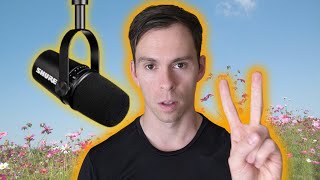
When recording with Descript, use a directional dynamic microphone instead of a condenser for home recording. Start with USB input rather than XLR. Avoid AirPods, KrisP, and Rode Podcaster USB, which cause sync issues. Good beginner options: Samson Q2U ($69), Rode PodMic USB ($199), or Shure MB7 ($249).
Questions this video answers
Directional dynamic microphone
USB (start simple; upgrade to XLR/audio interface later)
AirPods; KrisP; Rode Podcaster (USB) — known to cause issues such as audio/video sync delays
$69 (US, on Amazon)
$199 (US)
Today you're going to learn about microphones. This video is geared toward the beginner who values simplicity, who doesn't have a huge budget and just wants to know at a high level, what microphone should I use for recording spoken word content with descript there are two major types of microphones, dynamic and condenser. Without going into the construction of these mics and how they work, which I won't even pretend that I know that anyways, condenser mics are generally more sensitive and they're omnidirectional, which means they pick up sounds around the microphone. And for that reason I don't recommend them. Unless you have a super quiet recording environment for the beginner creating spoken word content and podcasts, probably from your home office, you'll want to go with a directional dynamic mic. Dynamic mics pick up sound directly in front of them. So that's my first tip. Look for a dynamic mic Next There are two major types of inputs for microphones, XLR and usb. XLR is a thick heavy cable and is what professional equipment uses. XLR will give you the best possible sound, but they require extra equipment and complexity. You can't just plug it straight into your computer. So for that reason I don't recommend it for most non professionals. Usb, on the other hand, is something probably everyone watching this is familiar with whatever device you're on right now, be it a computer or tablet or phone, it probably has a USB input and it's probably a USB type C which looks like this. It's that small oval shaped port. USB microphones can plug directly into your computer and usually don't require any extra software or setup. Some mics have both USB and XLR outputs, so you could consider buying one of those to start simple using usb. And later, once you know what you're doing and you got a little bit more equipment, start using an XLR cable and audio interface. Now, there are some microphones that are not recommended to be used with descript at all. They are unsupported at the time of this recording here. Here's a list from descript's website with microphones that are not recommended for recording with descript. And these aren't only microphones you can see. There's also cameras and then other devices and services and under the audio. As of now it's just AirPods, KrisP and the rode podcaster USB mic and to be clear, it's not that these mics won't work at all, but rather that they are known to cause issues, for example delays where the audio and video get out of sync when you record with one of these devices. I'll leave a link to this page in the description so you can reference it yourself. Taking what we've learned today that for most people, a dynamic mic with a USB input is going to be your simplest and best option. Here are three of the most popular options on the market today, starting with the most budget option. The first one is the Samson Q2U, which starts at $69 on Amazon. That's $69 in the US. This is the rode podmic USB going for $199. Don't confuse this with the Rode podcaster, which is one of the unsupported mics on descripts list. And then at the higher end of popular USB dynamic mics, you have the Shure MB7 going for $249. All three of these options have USB plugins and XLR so they can grow with you if you have the budget for a fancier setup down the road. If you found this useful, give the video a thumbs up.