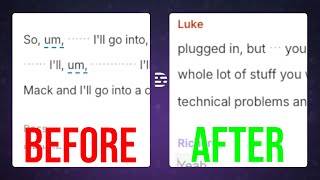
Ross Zeiger shows how to clean up Descript transcripts fast using keyboard shortcuts: Z for capitalization, X for punctuation, C to edit words. He recommends the Scholar transcription provider for accuracy and explains when a perfect transcript actually matters, like if you're exporting to Word or creating subtitles.
Chapters
The thing that makes Descript unique among video editors is that it is transcript-based. What does that mean? It means when you add your video or podcast into the software, it automatically turns it into text based on what is being said. Then from that transcript, you can edit the video. So in this video, I'm gonna show you how the transcript works and give you 3 tips you must know to get the most out of it. The first thing we gotta set up with Descript's transcription service is the settings. So if you go into your settings here under the transcription heading, first of all, you can set a default language. Presumably you're watching this in English. You're probably going to pick English, or you can leave it on auto and let it decide for you based on what it hears in your video. Below that is the transcription provider. So you have a choice here of Automatic, which will choose for you, or Scholar or Daredevil. I leave it on Daredevil. And what that is, if you hover over the little I there, is it tells you that it's faster to transcribe, it's good with proper nouns and punctuation, but it's prone to hallucinations. So faster, but not as accurate. The other option is Scholar. If you hover over that one, it says it's accurate, great overall performance, but the trade-off is that it's a little bit slower to transcribe. So the question here is, is the viewer going to see your transcript? If so, then an accurate transcript is important. If you're not and no one's ever going to see it, then I recommend don't waste a bunch of time fixing it up. I'll talk more about that later in this video. The next thing that's useful to turn on is automatically add frequent corrections to transcription glossary. Click that on. And what that's going to do is if it finds you making a lot of corrections over and over again, it's smart and it recognizes that, okay, we're often misspelling this word. We're going to train the AI to listen for that and enter it correctly when we hear it. I'll talk more about that with this next tip. So join me in a Descript project. So this next tip is going to save you a ton of time. What it is are the Z, X, and C keys. So the Z key, if you hold it down, notice that when I hover over a word while holding the Z key, my cursor turns into a capital A and a lowercase a. What this allows me to do is click on a word and toggle capitalization. So if it mis-capitalizes something or forgets to capitalize something, you can just click on it while holding Z and fix it. Next to that is the X key. Notice I now have a period and comma. Let's say that it mistakenly put a comma here, but that's actually the end of a sentence. I can click on it and it toggles to a space. Click again and it toggles to a period. And I can keep toggling through like that. And when I get a period, it automatically capitalizes the next word, which is now the start of a sentence. And vice versa, if I change it from a period, then it uncapitalizes the next word. Now the next key is C. When you hold that, notice my cursor turns into a pencil. I can now click on a word that maybe got misspelled, maybe it's, uh, somebody's last name, and I can fix it. So I can click on the word speaking. And I can change it to shouting and I can hit correct. And now it's going to change it in my transcript. Okay. So you got two really powerful tools in fixing up your transcript. Let's go to my biggest transcript tip of all, which is going to save you a ton of time, which is, do you even need the transcript? I've worked with clients who get super wrapped up in perfecting the transcript and making sure every I is dotted and every T is crossed. And every period's in the right place. But then I ask them, who's actually going to see this transcript? And their answer is, well, nobody. And if that's the case, your perfect transcript isn't affecting your video. It's not making your video better. Now the transcript is useful for you to see where you're talking about things and to, to edit from the transcript. But if no one's seeing this, then you perfecting the transcript is just wasting a bunch of time. That could be better spent on polishing up the video rather than polishing up the transcript. So where is your transcript used? What do I mean by that? Well, one way is if you come to export, you can export the transcript as a Word doc or as a TXT file, et cetera. And you can take that transcript and you could post it to your blog. You could post it to social media, whatever you do in your post-production process. And if that's the case, then yes, you want a highly accurate transcript. Or another way is subtitles. So YouTube automatically does subtitles for your videos and it does a pretty good job. However, it still makes mistakes. It's still AI. So if you want to have perfectly polished subtitles and you want to spend the time doing that, then you can polish up your transcript and you can export as a.srt file or a.vtt file. You can export that and override YouTube's automatic ones. That's another good use of the transcript. The final use would be is if you're using captions. So let me apply a captions layer to this scene. There it is. The captions text element reads off of the transcript. So if my transcript is incorrect or misspelled, then it's going to be incorrect up here. So again, I would want to spend time polishing it up. But if I'm not using any of those things, then I recommend to you Don't waste a bunch of time fixing up your transcript. Now, one final tip for you. If you go to projects and you find the source video or audio files that make up your project, you can come over to the three dots next to them and you can click retranscribe. So if Descript totally butchered your transcript, which does happen from time to time, then you can click retranscribe and that's going to rerun it and give a chance that it's going to be a lot better product. The next time through. So you may not need a perfect transcript, but you know what you do need? More Descript tips like this. Be sure to subscribe to this channel to make sure you stay up to date on everything you need to know to make great videos.