2:22

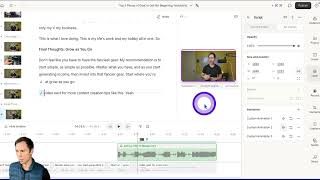
Learn to build a YouTube end screen by layering graphics and animations in your editor, then adding interactive elements through YouTube's end screen panel. The tutorial covers timeline syncing to music, animation effects like slide-right transitions, and where to find free templates.

Questions this video answers

descriptmastery.com

In YouTube Studio: open the video, choose Edit video, then scroll down to the End screen panel (End screen).


More from Ross

57:09
youtube.com

Getting Started With Descript Webinar

3w ago
1:42:38
youtube.com

Youtube and Podcast Creators Meetup

1mo ago
1:02:48
youtube.com

Slow Descript Tutorial for Beginners (2026)

1mo ago
3:25
youtube.com

How to make music fill your whole video

1mo ago
4:27
youtube.com

Why Descript's AI tools give you bad results (and what to do instead)

1mo ago
2:48
youtube.com

Why your Descript layout worked once, then breaks

1mo ago
58:36
youtube.com

Getting Started with Descript webinar | August 2026

1mo ago
25:07
youtube.com

ChatGPT Can Edit Your Descript Videos for You

1mo ago
4:06
youtube.com

Which Macbook should you get for Descript

2mo ago
6:32
youtube.com

Why You Should Assume Every Viewer Is New (The 60/40 Rule)

2mo ago
52:44
youtube.com

Getting Started with Descript - July Webinar recording

2mo ago
See all content