1:16

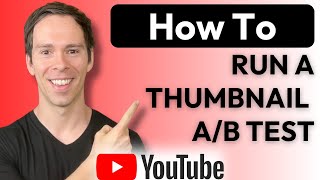
Walk through YouTube Studio to set up a native thumbnail A/B test: go to Content, edit your video, drag in up to three thumbnails, select Test and Compare, then save. The test runs for 14 days before picking a winner.

Questions this video answers

14 days (two full weeks).

Go to Content (left sidebar), select the video, click the pencil/edit icon, then Options → Test and Compare.

Three thumbnails (adds a second and a third).

Drag-and-drop from the computer, or click the arrow/browse to find files on the computer.

Click Done, then click the Save button in the top right.

More from Ross

57:09
youtube.com

Getting Started With Descript Webinar

3w ago
1:42:38
youtube.com

Youtube and Podcast Creators Meetup

1mo ago
1:02:48
youtube.com

Slow Descript Tutorial for Beginners (2026)

1mo ago
3:25
youtube.com

How to make music fill your whole video

1mo ago
4:27
youtube.com

Why Descript's AI tools give you bad results (and what to do instead)

1mo ago
2:48
youtube.com

Why your Descript layout worked once, then breaks

1mo ago
58:36
youtube.com

Getting Started with Descript webinar | August 2026

1mo ago
25:07
youtube.com

ChatGPT Can Edit Your Descript Videos for You

1mo ago
4:06
youtube.com

Which Macbook should you get for Descript

2mo ago
6:32
youtube.com

Why You Should Assume Every Viewer Is New (The 60/40 Rule)

2mo ago
52:44
youtube.com

Getting Started with Descript - July Webinar recording

2mo ago
See all content