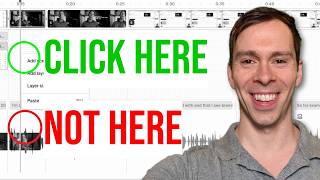
In this solo tutorial, Ross Zeiger shares five practical lessons he wishes he’d known when first using Descript, aimed at saving time and reducing frustration for new and intermediate users. He explains that every click in Descript is context‑dependent, meaning menus and actions change based on where the cursor is, which can cause confusion when following tutorials. He then emphasizes that nothing in Descript is permanent, demonstrating the Undo button, Cmd/Ctrl + Z shortcut, and the Version History panel that lets users revert to any prior state, as well as the strikethrough/restore workflow for transcript edits. Zeiger offers a simple troubleshooting habit: refreshing the browser page to clear many transient bugs. He encourages viewers to join online communities—Reddit, the official Descript forum, and his own “Descript Made Easy” Facebook group—for peer support and inspiration. Finally, he advises checking status.descript.com to see if any component of the platform (e.g., Underlord, project editor, web app) is experiencing an outage, helping users distinguish between personal errors and system‑wide issues.
Chapters
When I first started using Descript, there were times where I felt like throwing my computer out the window. It had all these amazing capabilities, but nothing seemed to work as well as it should. After over 2,000 videos created in Descript, I'm here to tell you that it was more often than not user error. So in this video, I'll show you 5 things I wish I knew when I was just getting started that would've saved me hundreds of hours of frustration had I known them earlier. The first thing I struggled with and that I see brand new students in my course struggle with is not knowing that every click in Descript is context dependent. What does that mean? It means that every action depends on where you're clicking and how you're clicking. So for example, if I am right here in my timeline and I right-click, I get this menu with these 4 options. But if I come down to a layer and I right-click on that layer, I get all of these options. So sometimes when you're following tutorials or lessons and you're not understanding why you're getting a different set of menus than me or whoever's teaching the course, this could be the reason why is you're clicking in a different place than what's being shown. And so it takes a lot of attention to detail and really paying attention to where specifically is being clicked. And this is a feature, not a bug, because for example, if I'm clicked into this white space and I press S, that just created a new scene right where I clicked. So there's now a scene number 2 and a scene number 1 over here. However, if I click down on a layer and I press S, that splits the layer. So there's different things happening depending on what I currently have selected or where I'm clicking my mouse. The second thing that I wish I knew and always relieves a lot of pressure for my students is that nothing in Descript is permanent. Everything can be reversed. And let me show you a couple of options that you have at your disposal. One is this nice little button right up here in the top left corner. If you hover over it, it says undo. When you click on it, it undoes your previous action and you can keep clicking it to undo every single action until you're back to where you started. And there we go. Now I'm back to how this looked before I started cutting up the scenes. So that's option number 1, is the undo button. In addition to clicking it, you can on your keyboard press Command Z on a Mac keyboard or Control Z, and that does the same as clicking on this button. The other thing you can do is click on these, this menu button in the top left corner. Come down to File and then Version History. And over here on the left side, this opens up a version history, a complete version history of every change that's ever been made on this entire project. So for example, I can scroll through here and I can see there's an entry from April 13th at 3:35 PM, which was 10 days ago. And I can click View. And now I'm looking at, as it says up here, an old version from 10 days ago. So I'm looking at how this project looked at that moment in time. And I can click on this new button that appears here that says Restore, and it's going to turn my project back to how this looked at that moment in time before I started making a ton of errors. But if I want to just come back to my latest version, I click on this underlined part that says Return to Latest Version, and now I'm back to how my project looks in the present. And also, for example, you can highlight some text on your video, and let's say I don't want this line right here. I can click on this strikethrough right here, and that removes it from my video, but leaves it in the transcript crossed out so I can tell that I got rid of something. And if I want to bring that back, I can simply highlight that part, and then this menu pops up over it, and there's this undo button, and I can click on that, and that restores, it brings back into my video and my transcript, that part that I deleted. So that is a really good way. If you're not sure if you want to get rid of something, just do the ignore. And then if you decide to bring it back, you can click on that. Or if you do in fact want to delete it, you can click on that and now it's gone. So remember, nothing in Descript is permanent. You can always undo your mistakes. The next thing is when you're using Descript or any software at all, things happen, things break, there's errors, there's bugs, there's glitches. And a lot of times there's one simple thing you can do that can fix a lot of those issues. And it's this button right here at the top of your browser. When you click on that, it refreshes the page and that can clear out a lot of errors that you might be experiencing. It won't fix everything, but if things are running slow, if things are just buggy, not working how you expect, just simply refreshing your page every now and then can work wonders on your project. And the next thing that will really help you is to join a community. There's tons of 'em online. You can go to Reddit, descript.com/community is what I have on the screen right now. There's Facebook groups. I have my own group called Descript Made Easy where we meet 3 times a week for live group coaching, where I help you through your Descript issues. So there's lots of options for you. And whenever you get stuck, you can ask people who have been at it longer than you, how do I do this particular thing that I'm trying to accomplish? Or to get inspired of what is possible. With your videos. So this is one of the biggest level-ups you can do for your learning process is join a group of fellow Descript creators. And lastly, Descript is a complex piece of software. There's a lot of different systems that go into it. And sometimes one particular functionality will be down if one particular part of their system is down. And they maintain a page called status.descript.com where you can go and see if something is in fact down. Right now it says we're fully operational, everything is working, but you can see all these different systems. So for example, Underlord is a different system than the project editor, which is different than the web app. And so one particular component can be down on a particular day. And you can see historically these little yellow marks or these red marks are when there was known issues. And if there's just one particular thing that's not working or seems to be slower than usual, you can come here and see that maybe it's not you, maybe it's a system-wide outage.