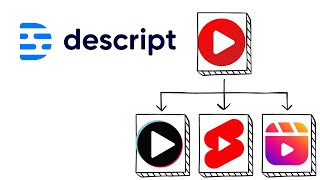
Learn how to extract short clips from longer videos using Descript. The tool lets you edit audio, apply studio sound effects, and adjust aspect ratios for TikTok, Instagram, and YouTube Shorts in minutes instead of hours.
If you have a long video like a podcast or a talking head video, here's how to make clips out of it really fast and easy in Descript. So first of all, here's a video I have. It's 12 minutes long and it's just me talking to the camera. Let's say I want to clip this up and make shorts or TikToks out of it. First of all, I would edit up the audio. I'd apply studio sound. If you don't know how that to do that or what that means, go see my other videos or check out my course Descript mastery about it. But here's what. Once you got everything set up how you want, you got the lighting, you got the sound taken care of, then let's say I want to make this line right here into a short. The Oxford Dictionary defines an entrepreneur as a person who organizes, organizes and operates a business or businesses taking on greater than normal financial risks to do so. And then when I highlight it, this box pops up and what we can do is, is hit these three dots that say more options, hit go, come down to duplicate two. And I've already got some other compositions in here, but I could hit New Composition and it says selection added to new composition. I can open it and look, it just copied that short little clip into a new composition. And now what we can do to make it into if we want to put it on Instagram, we could change the aspect ratio in the top left corner here to one to one. Or if we want it for YouTube shorts, nine by 16. And then I would just select that layer and I can resize it by clicking on the border and dragging to resize. And there we go. And then the Oxford Dictionary defined I have a little 12 second clip and I can repeat this for the whole video. I can just go through and make small clips out of each one.