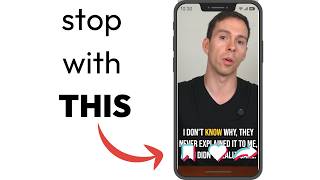
Learn how to keep captions, faces, and graphics visible on social media by using a safe-zone overlay. The tutorial shows how platform controls cover your content and walks through repositioning elements so nothing gets cut off on top or bottom.
Do you see what's wrong with this image? I'll give you a hint. It's right here. Right here, Right here. Things are getting covered up by the social media buttons and controls on the sides here. So what we want to do to avoid that is use something called the social media safe zone. So if I get rid of this layer there, and I created a template for this, it's free, you can download it using the link in the description. But basically, if you click on this, then you can apply one of these social media safe zones. So I click on that and now it's going to put this nice little border around my image so that I know where those controls are going to roughly be. And I want to move any important elements out of the way of that border. So I'm going to shrink my captions, I'm going to position them about right here, and then I'm going to take my image so my head's not getting cut off, maybe do something like. Like that, like so. And so these social media safe zones are super important to use to make sure that nothing in your video is getting cut off by the platform's controls on the top and bottom.