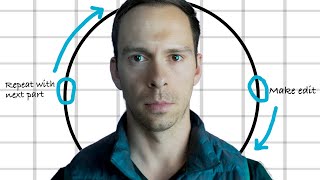
Cut anything that sucks. The editing cycle is simple: play footage, mark bad sections, delete them, repeat until done. Steve Stockman's book and a goldendoodle analogy show why aggressive trimming works.
Video editing in its simplest form is this. Take a video you shot and cut out all the parts you don't like. Play through the video. If you see anything that sucks, cut it. If you're not sure if it sucks, cut it. Be ruthless. Cut at least one scene you hate to cut. That is from the book how to Shoot Video that Doesn't Suck by Steve Stockman. It's like grooming a dog. I used to run a dog grooming business. We would get these super matted shaggy goldendoodles that had never been groomed in their lives. They would come to us looking like this, and when we were done with them, they looked like this. Think of your video like that. Goldendoodle, the beautiful, clean, happy dog, is there under the surface, but you have to remove all that dead hair and clean it up in order to make it look nice. So how do you do that with your video? I've taught hundreds of students descript, and one thing I always get asked is is there a rule of thumb for fill in the blank, for the font size, for how long a pause should be anything at all? And the answer is there's typically not. But there's a very simple model you can think through when making any edits. I call it the editing cycle. The editing cycle, very simply, is this. Step number one Play through your video. Step two Whenever you see something you want to change, like this pause that needs to be cut out, I make that change and cut it out. Step three, I back up a couple seconds in the editor and play it again. Step 4 if I like it, I keep it and I repeat this cycle by looking for my next edit. If I don't like it, I I can press undo, which is Command Z on a Mac keyboard and control Z on Windows. And from there I can make a different change. Once that edit looks how I want, I start over at step one until I've played through the entire video. But for the editing cycle to be useful, you need proficiency with the tool. Check out this video next to learn how to edit more efficiently.