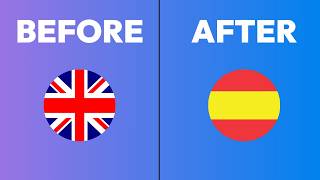
How to translate a Descript project's transcript and speech into another language. The web app works better than desktop, there are 23 languages for text and 5 for speech, and speech generation can be glitchy.
Here's how to translate your Descript project from one language into another. First, find the project you want to translate. I'm just going to pick one here. I'll use this one at the bottom and open it up. And then what you're going to do is go into Underlord in the top right, scroll down in here until you find Translate. Click on that, and then you'll choose what language you want to translate it to. And for just the transcript portion of this, you can translate it to one of 23 different languages. So you can pick any of those here. For actually translating it into the speech, you're going to be more limited. So once I toggle this on, that's going to be the speech portion of it. And then you'll see that I only have five choices. English, French, German, Italian, and Spanish. For the speech portion. Then it's going to say what speaker you're translating from and what speaker you're translating to. So right now the assigned speaker is just the generic RODE connect stream. It's just the microphone that I used. I'm going to switch that to myself. So I'll just name it as Ros. And then it's also going to be the AI speaker that I translated to in that language that I'm translating to. So it's going to be the same one ROS 2.0. And I'll hit submit under Lord is thinking. And almost immediately, within five seconds, it translates the transcript. So on the left side we have our original language, which was English, and then on the right side we have the translated language, which is Spanish. And for some reason I see that this is throwing errors. So you can see it says generating speech. And this takes a while and it's very hit or miss. I've had a lot of errors when I've been testing this. And by the way, I tried to do this in the desktop app and it doesn't work at all. So I am on the web version. This is web. Descript.com and it seems to work better here. But I'm going to give this a few minutes and I'll check back in when it's done. Okay, it's done. Let's see if we can play this thing. I'm getting some spinning action going on, so it's not working. This is. This has been very hit or miss for me. So what I'm going to do is just refresh this page because it's not quite working right. And let's see if that fixes the issue. Okay. And then to go back to our translation. This button appears once you've made a translation. It's at the top, middle, and when you click on it, you can see whatever languages you've translated something to. So click on that and we're back in this page. And now I can see the preview. So I think this should work. Let's go ahead and play it. Pretty cool. I don't know if you'd hear that, but that was me speaking in Spanish, even though I was speaking in English. Happy translating.