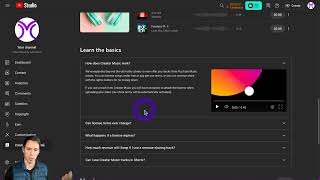
A walkthrough of YouTube's Creator Music in Studio: find it in the left sidebar, filter for free tracks, download via the three-dot menu, and note that some require purchase or revenue sharing. Check the licensing basics before you use anything.
Most people aren't aware that YouTube has music that you can use in your projects. If you go to YouTube studio and then down here at the bottom on the left, you have creator music. If you click on that, you come to this page. And I'm not going to go in this video into the copyright and licensing issues, but if you come down to the bottom and just learn the basics section, it explains how you can use these tracks in your video. Some of them are revenue share, some of, some of them you have to buy the license to, and some of them are completely free. So just make sure you know how these work. So right here at the top you can do view free tracks. And these are all completely free of charge. You can hit these three dots, say download track, and then you could import that into your video editing software. Or back at the homepage, there's some that you can see you can buy. And then once you buy it, you have the license to use that particular track. But again, look into all the legal issues on where and how you can use those before you do so. And then also here you have a free tab where you can see all your free stuff here and the rev share options where you can use it. But then if you make money off of it, you'll share the revenue with the artist.