Dr. Vince | How to Get New Patients with Webinars
In this 30‑minute training Dr. Vince Leone walks clinicians through using webinars as a patient‑acquisition channel. He first outlines a simple, low‑cost workflow – Facebook (or any) ads to drive traffic, Zoom to host live webinars and collect registrations, and a CRM (ActiveCampaign, AWeber, Mailchimp) for follow‑up. He then sketches a more advanced evergreen/on‑demand setup that adds ClickFunnels for landing pages, WebinarJam/EverWebinar for automated webinars, Vimeo for video hosting, and Zapier to sync Zoom with the CRM. Throughout he demonstrates how to create effective ad copy, craft a high‑converting webinar registration page (headline formula “How to … without …”), design a concise slide deck (condition overview, signs, causes, ineffective treatments, his proprietary protocol), and run a live Q&A with pre‑loaded FAQs. He stresses the importance of a strong, rehearsed close and clear call‑to‑action (schedule a consultation). Dr. Vince also shares practical logistics: optimal days/times (Thursday evenings), ad budget (~$50/day for 10 days), reminder email schedule (1 week, 1 day, 1 hour before), expected registration‑to‑attendance conversion (10‑20%), and a 3‑5‑email follow‑up sequence to nurture both attendees and absentees. Finally, he offers a free 15‑minute strategy call via drvincecalendar.com for doctors who need deeper technical help.
Chapters
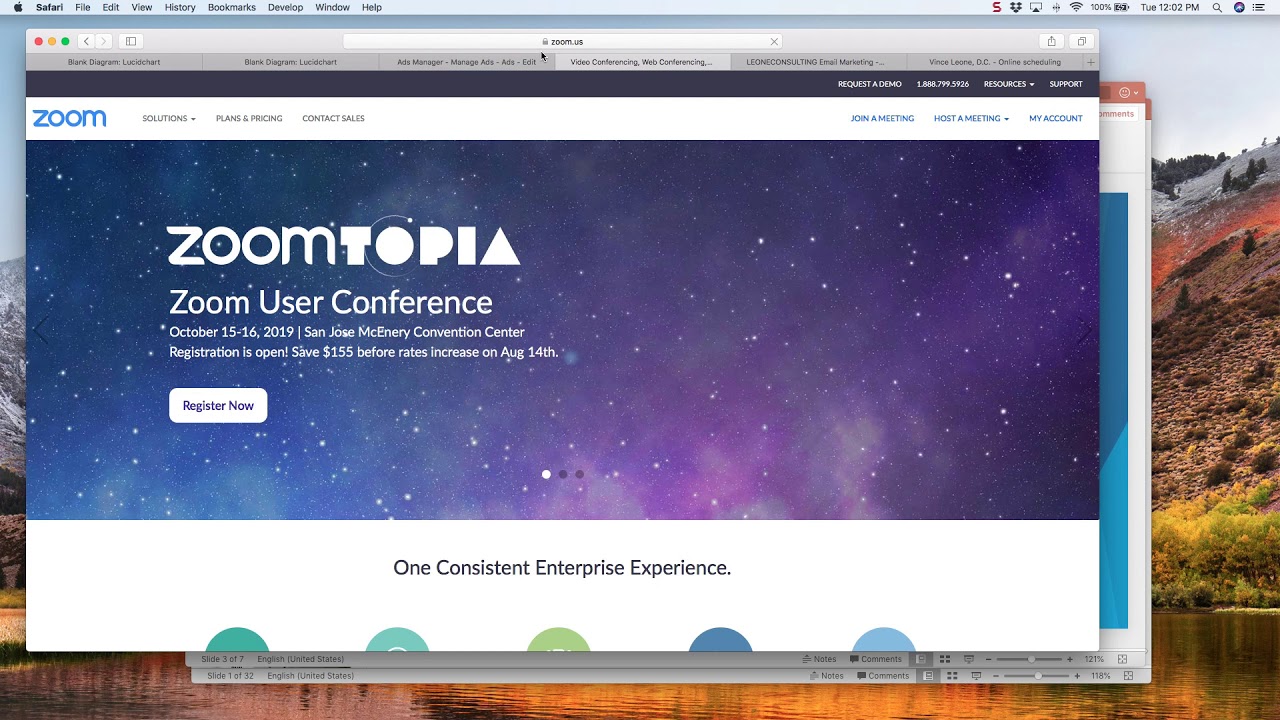
Hey everyone, Dr. Vince here, and welcome to How to Get New Patients with Webinars. This is going to be a brief kind of step-by-step training on how to set up webinars to generate new patients. I'm sure I won't cover every nook and cranny, but you are going to get the basics of how to do this quickly and easily. There is a more advanced version. We'll go into that in just a second. But what I recommend is just, you know, sometimes good is good enough where, you know, you just kind of have to get your feet wet. You have to kind of get familiar with some of the platforms that we need to use. It's not that complicated. Again, there's a simple version that we'll go over today. There's a more complicated version, or I guess more advanced version as well. We'll cover that briefly, but it's 2 in to go into one quick training, but this can get you started. If you're looking to set up an additional avenue to generate new patients, especially if you're in some type of niche, whether it's decompression or neuropathy or stem cell or functional medicine or knee pain or whatever it is. If it's in— when you kind of have those very specific niches because they're really easy to advertise for, Those are perfect for webinars. So let's just go ahead and jump right in. Here's what you're gonna need. We talked about the simple version and then the advanced version. Let's just go through both. We're gonna cover the simple version today, but I do want to let you know what's possible in the advanced version. So in the simple, we obviously need an advertisement, whether that's Facebook, Google, radio, newspaper, You know, handouts in your office, emailing your list, whatever it is. We need some type of advertisement. We need to let people know that we are holding this particular webinar. The next tool we need is the actual webinar itself. I recommend Zoom. It's very affordable. I think it's like $50 a month. And that is going to— it's a wonderful tool, but for our purposes, it's going to be the registration page and where we actually hold the live webinar. Okay, so this is, again, this is for live webinars. And then finally, the CRM. That's customer relation management tools, what CRM stands for. That is your ActiveCampaign, that is your AWeber, this is your Mailchimp type of thing. I prefer ActiveCampaign and that's what I recommend. Now on the advanced side, we'll go into, again, obviously you need your advertisement, you're going to need ClickFunnels and then WebinarJam. Now this will not be a live webinar and it's a lot more work to set up, but The beauty of it is, is you just continue to run advertising and essentially they go to, um, to the registration page and they're able to— it's kind of on demand. They'll give you like 3 or 4 times available, but it's always like, you know, in the next 15 minutes. I'm sure you've seen this on Facebook, right? On one of the advertisers say, hey, you know, this is how we, you know, get you new patients. And then you go to the thing and, you know, it says, oh, it's starting in 5 minutes. So that, that's what that is, the kind of evergreen or webinar on demand. WebinarJam and EverWebinar is another option. This, I like WebinarJam, it's really easy to use. And then that incorporates into ClickFunnels. Okay, so ClickFunnels is essentially going to be your landing page and the host for the actual video streaming service. If you do this, you're most likely going to need— I recommend doing something like Vimeo, right? So you're going to record your webinar, right? And then it's going to essentially, whenever someone signs up and says, hey, I'm ready to go, then they're going to play your webinar. But you need somewhere to host it, right? So that's where Vimeo comes in. And then again, your CRM is your email Campaign Manager so that you can follow up with people. But again, this is too complicated. Let's stick with the simple so that we can give you something that you can actually do right away. So we'll, for our purposes, we'll say, okay, we're gonna use Facebook to advertise because it's super easy and super simple to set up, and I can walk you through that quickly. Zoom is gonna host our webinar, and we're gonna use ActiveCampaign as our tool. To send emails and follow up. So let's go back here. So we're, um, so this is where we're at. Let's look at some advertising, what a typical ad will look like. So, um, this is for a neuropathy seminar. This is not for a webinar, this is for an actual seminar. I help doctors do workshops and they're super effective. Again, for these niche conditions, they're great. You'll see you got your headline down here, you have information up here to drive them to the actual seminar itself. But, you know, I don't want to go into how to create Facebook ads because, you know, that's not what this is about. This is about teaching you how to hold a webinar. Now, if you want to learn Facebook ads, then, you know, I just recommend you don't need to You don't have to pay a bunch of money. You can literally pay $12 on udemy.com, U-D-E-M-Y dot com, and you can learn how to do Facebook ads. It's not that complicated. Now, if you want to be really good at it, then that takes some in-depth time and experience put into it. But a lot of docs already have a Facebook company that is doing their marketing for them. So if that's the case with you, then hey, you're just going to— Say, hey, I want to do this webinar. You know, let's go ahead and create an ad for that. You give them a budget, and then they'll go ahead and do that. So that's the Facebook side of things. Next is Zoom. So let's look at Zoom. This is this is what Zoom looks like. It's literally zoom.us. You you know sign up. You can I'm sure there's a free trial there somewhere, and. But let's walk through of, you know, how to actually create the webinar itself. So this is, you just click on the Webinars tab, Schedule Webinar. Again, they just make it so easy, it's really great. So let's say this is, oh, what should we call this? How to Solve Your Neuropathy. Without Drugs and Their Side Effects. So obviously it's not the best title in the world, but that's always, um, when you're talking about headlines, your headline is really— they call it a topic, but this is your headline essentially. This is what your registration page will look like. Your headline is probably 80% Of the effectiveness of whether someone's going to sign up. Okay, so you really need to put a lot of thought. This formula, how to blank without blank, is very effective. How to solve your knee pain without drugs or surgery. How to solve your disc problem without drugs or surgery. How to— you know what I'm saying? How to get what they want without something that they don't want. That is a very good formula. Then under the description, you're gonna put, you know, in this— goodness gracious, I can't type today. In this webinar, Dr. Vince will cover, you know, the main causes The main causes of PN, right? Signs and symptoms. Signs and symptoms. The typical treatments that don't work. That don't work and may be doing you harm. Dr. Vince's Unique protocol. Can't type. Unique natural protocol that has helped thousands of patients get their life back. Excuse the the typos. Sign up today. This is a limited event, blah blah blah, and and you can even add a bonus. Like you know, like it's always nice. People always like bonuses, and as an added bonus, a PDF of the. Presentation will be available for all attendees. So bonuses are always great. In my webinars for chiropractors, I'll always, a lot of times I'll give them a book, right? Because I love books and I'll choose a book that's germane to our particular topic. Or I'll give a PDF of the presentation just like this. I'll give a free training, something just to thank them for showing up. Next template, don't worry about that. Then you need to schedule, right? And we want to, you know, obviously you need to pick a time that works for your schedule. This is something that, you know, you really need to test a little bit, right? And so, and by the way, you say, well, how often should I be doing these? Well, you know, you could probably do them every 2 weeks, you know, every 2 to 4 weeks. Right. If you're doing them live. And, you know, Thursdays seem to work well, especially for like in-person seminars. Thursday at 6 or 6:30 seems to be the best draw. But I would say, hey, you need to, you know, hey, what works for your schedule and what time do you think works for most people? And maybe the weekend, you know, Saturday morning at 11 or 10, something like that. But what you want to do is just test a couple things and see which seems to work the best. Pick your time. You can have it recurring, like if you figure out, hey, a really good time is Thursdays at 6:30, I want to do it every other week, you can pick recurring webinar and then it will say, you know, weekly, monthly, blah blah blah. But I'm going to uncheck that for now. Registration, you want that required. We want people to have to give us their name and email because we are going to Hold on to that information. Video, I would turn off the panelists. You don't want your panelists. Well, we don't have panelists. You just have the host. Sorry, I thought that was about the attendees. But you want your video on. You want to at least have that option, right? Because what that means is obviously you're going to have video of your screen, but you can have a little mini window of yourself giving the presentation. I think that that's good because Then people can actually see you. They're not just seeing the screen because what happens is, or what I recommend, we're gonna go into this in a bit, but we're going to do a what's called a screen share for the presentation. We're not gonna like have you on camera the whole time. I don't recommend that unless you're excellent on camera. If you're excellent on camera, great. If not, don't. You can do a Q&A. Don't do the make— do not make the webinar on demand because it's going to be live and we do want to record it. So then just click schedule, uh, and then it's going to, um, um, give you this. Okay, so this is what you're going to give to your, um, your marketing person, however you're generating, you know, traffic for the webinar, this is where they need to go to, um, to register, right? So let's take a look at what that looks like. Boom. Okay, so it's got your little logo, has, you know, obviously webinar registration. Here's your title. This is what they're going to learn. And then they put in their name, email, confirm it, and register, and boom, they're registered. Now, so, okay, so then we actually have them registered for the webinar. That's Zoom. So your slide deck is what you're gonna actually show, okay? So here's an example of a neuropathy one that I did. or I created for a client, understanding peripheral neuropathy, right? So there's lots of theories about how to do a webinar, right? Do you, you know, give them all the information? Do you say, hey, there's 3 secrets to this, and where you're teaching them some but you're kind of holding things back? I mean, it's kind of— it's an art form in itself, and it's a bigger topic than we can dive into right now. I would say for now, hey, just do the basics, right? What is the condition? What are the signs and symptoms? What are the causes? What are the typical treatments? And then what is your wonderful treatment, right? So that's how— this is the format that we use here. Understanding peripheral neuropathy. Well, what the heck is it? Well, it's nerve damage to the nerves on the periphery, in your hands and feet. Hands and feet, blah, blah, blah, nerve damage. Signs and symptoms. Well, obviously pain, numbness, tingling, electric shock-like burning, weakness. Now, what are the causes and common treatments? By the way, guys, you can create this in PowerPoint in 20 minutes, and that's what I recommend you do, right? Just use their templates and just put in your stuff. So causes and common treatments. Well, what are the causes? Well, diabetes is the number one cause of neuropathy, prescription drugs, alcoholism, trauma, chemotherapy, low back conditions. And then we go into common treatments. Well, drugs, alternative therapies, and, you know, we talk about, well, you know, chiropractic sometimes helps, massage sometimes helps, but really what we're doing is, and what I recommend you do in your presentation, is essentially you bring up things and you knock them down, right? Because what you want to do is— All the other treatment options for them, you're going to knock down except yours, right? Chiropractic for neuropathy, it's not great. You know what, you're going to adjust their low back. That doesn't have— that typically is not going to help with nerve or neuropathy in the feet. It can, it can help relieve some of the symptoms because what you're doing is taking some pressure off the nerve roots in the low back that is affecting blood flow. But is that going to correct their problem? Most likely— I mean, like, highly unlikely, right? So, um, now some doctors may disagree with me and that, oh my God, that, you know, I got excellent results with that. Well, then you're, you're a rare breed, and good for you, but very rare. But the point being is, this is one thing I would definitely do in your presentation, in your webinar, is to bring up All the options for these patients for their specific condition and then talk about how bad they all are, right? Because what we want to do is build up our solution and position it as the best. And then here's a safe, effective, comprehensive approach, right? So it all starts here and we go through— we have cold laser therapy and nutrition, vibration, decompression, infrared laser therapy, and we go through each one of those, right? This is— we explain each one, what they're doing, Why they're so great, then you can open it up for Q&A. And one thing I highly recommend is when you go into Q&A is have a couple really frequently asked questions in your back pocket that you just know are on people's mind and they may not ask, right? And so, you know, like, is this covered by insurance? How much is a care plan? What is your success rate? You know, why doesn't insurance cover this? All these These types of questions, you can say, "Hey, you know, now I want to open it up for for Q and A." But right off the top of the bat, a lot of people have already asked me these really common questions. So I want to go through them really quick because you may have those too, and we'll save some time. That type of thing, right? And then you, and then at the end, I would just, and then you give a call to action at the end. I don't know why there's not one on here, but but at the the last slide would be, "Hey, to find out more information or to schedule consultation, go to." yourwebsite.com and drive traffic there. Or you can give them a phone number, give them an email address, whatever it is. But you want to give them the ability to call or set up an appointment. That's the whole goal here is to generate new patients. So we have to have that call to action at the end. This is for a seminar. Now I know why there's not a call to action. This is for a seminar, a live seminar. Right. And so we've already— I've already trained up the doctor of a separate, what we call close, at the end where you, you know, ask for the consultation, right? So it's a strong call to action, it's rehearsed, it's delivered with confidence and ease and all that type of stuff. See, what happens is a lot of doctors, whether it's a live webinar, whether it's a seminar, they, they're very good at explaining everything that they do and, and, um, you know, what's so great about their particular approach. But when they— when it comes to the end, when you want to ask them to sign up for a consultation, they kind of, um, well, you know, if you want to set up an appointment, you know, we can, we can get that taken care of. No, you— like, when you go in your close, like, you need to go in with confidence. And you need to have a rehearsed approach. Hey, this is a very important time right now. You have the condition. You've taken the time out of your evening to come here and listen to me. Okay, I have explained exactly what you're going through. I've explained the approaches that are not only ineffective most of the time; they can actually be doing you more harm. than good, right? And now I've explained exactly the protocol that I use that's helped thousands of people just like you. So this is a very important time in your life. You can either choose now to come in and get evaluated to see if you're a good candidate for care, or you can do nothing and nothing changes other than the condition continues, right? And most likely continues to worsen. And a lot of— and so you want to have that close, right? You want to have that down. I've done it I've said it so many times, it just comes naturally to me, but you want to practice that. It's not scare tactics. We're trying to help people, right? We're trying to change lives, and they need a leader in the room or on the webinar. That's you. You have to be that leader. You have to believe that they would be better off spending their money with you to get your treatment versus spending that money anywhere else on anything. Because health is the most important thing, as you and I know. Without our health, nothing matters. It doesn't matter how much money we have, how big a house we have, how fast a car we have. Nothing matters if we don't have our health. And that's why we can go in this with our integrity intact, because we know we are helping people, right, with tough conditions. That's the beauty of what we do. And that's the beauty of webinars, because you can reach so many people. I love live in-person seminars, but I only recommend doctors do them, you know, twice a month, once a month, that type of thing. Because unless you have deep pockets to advertise, you will— it's just tough to get enough people there for it to make sense, right? And so, so, you know, what this does is allows you to add another avenue marketing campaign into your arsenal of new patient generation. Okay? So let's take a look at what else do I have here? Holding the webinar, when to do it. We kind of talked about that. I would start off Thursday evenings. Okay? If you said, well, Dr. Vince, well, what do you recommend? That's why I recommend Thursday evenings. Okay? Because Friday, forget it. Saturday morning's an option, right? I think Saturday morning's an option. Sunday morning is not. In the afternoons and the weekend, I feel like people are just doing their thing, right? It's kind of hard to get them, especially in the summer, but it's hard to get people in front of their computer at that time. During the week, kind of tough because people are working. Now, a lot of our, you know, our— not a lot, but some of our patient base is obviously retired. But I would just start Thursday evening, 6, something like that, and see how that works. How far in advance to advertise? I like about 10 days. Okay, so especially when we're doing Facebook ads, I like about 10 days and I like to do about $50 a day. So total of about $500 advertising there. And conversion numbers in terms of like, okay, if 100 people register, how many people are gonna show up? What's nice about Zoom is that when they register, there is a way, let me show you really quick here. Since we're— there we go. Email settings. You'll want to go here because— let's see here. Here it is. Oh, edit. So you want them to receive these reminder emails 1 week before, 1 day before, and 1 hour before. Goodness gracious, if they'd do it 10 minutes before, I'd want that too. In fact, I think WebinarJam allows you to do that. But the point being, people are just busy, so you just need to remind them. And you're not bothering them because they signed up for the darn thing. So we're going to remind them. But in terms of conversion numbers, it's usually— it's not high. So if you have 100 people sign up, I don't know, maybe 10, 20 will actually show up. That's why our follow-up campaign is really important. Because if we go back here, You can do follow-up to attendees and follow-up to not— why is this no follow-up to attendees? Usually that's supposed to say— oh, absentees. Okay, yeah, absentees. Yeah, so we want to send a follow-up to absentees. Hey, we're sorry you missed the webinar. And then you can have them, you know, if you want, you can post a replay. Right? Because it saved it to your computer and then you can, you know, put it up on YouTube or Vimeo, whatever you want to do. But so that's one option there. In other words, you want to follow up. Do we get into that here? No, that's advanced. We'll get there in a second. So what you'll want to do is, and this is getting a little bit into the weeds, but so this is ActiveCampaign. You can connect Zoom to ActiveCampaign. Through an app called Zapier, right? And it's not tough. It's, again, this stuff in the beginning is, you know, it feels a little techie, but once you get used to it, it actually, you know, is super easy. So, but what you do, super simple, you're going to, goodness gracious, how many times are you gonna make me sign up, Zapier? I'm just trying to log in. You go to Make a Zap. Hello, Make a Zap. This is just for whatever reason my internet is running slow. Forget it, that's taking too long. The point being is you can connect your Zoom to whatever, whether it's MailChimp or ActiveCampaign or AWeber, whatever it is, you can connect it so that it goes right into a list and then you can send them emails, right? And I would recommend sending them, you know, 3 to 5 follow-up emails to say, hey, you know, this is what we covered, here's a link to the replay, that type of thing. Because you, you mo— like, you just never know, right? Like, people again are very busy. So if you can create a follow-up campaign of just 3 or 5 emails Then you know again you'll have you'll pick up more people to to watch the webinar, and that's really our goal. We want them to watch the webinar. Okay, we're not trying to drive them straight to a consult because then they're an uneducated lead. We want to get them on the webinar, right? So so the the follow up emails will you will talk a little bit. You know, give a little bit of information in each email. That's why I recommend. But at the end of each one, you say hey. For all the information about your condition, watch the replay right now, and then you just provide a link, and then that goes to your YouTube page or Vimeo, wherever you're hosting that. Now, this is the evergreen webinar. This is where we're doing this type of thing, right, where it's more advanced. You're gonna use this service like a WebinarJam or EverWebinar. You're gonna incorporate it with ClickFunnels. Again, we're not gonna go into the tech on this. We're just gonna— I'm just gonna tell you how Vimeo is gonna be your hosting service. Your CRM obviously is holding all the emails. But what this is essentially going to do is you are gonna drive people to an on-demand webinar, get their email information, and that's just gonna run, right? It's just gonna run 24 hours a day. So you can literally have people watching your webinar all day, all night. You know, as you know, a lot of people with these conditions don't sleep very well, right? They're up watching TV or on the internet or whatever. So Or doing research, right? Doing research on their condition. And so that will give them an opportunity. Hey, wow! Here's an ad. This is exactly what I have. They'll go to the webinar, and then they you know watch the webinar, and then hopefully sign up. So again, don't base your whole practice on it, but it it's it's another avenue utilizing you know some really great resources that are available to us. Right now. Okay, so if this is interesting to you, if you would like some help, I know that there's some tech stuff. I've been doing this stuff for years. The tech side of things, the marketing, all that kind of stuff kind of comes naturally to me. It doesn't come naturally to a lot of doctors, and that's okay. But if this seems a little overwhelming, you say, I don't know that I want to dive that deep into it. Great. Set up a call. Just go to drvincecalendar.com. It's going to look like this, right? And you can just pick a time and you can schedule a 15-minute call. We'll get on the phone. We'll talk about, hey, where are you at in practice? Where would you like to be in 6 to 12 months? How, you know, do you want to add webinars? Do you want to add live events? Like, what are you looking to achieve? If you say, well, I really like the idea of webinars, but I don't really want to do all that stuff. I don't— You know quite understand it. I don't want to dedicate all the time to do it. Then we can talk about how I can help you out. Okay, so that's at DrVinceCalendar.com. So I hope this was helpful for you. I hope it served you. If you feel comfortable, I would say, gosh, just dive right in, right? The advertising is cheap. You can do it like ten or fifteen bucks a day. Zoom is like fifty bucks a month. Your CRM is like twenty or thirty dollars a month for active campaigns. Some are even free. I think MailChimp is free for the first, like, whatever, 500 or 1,000 contacts. What— I don't know exactly what it is, but it's cheap. So if you feel inclined, I say dig in, you know, just take action. Good in this case is good enough so that you can just try it out. You never know, maybe you'll get a patient or 2, maybe we'll get 10, maybe we'll get none, right? But at the same time, you're building a skill, right, so that you can Continue to hone and refine and improve that skill moving forward. So again, hope this was helpful. For eventscalendar.com, we can jump on a call. It's super low stress, no pressure whatsoever. We're just going to talk doctor to doctor. But I hope this was helpful and valuable, valuable for you, and I'll talk to you soon.