ChatGPT Power Tips for Lawyers & Law Firms. Embrace AI or Die :-)
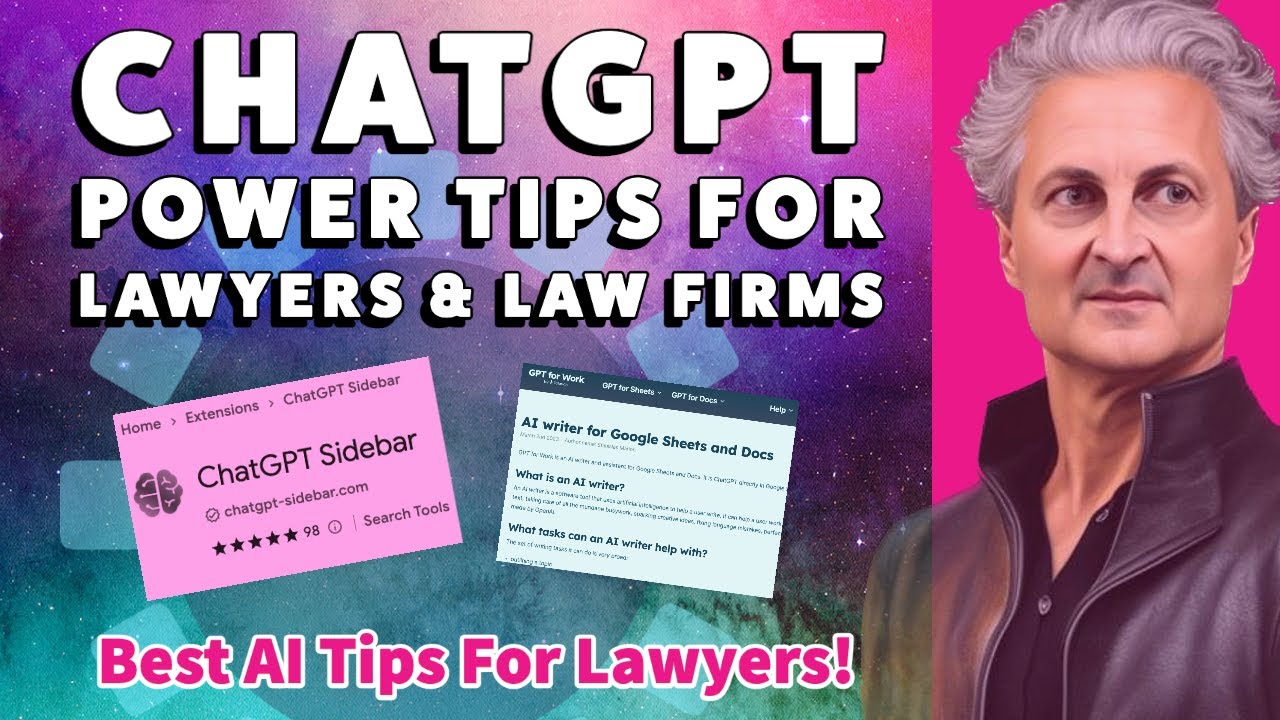
Attorney Enrico Schaefer shows lawyers how to use ChatGPT for real work: the ChatGPT Sidebar extension for quick document summaries and case law citations, and Google Sheets as a prompt hub to draft emails and responses. He claims lawyers can cut time by 90-95% and warns that firms not training staff in AI will fall behind.
Chapters
My name is Enrico Schaefer. I'm a technology lawyer, and I've been specializing in new and emerging technology for over 20 years since the new and emerging technology was the internet. The latest technology is artificial intelligence, and I've been evangelizing for a long time that technology is going to be a huge catalyst in the legal industry. To provoke change, to change the way law is practiced. And that's been true since the advent of the internet, where we've seen clients gain access to information, level the playing field between lawyers and clients, allow clients opportunities to make informed choices about legal counsel, to compare legal counsel by looking at online information about law firms and lawyers, and a host of other issues. Artificial intelligence has the ability to change the practice of law in ways that we have never seen before. So in this video, we're going to talk a little bit about how to use AI if you are an attorney, why you should be training up your attorneys if you are a law firm, if you are managing partner, and how to take it to the next level using some plugins and some next steps beyond just simply entering information into ChatGPT, which, let's face it, is fun but doesn't really move the ball in terms of legal practice. It doesn't help lawyers to do their job better in a significant way. So at the end of this video, I'm going to show you and share with you some of the very specific strategies and prompts and tools to use in order to up your game with ChatGPT, specifically as a lawyer trying to deliver better quality and less time for your clients. All right, so with that, let's go ahead and jump in. You guys have all played with ChatGPT. If you haven't, you are already behind. AI is here. And it is already making things 80, 90, 95% more efficient for certain tasks that lawyers perform. That means that lawyers can do more in less time. That means clients are going to expect that lawyers can do more in less time. So ChatGPT is a pretty simple interface, and you have to manually put what is called a prompt, which is the question that in the— in the— that you want ChatGPT to answer, or you have to let ChatGPT know what it is you want it to do. Do you want to answer a question? Do you want to respond to an email? Do you want to provide a case citation? Do you want it to provide authority or authoritative, authoritative resources for a certain proposition? Do you want it to define certain legal terms? Those prompts are key to making ChatGPT work for you. And not only can you have an, uh, a prompt that tells GPT what you want in terms of output, but you can have prompts that also provide context that allow ChatGPT to understand more about the specifics of the situation, context around the output that you're looking for, background. And you can provide information by prompt, and it's background information for it to consider in devising a response to an email or an argument that you want to craft. These prompts, this context is critical, and it's why ChatGPT, as powerful as it is just in its raw form, is just barely scratching the surface of what is possible. Now, we're having technology breakthroughs every single day when it comes to add-ons for ChatGPT in order to make it more useful. And more user-friendly for specific industry niches. So what are the things that you absolutely need to add to ChatGPT as a lawyer in order to get the most out of it, in order to enhance your ability to provide context, in order to provide more specific information, or to get a better answer from ChatGPT? All right, so the first one is a great extension that's actually built directly into your browser, and it's called ChatGPT Sidebar. And you'll find it in the Chrome Web Store. It looks like this, got a little brain with some little, uh, nodes and neurons coming out of it. And you're going to go ahead and add that to Chrome. I already have added it to Chrome. Once you add it to Chrome, you'll find it in your toolbar, ChatGPT Sidebar. What you're going to want to do is pin and unpin this plugin, this extension, as you are using it and as you want to turn it off. So I'm going to go ahead and I'm going to turn it on, and you're going to see it's going to give me a sidebar for everything that I'm doing on the internet with Chrome. That's going to provide— instead of resources or things for me to click on, it's going to provide me answers within the context of ChatGPT though. It's going to help me with my prompts. So let's take a look. We've got the sidebar in here. Uh, let's go ahead and move this over here and go to ChatGPT. Now here's the interface that you're familiar with. Here is the sidebar. So what does this ChatGPT sidebar do? Well, it helps provide context by giving you more options for prompts. It gives you a kind of a, a tier 1, layer 1 prompt shortcut. So baked into the prompts are some things like summarize, or provide me similar pages, or give me grammatical spelling, uh, updates, explain something. So when you put in this prompt, you're saying to ChatGPT, hey, I want you to explain something for me, and then you tell— you provide it what you want to be explained. Because this is a large language model, what is— what ChatGPT is able to do is, is interpret what it is you're asking. So you can ask ChatGPT to explain using regular old English and a thousand different variations. AI has the ability for the first time in history to interpret what you are saying and then to turn it into an explain output. So you can use any different variety of ways to ask it to explain, and it will theoretically understand that you are asking it to explain. So all these are different prompts that you can put in there. So if you wanted to summarize, for instance, I've done, uh, a, a kind of a cut and paste here that I'm going to put in here. Let's say that you got a letter from another attorney and you want to summarize it for a client. So I'm going to put this whole letter from another attorney, which just came off the internet, it's not mine, into this box, and I'm going to submit it under the prompt summarize. So now what it's going to do is give me a summary of the letter. Now this is great. I need to make sure it's accurate. Most of the time it is. I can now use this in communications with the client summarizing the letter. Very practical application. But think about having to read it and figure out for yourself what it is you want to say, and then going ahead and drafting that up. That's going to take what, point— let's, let's talk in lawyer talk— 0.5, 0.6 This was able to do that in 0.01, so you can see the value there. All right, so let's go ahead and clear that. Let's take a look at some of these other prompts. So let's say that I wanted to have it explain something. So explain to me the difference between common law. Trademark and a registered trademark. All right, so this might be because I want to explain this for my client. Look at the information that it's going to generate for me, distinguishing a registered trademark from a common law trademark. I can reuse this information with my communications to my client in order to help them understand concepts that I need them to understand. Now I'm going to take this. Now I'm going to say, um, summarize this, these spots. So I'm now going to go over into ChatGPT, uh, and I'm gonna use this colon to demark the difference between what I want ChatGPT to do and the context that— or input that I'm going to provide to ChatGPT. So I'm going to say this is a little too long. What I'm going to do is go ahead and say summarize this response and put the whole thing in here. And now I'm going to go ahead and get rid of this. Let's see, background. I think I probably have to go ahead and turn it off, but that's okay. Uh, you can see here it turned this into a much shorter statement. The efficiencies gained on simple things like this is what technology has been about and always will be about, and this is a very powerful tool. All right, so let's go ahead and get rid of that, and let's talk a little bit about, uh, some of these other things. You can have it rewrite. What about taking and modifying these prompts so they're specific to the practice of law? They're specific to what we're doing as lawyers. Well, we can add custom prompts to this system, which is what makes it better than all the other ones that I've seen out there so far. And I'm sure there'll be even better ones next month. But one of them is provide reference. When you go ahead and say I want to manage my, my prompts, it's going to take you to this page. And this is basically your setup Or your settings. So, uh, what you're going to do here is you're going to take a look and see some of the prompts for the, the sidebar that are templates. And I took out some of the ones that I didn't want, but then I also created custom prompts specific to lawyers. Provide a reference or a source. Provide a reference or a source for the following statement. And that's going to be one of the prompts. We'll take a look at it. You can create a prompt that says identify supporting case citations. Identify— and this first thing is the name, but it often is very similar to what you're doing. The prompt content, which is going to be followed by a colon, is going to tell ChatGPT what exactly you want it to do. Identify authoritative, authoritative case law in the United States to support this argument. You could provide as much prompt context or a background here. If you want to say law in Michigan or law in California or recent law, you could stylize this. Just use your words. It's all plain English. That's the point of AI. And so I'm going to save this out. We'll take a look at both of these examples. So in this instance, I'm going to ask for a reference, and let's take a look here. Particular statement. Let's take this statement: AI will not replace lawyers. AI will assist lawyers, make them more efficient, ensure better outcomes for clients. So I would like some support for that statement. I came up with it, but I know I've probably read it before. So let's see what ChatGPT can provide me in terms of a citation or reference. And you can see here it's saying that there are several sources for this. One source is Law Society of England, and it gives me a citation here. Another source is the American Bar Association, 2019. And you could see these sources along with many others in the legal list suggest AI will play an important role in the future but will not replace lawyers. So you can see providing references, high value. Okay, what about if I want legal cases? And I want to do some research. So what if I wanted to get a case citation for this proposition? So let's say I wanted to say, here's my argument. And the argument is, under Michigan law, employers can protect their reasonable competitive business interests with a non-compete. Michigan courts have stated what is reasonable should be determined by analyzing the context of the situation and the business interest to be protected. I like a citation for that, and you can see here it's providing me citations to Michigan case law. I can ask, ask it if the case law is still good. I can ask it if there is any other case law. I can ask it if there's contrary case law. So you can see with this ChatGPT sidebar you can start to really design prompts that are specific to your practice. And when you're putting these prompts in, you can make them as specific and provide as much context as you want. That's like tier 1, level 1. If you're a lawyer, you need to start playing with ChatGPT. You need to create these sidebar prompts. I'll be developing, uh, prompts for you to use and putting them in future videos. So go ahead and subscribe, like this video, subscribe, and you'll see much more detailed prompts and that you can use and input into this particular tool. Now there's a next level to all of this, all right? And the next level is more context, it's more background information, it's giving ChatGPT more information about what it is that you want and more context for it to generate that response. So there's lots of different ways that you can design tools to perform specific tasks. Let's look at one common one, and that's responding to emails. Okay, so what you're going to need is you're going to need Google Sheets. And of course, everything in the future is going through Google— Google Drive, Google Docs. If you're not using it, you're already way behind. So go ahead and log into Google, get set up with Google Drive and Google Sheets, and you're going to want to go ahead and open up a new sheet. And then you're going to need to add an extension, and the extension you're going to add is GPT for Sheets and Docs, right? So basically you're going to go to get, get add-ons. That's going to give you here, and you're going to put ChatGPT, and it's going to give you lots of options, and you're going to get it for Sheets and Docs here. All right, once you get your extension added, you have to turn it on. And so once you see it in this dropdown, you need to enable GPT functions, and I've already got it enabled, but it won't work unless you've enabled your GPT functions as an extension. And there are videos on YouTube that will help you do that and help you get set up. Today's video assumes that you can do that or that you have done that, and now you're just trying to figure out how can you use ChatGPT with not only a kind of single-layer prompt but multiple layers of prompts and context. So here's what we've got. We've got tasks as a prompt saying, here's the task I want you to perform. I'm going to tell ChatGPT the role in the conversation. I'm going to tell ChatGPT the tone that I wanted to take. I'm going to give ChatGPT prior communications so that it's got context for this specific response, and then I'm going to ask it to draft, draft response. So this is all going to get generated into this output, as you're going to see. And then if I want to refine that, I could type in a, a prompt to refine for some particular purpose. Task line item 1, respond to an email. That's what we're asking it to do. I'm going to add another task, consider prior communications as part of the response email. And I've capitalized prior communications, and I've labeled prior communications here so it knows to— and there's This is like computer coding without having to know code. All I have to do is speak English. It's going to interpret that when I capitalize prior communications and I told this— I named this cell prior communications, it's going to know to consider the information here after this colon as part of the response email. Next task, I wanted to expand on and elaborate in the draft response. Okay, so the draft response is going to be, uh, is going to be one that I put in, and I want ChatGPT to expand on that response and elaborate on that response. All right, what is the role of ChatGPT here? Yeah, gee, in this instance, I'm asking ChatGPT to act as an attorney responding to a client's email, or it could be an adversary's email, and you just change that out. To a client's email using prior communications for context and using draft response for the main points. All right, so again, prior communication is going to be this information here. The draft response is going to be what I'm going to tell it I want it to, to say, uh, and have ChatGPT expand on that. All right, again You're going to need to subscribe because we're going to really dig into this as we move forward. But here is the formula that you're going to need for this particular client communications. You're going to do equal sign and then GPT, and then what you're going to do is you're going to say to ChatGPT, I want you to process this information, which gives it all its context. And then afterwards, we want you to use these variables. And then go ahead and close that up. All right, now that we've set up our, essentially our, our, our logic, what we're going to do is we're going to insert here the prior email that I've made up. And so prior communications is going to be from a client saying, hey, there was a Schaefer, this is Alex. Don't know if you remember me, but, uh, he's looking to protect an idea and would love to say hi and see what my thoughts are. All right, um, so let's change this to a client's email. So we're responding to a client's email and we're asking ChatGPT to take as reference the prior communications, which is this field here. For context and use the draft response for the main points. And for the draft response, I've just simply said, let's set up a call, right? So let's just go ahead and I'm going to redo the prompt for you. This will be baked into your spreadsheet once you save it. You won't have to redo it. But again, what we're going to do is equal ChatGPT, and then what we're going to give it is this context here. And then close up the parenthetical, comma. And then we're going to ask it to use this data here. Oops, and we won't want the comma there, comma, and then close the parenthetical here. So we're saying use this for context. Here's the information that you need for— or here are the props, here's what you need for context, and go ahead and Load this up and let's see what ChatGPT comes up with for a response to this email with a simple instruction: let's set up a call. Dear Alex, thank you for reaching out to me regarding your new business idea. I remember you from Sam's Circle of Friends and I'm happy to hear that you are pursuing your entrepreneurial goals. I would be more than happy to discuss patents and the necessary steps to ensure the safety of your idea. As an attorney, I understand the importance of protecting intellectual property, and I'm here to provide you with the necessary In regards to your idea of reducing noise pollution, I think it is a noble cause and I'm interested in hearing more about it. Let's set up a call at your earliest convenience to discuss your idea and how we could move forward in protecting it. Thank you for considering my services. I look forward to speaking with you soon. All right, so that's great. I mean, from let's set up a call to that, you would— and I would much prefer to send this as the response email than let's set up a call. We in the future will be taking a look at how to do research using ChatGPT at a more sophisticated level, how to draft pleadings in draft— you're still going to have to edit— and by, by using Google Sheets and getting more complex, complex tasks and prompts into the system so that is giving you better results. My name is Attorney Enrico Schaefer. We will see you next time.
More from Enrico




How to fix the most common problem with ChatGPT. #ai #chatgpt #personaldevelopment



If you want to learn about ChatGPT 5., Follow Nate B. Jones. @chatgpt #ai #lawfirms

Build Your Project's Ground Truth: Reliable AI Results Start with a Strong Foundation Thread