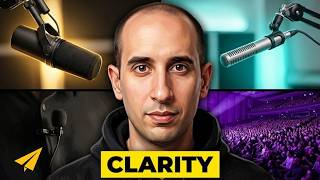
In this short tutorial, Evan Carmichael answers a viewer’s question about the microphones he uses. He explains that his primary on‑camera mic is an inexpensive Sony ClipMic lavalier (under $100) that clips to the shirt, runs under the garment, and is a simple one‑direction (cardioid) mic with a basic on/off light. For radio shows, computer‑based recordings, or any off‑camera work, he switches to a USB‑connected Yeti microphone purchased at the Mac Store. The Yeti offers four polar‑pattern settings (cardioid, bidirectional, omnidirectional, and a fourth unspecified mode), though Evan mainly uses the cardioid setting for solo speaking. He briefly mentions the Yeti’s aesthetic resemblance to a late‑night talk‑show mic. The video concludes with a standard YouTube call‑to‑action.
Chapters
What kind of microphone do I use? So I got a great question from one of my YouTube viewers, Samir, love you guys, who wrote in to say, "Thanks Evan, really for what you're doing, it's a great job. Please any info about a microphone. What type of microphone do you use and how do you use it? Thank you in advance." So I use two microphones. My main microphone for these videos is just a little Sony ClipMic. I'll come a little closer so you guys can see. So it's this little standard issue, you go to the Sony store, they have this clip mic, it's under $100, and it just clips to the top of your shirt, the wire runs through your shirt, so I run it underneath my shirt, and then there's a little thing that I keep in my pocket here. And this is pretty basic, right? It just says power on, power off. It's on right now. If I turn it off— And then turn it back on, the little light flashes. And that's it. It's a, it's a one direction, so you gotta make sure that it is pointing up towards you. And that's how I do most of these videos. So it's not crazy super expensive gear. When I'm doing my radio show, or if I'm doing a set recording piece that's not in front of the camera, I use a Yeti microphone. So this is my Yeti. And I'm not using this, you don't see this in my videos here, but again, if I'm doing any kind of recording, this is what I'm gonna use. I bought this up at the Mac Store. It's great quality and I like the look of it too. Kinda reminds me of David Letterman, I'm hosting some kind of late night show or something. There's a lot of different options on here. They can see on the back as that zooms in, these 4 settings here. Are basically just if you're going to talk straight into it, or you're gonna do an interview where you can have two sides to it, or you can have it be, uh, get everything in the room. And I don't know what the fourth setting is. I really just use the one direction because I'm just— it's just me in front of the camera. So that's what I use. Standard issue Sony clip mic for most of videos, Yeti microphone from the Mac Store for everything that I'm recording just on the computer. That's it. Believe. For those of you watching, like the video. You can support me by clicking on the link in the description. And leave a comment, let me know what you think. Click on my face, subscribe to the channel. Thank you so much. I'll see you soon.