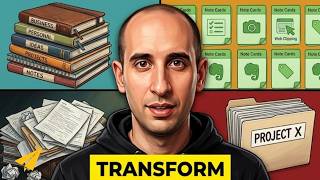
In this instructional video, Evan Carmichael answers a viewer’s question about using Evernote as a calendar or schedule for daily tasks. He walks through his personal workflow, showing how he organizes ideas and tasks with a "Business Notes" stack and an "Ideas" notebook, and how he captures specific projects such as hiring, a city‑entrepreneurship showcase (Ent City), and a t‑shirt line. Carmichael explains his weekly review routine, how he transfers email‑based ideas into Evernote, and how he utilizes Evernote’s built‑in reminder system: adding an alarm icon to any note, setting dates, adjusting deadlines, and toggling visibility of completed reminders. He demonstrates how reminders surface at the top of the notes list, trigger in‑app and email notifications, and can be rescheduled if tasks take longer than expected. The video concludes with a call to action for comments, subscription, and a promotion of his entrepreneur‑focused newsletter, followed by a brief testimonial from Jason J. Ros Fonseca.
Chapters
How to use Evernote to schedule your daily tasks. So I got a great question from one of my fans, love you guys, Lee, who wrote in to say, "Is there a calendar or schedule to arrange my daily tasks in Evernote?" So I thought for this one I'd jump over to my computer and show you guys how I use Evernote to manage my tasks. So the way I use Evernote is to keep track of my ideas, the things that need to get done for my own self and then for the people on my team as well. I've created a stack called Business Notes and then I have a notebook called Ideas. Here I'll write down ideas that come up with my business. So hires, new people I want to hire. This is Ent City. It's a project I'm working on to showcase how great a city Toronto is for entrepreneurs. I'm working on a t-shirt line so I need to put it in my footer or I need a page for it. This is great to be able to update as I come up with ideas. If I'm on my computer, if I'm on my laptop, on my cell phone, it's easy to get access and make changes. I use it as kind of a running list, and I set aside time every Monday to look through the list and see kind of what I want to work on. I use my email mostly for answering, you know, emails, getting back to people, and if there's an idea that comes through email, I'll then go to my ideas folder and add it in as a new heading or continue editing an existing one to make it better. If you want to use Evernote as a calendar or a schedule to arrange your daily tasks, you can also look at their new reminder system. This is a relatively new feature that they built in, but with any note, there's this little alarm clock symbol at the top of it, and you can click on it to notify you and create the reminders. So what will happen is you can set a reminder for each note, you can add a date to it and say I want to get this done in a week. I want to have my, my t-shirts done and the footer done. Set that for a week. What it's going to do is put it at the top of my notes here so I'll always see it, and it'll notify me through the application itself and also by email if I've missed a time. If I want to do it again, I can go to, you know, hires and say, okay, you know, I want to I want to hire somebody by, say, the end of November. So pop that in there, that gets added as well. And then this is put in order, so I can see, okay, my t-shirt I have to get done soon, and my hires I have a little bit more time to work on. Then as you go through, as you get them done, I can click on each one, it can come back to here, I can mark it as done, and it'll show here that it's marked. If I don't want to see the ones that are marked and I just want to see the ones that are coming up, I can change my settings here and uncheck 'Show Recently Completed Reminders,' and that's gone. And then if this one's taking me longer than I thought it was going to take, I could always, you know, I get that email reminder saying, 'Hey, this is coming up, you haven't done it yet.' I can always change the date and say, 'Okay, you know what, end of November, that wasn't realistic. I'm going to go end of the year and put that up,' and then it changes. So what's great about it is that every time you load Evernote, you'll see what your reminders are at the top of the pages, so you can go in and click on it, you know, kind of what time frame you have to work on it, and it gives you the notifications within the program and then also by email if you're coming up on a deadline and if you're over it as well. So that's how I use Evernote. I hope it helped you. If you have other questions, let me know in the comments below and I can make another video response. Thank you guys so much for watching. If you like this video, you want to see more, you can subscribe, and I will see you soon. Believe. If you want the real goods, I share my best advice for entrepreneurs every week in my newsletter. Click the link below to check it out. It's free. Hi, I'm Jason J. Ros Fonseca of RosOnline.com, and I want to say Evan Carmichael's newsletter is consistent, fun, inspiring, and it's the only newsletter I prioritize and look forward to. Period.