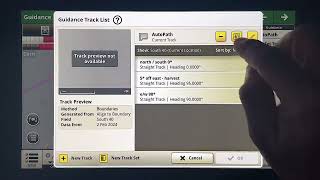
Learn how to toggle between field and headland track visibility in John Deere's AutoPath system. The tutorial walks through the advanced settings that let you customize what you see on the map preview and run page.

Learn how to toggle between field and headland track visibility in John Deere's AutoPath system. The tutorial walks through the advanced settings that let you customize what you see on the map preview and run page.
Foreign Path boundaries has some nice advanced features that let you customize what you see on the screen. You'll notice here in my field view, I have lines for the field area as well as the headland area. If I go into my autopath map preview and I touch the top white bar, you can see I have visibility to show either all tracks, field tracks, or headland tracks. So I'm going to use my show field tracks only. And you'll notice on my preview that now only the field tracks are available and all of the headland ones have been hidden. And back on my run page, I see the same thing. Only field tracks, no headland area tracks. Now I can go back in here, go to my map preview, and I can adjust this to show only the headland tracks. When I do this, you'll notice in the preview that only those headland.

Desh Ke Superhero | Mr. Madhava Rao | Faster Pole Installation with GreenSystem™ Post Hole Digger

En CasaToro John Deere encuentras el respaldo que necesitas para mantener tu maquinaria lista





