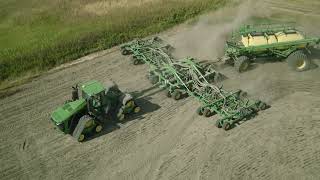
John Deere's AutoPath Boundaries system lets you shift field lines and boundaries to optimize machine positioning for seeding or spraying. The tutorial walks through adjusting these shifts to keep equipment precisely where it needs to be near field edges and between rows.
If you're interested in advanced shifting to support inter row seeding or planting between last year's stubble, Autopath Boundaries has some powerful shifting features that make this very easy. Shifting can be found by going to the Autopath setup and clicking on the Shifts tab. You'll notice that there's two boxes here. One for boundary shifting and the other one for shifting the field lines. Boundary shifting allows you to move the lines that are in the headland area either inward or closer to the middle of the field by a certain dimension. Or you can also move them outward, which makes those lines go closer to the edge of the field. This allows you to work outside of the field boundary area. I can also clear those shifts and go back to my original position. Let's take a look at where I'm currently sitting. Right here, I'm on the edge of the field and you'll notice I'm exactly on top of my guidance line. I go back into my shift and I shift these lines by 15 inches inward. Now, when I go back to my run page, you'll notice that the tractor is actually sitting 15 inches to the right of that guidance line. And it does this all the way around the edge of the field. So now the machine would be operating 15 inches closer to the middle of the field than it was before. I can also go back in and make this shift an outward shift. And we'll make this one a little bit bigger. We'll do 30 inches. Now, when I go back to my run page, you'll notice that the guidance line has moved the right side of the machine by 30 inches. By operating on this guidance line, the machine will operate outside the field boundary. However, some people like to do this. If there's no obstacles, they can use this to spray a little bit outside of their field boundary. Just remember that the headland shift works only in the field headland area. Now I'll drive the machine over into the field area and we can see how field line shifting works. And we'll align on this line and get a machine perfectly centered up. Now that my machine is aligned to a field line, let's see how the field shifting works. The field line shifts allow you to shift the machine either to the right or the left of the current direction. We'll choose a left shift and we'll go 15 inches. Now notice that the guidance line has been moved 15 inches to the left of the machine. And if I go back to my shift information, I can see it's a 15 inch left shift. Now, what does this look like? When I operate the machine in the opposite direction, I've shifted the lines essentially to the left of where I was. So let's take a look at how this looks now as I turn my machine around and face in the opposite direction and we'll just get pretty close and see how our shift information looks. Before it said I had a 15 inch left shift. I've now turned the machine 180 degrees. I'm facing in the opposite direction. And now it shows that it's a right shift because based on how the machine is now oriented, I'm now operating, I have shifted those lines to the right of where they originally were. I can also use the clear shift to get rid of that shift and take me take myself back to where I originally started. Auto path shifting features have a lot of power because you can individually shift both boundary lines and field lines. So if you're interested in using this technology, please take the time to practice a little bit and you'll come to see that it's actually quite easy to use and very impressive to see in action.