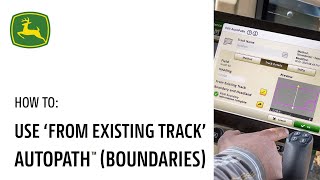
This is a YouTube video titled "AutoPath™ (Boundaries) Use Existing Track | John Deere" created in June 2024. The content is a tutorial or instructional presentation explaining how to use the AutoPath boundary feature with existing guidance tracks in agricultural field equipment, demonstrating how to integrate and optimize field and headland guidance lines for better tractor alignment and field coverage.
If you're already using guidance tracks in your field, but you'd like to start using Autopath boundary, we have an easy way for you to get started. You'll notice I'm sitting in the field exactly on top of one of my north south AB guidance lines that I've always used. Those guidance lines all go in the same direction and I really like using those lines because I know where they're at. But I'd like to take advantage of guidance in the headland area as well. To do this, we're going to use Autopath and we're going to use that existing guidance track to give you those field lines in the same place you've always had them. Right now you'll notice I'm using my north south zero. I also have two other options, a 95 degree heading and a straight east west 90. I'm going to choose Autopath and click my Edit button and I'm going to choose from existing track. This option allows me to select any of those guidance lines or the field that's already loaded on this display. When I do that, a list of all available lines pop up. I'm going to choose that same north south line I was already using and press ok. Autopath gives me a preview of what that will look like. And now I'm simply going to select that is my current line type. Notice what Autopath has done for me. My tractor is still perfectly aligned to that A B line because all the lines in the field area, all of these tracks are built from that existing AV line I've always been using. However, in the field area or the headland area, you'll notice that now I have tracks that match the both the edge of the field going north to south as well as this east to west boundary. So if I'm already using guidance tracks that I like, I can simply import those into Autopath boundary and enjoy not only those tracks, but also the benefits of headland tracks that match the shape of the field boundary.