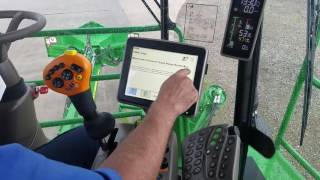
Technical walkthrough of setting up and adjusting the height control system on a CH570 contour basecutter. Covers system activation, target height adjustment, pressure settings, and sensitivity tuning for operators and technicians.
I'm gonna do a short video on the contour base cutter height control vehicle system on a CH570 vehicle. Go over how to adjust the system, set everything up and enable it. Before you can run contour base cutter height control, you need to make sure you return to cut as enabled. You do that by going to crop divider page. Crop Divider page return to cut checkbox is enabled. The next thing you need to do is make sure at least one crop divider is enabled. So you gotta have at least one crop divider enabled. Your floating crop divider switch needs to be owned, your auto base cutter switch needs to be on, and your base cutter needs to be on also. So in order for the autobase cutter to go active, you gotta have one crop divider in the float mode at least. So now we have one crop divider in float. So you can either hit to activate the contour based cuter height system. If you hit the double D10 on the down button, the system will become active. Another another way to put the system active is your configurable buttons. If you hit the all on button, you're going to return to cut mode. First it's yellow and then it's green automatically because your contour base cut heights in. The next thing I want to go over is adjusting your target height. You can adjust your target height two different way. One is just simply bringing machine down to the cutting height you want to cut at. So my target right now is at 30. My actual is at 25. So when I come here I just capture it. It captures the 25. So now my target axle is the same. You can also adjust your target on the fly by just simply hitting up on your target or going down your target while you're cutting. So when I activate the system, it's in return to cut mode. Then it just turned green and went to auto mode. So now it's actually going to use 25 as my target. Sometimes your actual target don't run exactly even with each other because of the contour of the ground. And they're going to run apart. You find they run it real far apart. You can also just do a little field count by pulling this button down until it beeps and it kind of just recalibrates it. Or if you find the systems running real far off, you can actually go in and go to your calibrations and actually do a base cut a target cal. This basically calibrates the base cutter position from your crop to water presentation position and it'll make your target Actual rod in a better window if something changes over time. So the next thing I want to cover is your base cutter pressure. Your system runs on position and it has a pressure over on it. So your pressure over rod. The way it works is this is your actual pressure that you're at. This is the target where you want to be at in the field you're in. And this is at the point where the machine will actually make a lift on pressure. So let's just say I Normally cut at 1200. You can just set it at 1200. Or if you want to cut cane at the speed you normally cut, you can actually come right here and start cutting cane and hit the capture. So you see captured 772. That's the actual base cutter pressure at this time. So that's another way to set your pressures. The next thing you want to do is if I'm. If I'm cutting that 1200, and at what point as an operator would I reach normally reach over and make a lift on the machine because I'm digging too deep. So the delta between 1200 and this top number is your adjustment from where you're running normal to actually make a lift. And you can just hit your bar graph and adjust that. So right now, 400 above my target, I will make a lift. And you can adjust this to 300 or 200 above. This has a lot to do with if you buck in the cane and certain things down cane, sometimes you can run the window a little closer. And sometimes you have to run a little further apart if you're in down cane or something. So the next thing you have the setup on the contour base cutter height is some advanced settings that you can set if you go to your crop dewater. Ph.D. go to end of real page 2. Go to settings. Go back to this advanced settings page. This section in advanced settings page is the pressure system. The bottom part of the advanced setting page is your position system. So this first checkbox, they also got the. So we look at the information. Base cutter pressure target target range enable. So if I don't want to run it the pressure system at all, when I run just position, I uncheck the box. The system will run just position. The next bar graph in your pressure system is base cutter pressure resume time adjust how long the machine will stay at its pressure adjust target until it attempts to reduce to original target. What this actually means is okay, if I. If I'm cutting along and I'm cutting at a thousand and I go over my 1400, the machine will make a lift. So this is how many seconds the machine will stay up before it tries to go back down. So if you put it all the way down to two seconds, it's going to make that lift go right back down. Make that lift and go right back down. Kind of a real active pressure system. If you increase this time, it will go all the way up to 15 seconds. So when I make a lift, I stay at 15 seconds, and then I. And then I try to go back down. If I'm back into range, It'll also keep stepping up if the pressure does not go back down. So it'll take a long time to go back to the original position position target. So it's trying to run at your position target. It goes up, goes to 1400 psi. We make a lift, and that's the amount of time it takes to go back down Back to your position target. The next on advanced setting page Is your position section. So if we go to the information on that base cutter position, Resume timer meter, Adjust how long the machine will stay at manual base cutter height control mode After a manual adjust is made. So if I'm in automatic mode, which I'm in right now, and I make a manual raise, the machine's gonna go up, and then it's gonna go back down to your. To your target. Basically, that's to go over a rock in the field or something in the field you want to jump over. The machine goes up, Stays that set amount of time, and then goes back into automatic mode. If you hit end of the row, It'll turn it off and go to the end of the row setting. But if you just press up on the base cutter, it goes up for a set amount of time and goes. So to adjust that time, I can either increase that time to where it stays up for eight seconds, or it stays up for two seconds Anywhere in that range. You can also set this. If you got a headland and you feel and you know you jumped that headland every, you know, constantly on every row. You can adjust this time to where you do a little manual raise. It lifts up, you ride across the headland, and it turns on automatically. Before you go back in the cane, you can kind of have it set like that. The last section is just your sensitivity of your contour base cutter height system. The way. The way you can set this is you put your system on automatically, you start cutting cane, and as you cut your cane, you increase this. You'll start to feel the machine start getting a little unstable Going up and down like, a little uncomfortable. So, you know that's getting too aggressive. So then you just back down a little bit from that point to where the machine starts riding good.