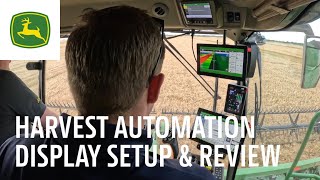
A walkthrough of John Deere's Harvest Automation system and its in-cab display. Shows how operators control automation features, monitor performance metrics, and manage grain quality during harvest.
Bringing new enhanced harvesting automation solutions to model year 25. Combines also introduces new operator interactions with such systems from the integrated G5 display Harvest Automation is a pre designed run page from the factory regardless of the technology package. It is craftfully designed and created with customers to assist the operator with improved machine control. Insights about machine performance and overall automation, all from a single glance. Front and center on the automation run page are current values alongside a 15 minute time series chart. This allows an operator to see the current outcomes at a glance while providing context for recent changes and performance. At the top of the screen is highlighting the combine's productivity. The operator can view the black line in terms of throughput currently being sensed as well as results over the past 15 minutes. The orange line in text output represents your throughput relative to crop yield to understand current performance as well as throughput over the past 15 minutes. On the left, the max ground speed and engine load limits allow the operator to increase or decrease to achieve desired productivity. In balance with productivity is also the combine's job quality which influences how our customers get paid for their grain. As can be seen, this system asks the user to input their acceptance limits within a scale of 0 to 10 for each grain loss, foreign material and broken grain. These are harvesting outcomes that farmers care about and contribute to the overall grain quality results by the combine. Whenever these limits are exceeded, then the combine will make the appropriate settings change to meet the desired results. No longer does the operator need to worry about tuning the internal settings of the combine whatsoever. Clicking into a limit box will add more context. These are unitless, relative and linear values on a scale of 0 to 10. As limits are surpassed, the combine will make setting changes to maintain desired performance under those limits. As a change occurs, the UI notifies the operator with a blue box and reason for change icon. Shown here is an example grain loss is currently reading at 5.3, but the operator has it set to 5.0. The blue box is indicating to the operator that the combine is automatically making a settings adjustment. Now highlighted on the right are all the combine's internal settings. A change to blue text signals that the automation is making a change. Here, for example, fan speed is being lowered to 1050 revolutions per minute. You can also see the reason for why the change is being made with the symbol immediately beside the setting, which here is because of grain loss. Multiple setting changes can occur at the same time depending on the adjustments needed to maintain below the limits. Note that in this example ground speed automation is engaged and controlling the speed at 4 miles per hour between these two run page modules, there are more sources of information for the operator. The Grain Loss Distribution module and the Grain Quality camera give insight into grain quality and balance in the machine. The shortcut bar at the bottom of the G5 shows LEDs keeping the operator up to speed on if there are any limitations in performance for the automation system. Clicking on one of these shortcuts will take you to the Harvest Automation status menu where you can quickly review and diagnose the performance of the various subcomponents. In the top left there are three tabs for each of the automation systems to quickly navigate between them. On the new primary display located on the corner post, there is improved visibility with a brighter screen and vibrant colors. There are a few Harvest Automation features embedded within the primary display to highlight Grain Loss is displayed in the lower right which outputs total grain loss in a stackable view, meaning there is now clarity and understanding from where grain loss is being contributed, either the cleaning shoe or the separator. The blue icon indicates to the operator that groundspeed Automation or Predictive Ground Speed Automation is engaged with Ground Speed Automation or Predictive Ground Speed Automation. On notice on the engine meter there is also an additional green operating area signaling additional rated power that is available for the combine. The engine load level is being shown here beside the meter. Only in the Ultimate Technology package is Harvest Intelligent Power Management enabled, allowing the operator to set an engine power limit up to 105%.