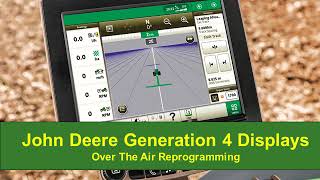
Step-by-step guide to updating software on a John Deere Generation 4 display over the air. The tutorial walks through checking for updates, downloading, installing, and rebooting the system.
Hello. In this video I will show you how to do over the air reprogramming of your John Deere Generation 4 display. Before we begin this process, we must make sure that our machine has an active Internet connection. Starting from the Run page we will click on the menu button and then the System tab where we will click on the Software Manager application. On the Installations and Updates tab we will click where it says Check for updates online. There will be a pop up notification asking us if we want to check for updates on our display or other devices such as an autotrack controller. We will click next. The system will check for updates and if there are any updates they will show up on this page. On the right hand side you can select the version in order to see if there are multiple versions of the software to download. If there are multiple versions available, they will be listed here. The default version will always be the latest software version available. On the left hand side you can select different software packages that you would like to update, select your desired software package and version, then select Download. Your download time may vary depending on your wireless or cellular connection. You can choose to remain on this page until the download has completed. You may also navigate away from this page while the display is downloading the updates. Once the download is complete, a pop up will appear on the display stating your download is complete. From here we will navigate back to Software Manager. You will see the Download Complete message on the Software Manager page. Select View and Install. Here you will be able to review the software packages and versions you have selected to update. You can then either cancel the update or select Install. To start the software installation process, read the caution notification that appears. Ensure that the machine is in park and electrical power is maintained throughout the installation process. Then hit Accept. After you have your three check marks. On the next window, a message read requiring a reboot to continue will appear. You can either select Reboot or if no action is taken, an auto reboot will start in 30 seconds. Your display will begin updating the system after the download time is completed. It can take on average 20 minutes up to an hour for installation to be completed. The time it takes the installation to complete may vary depending on the size of the update. After everything has been installed and updated, a license agreement will appear on your display. Scroll down and read through the terms and conditions, then select the appropriate option after reading this document. This is how you perform over the air reprogramming using your John Deere Generation 4 display. Thank you for watching this video.