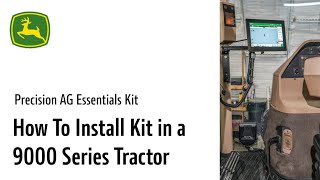
Step-by-step installation of the Precision AG Essentials kit on a 2006 John Deere 9220 tractor. The kit includes a G5 display, Starfire 7000 receiver, modem, and antenna. You'll need specific adapters depending on your tractor's existing setup.
Today's video we will cover installing the Precision AG Essentials kit on a 2006 John Deere 9220. Every Precision Ag Essentials kit includes a G5 display, base harness and Starfire 7000. You get the option of a R modem with a high connectivity antenna or M modem. If you are looking to permanently install the kit or on non greenstar ready machines, remove the right side panel to tuck the antenna and controllers away. Bolts are located along the window cup holder and front of the panel. If an extended display has never been installed on your machine, remove the corner post panel route harness along the inner wheel well. For temporary installation, it can be routed along the window inside panel. Remove the antenna packaging and place behind the power panel. For machines that are not Green Star ready, an adapter harness will be needed. The displayed connectors are used as Service advisor port and corner post connection power. These connectors are your constant power can implement switch power and radar implement switch. The eyelets are used as battery power switch power and ground. The last connector is used to attach your Starfire receiver. Connect the lock lever portion of the harness to your modem. At this time, connect the optional antenna and ethernet cable to your R modem. If using an M modem, the ethernet cable provided will connect into the harness. Remove packaging from the antenna and tuck modem in next to the antenna. If permanently installing, leave ethernet cable loose and place in the general area where the display will be mounted. Take the display connector free from the corner post harness. Reinstall right side upholstery. If removed, reinstall corner post. Be sure to leave display harness connectors hang on the outside of the corner post. Install Precision AG Essentials upgrade Harness to the power diagnostic port. Use an adapter to connect your new display to the two corner post connectors. Connect adapter into harness. Connect either style of ethernet cable into the display mount display. When finished, install new Starfire. An adapter may be needed depending on your tractor.