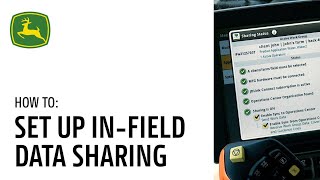
John Deere walks through setting up in-field data sharing on Generation 4 and G5 displays. The feature lets you share data between machines in the field to boost fleet efficiency. You'll need the right software updates and a few technical steps to get started.
In this video we will be focusing on the infield data sharing feature, how to complete in CAB display setup, and how to utilize the feature on John Deere Generation 4 and G5 displays. Using in Field data sharing on a display enables customers to see coverage and work data for other machines in their workgroup. It also allows for guidance lines to be shared with members of the same group. This feature, paired with John Deere's Section Control, can help a customer prevent gaps, skips, and double applications. To utilize Infield data sharing, customer machines need to be equipped with a Gen4 4600 version 2 processor, 4640 G5 or G5 display. Each display needs a Premium 3.0 Automation 4.0 or G5 Advanced License to unlock infield data sharing capability. It is important to ensure that the displays have loaded 18. One or newer software. For best overall experience, make sure your display is updated to the latest software release. These machines need to have an ActiveMTG installed with connectivity enabled as well as a Starfire receiver. Prior to setting up In Field data Sharing, navigate to menu applications and scroll to Work Setup. Choose location and ensure that the correct client farm field are selected. Enter all your machine and implement dimensions into the machine and implement profiles. To begin, set up sharing by going to the menu applications and click Sharing. Ensure that all items under the status have been satisfied indicated by the green check mark. Worker data will be shared automatically based on the field that you've selected and the information that is being shared. You can also manually select from a shared work list by clicking Menu Applications, scrolling to Work Setup, and clicking Work List. Within the work list, choose the field data that you would like to share under Shared. Click Next and then verify the information and click Join Group. You are now ready to use Infield data sharing. Previous versions of the Genos have allowed members of a shared workgroup to have mismatched crops when planting or harvesting. With the 24.1update, machines must choose the same crop as the rest of the group to join their desired workgroup. Additionally, the prompt will appear when a product change occurs. This allows the operator to either continue with the new product in the current workgroup or start fresh with clear coverage and new work. With the 24.1software release, new updates have been made to the user experience when starting, changing, and joining a workgroup. When an operator selects New Work in Work Setup, the system will automatically generate a new workgroup. This enables fresh coverage and work data to begin. We know that there are many reasons that an operator may need to bring current coverage with them or clear coverage they had previously started when joining a workgroup. Whether joining a group manually through the work list or auto joining when past coverage is detected, the operator will be asked if they want to start new work or resume work. Here are several scenarios of how to make the correct selection. If an operator returns to a field to replant or complete another round of spraying, they may want to start new work in that field. When prompted, the operator can select new work which will clear past coverage and work data, starting a new group for this operation as well. If an operator returns to the same field to continue an operation that they had paused partway through the night before, they may want to pick up using the previous coverage in the same workgroup that they were in. By selecting resume work, they will maintain all previous coverage and and work data for that group and the operator will see the information on their display again. These changes have enhanced in field data sharing, enabling a more user friendly experience. Whether operating with a large or small fleet, infield data sharing brings added awareness to your operators while unlocking visibility of machine location, coverage and work data. For up to six machines within the same group, use infield data sharing to enhance fleet efficiency and productivity. For further assistance, refer to the John Deere Precision AG User Guide or contact your local John Deere dealer. Thanks for watching.