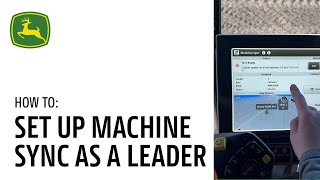
John Deere walks through setting up Machine Sync on the In Cab display so a lead machine can control follower machines during harvest. The demo covers toggling settings, adjusting operational zones, and managing the workgroup during corn harvest operations.
In this video, we will demonstrate the In Cab display setup for Machine Sync. We encourage you to pause and rewind this video as needed as you walk yourself through each of the steps while you're in the cab. Success starts with accurate setup. Let's begin by setting up the display in the leading machine. You will need to turn Machine Sync on for each machine that is in the workgroup. To set up Machine Sync for the leading machine, toggle it on. By clicking Menu Applications and scrolling to Machine Sync, toggle it to the on position. The leader will then be able to adjust the network name and password from here as well. For certain operations, you might desire to operate Machine Sync on both sides of the leading machine. To do so, click into the Machine Sync Advanced Settings and toggle the U shaped Operational Zone override to On. In this video, we will continue demonstrating a single operational zone as we are simulating Corn Harvest. When the leader has reached the desired unloading point, you can click Set Home Point. The follower can also click Set Home Point from their machine by the recommended process is setting it from the leader machine to engage Machine Sync. The follower will press the Auto Track Resume button as they enter into the Operational zone to check if the leader is now in control. Glance at the Machine Sync icon. The light will turn blue if Machine Sync is engaged. When the light has turned blue indicating that you are in control of the follower machine, you can use the Nudge buttons to move the follower as needed. To adjust the distance covered by each nudge, click into the Advanced Settings and adjust the inline and lateral movement exit out of the screen. Once finished, you are now ready to run Machine Sync as a leader. For further assistance, please refer to the John Deere Precision AG User Guide or contact your local John Deere dealer.