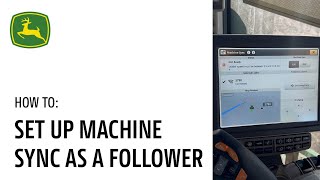
Step-by-step guide to configuring the In Cab display and Machine Sync settings for a follower machine on John Deere equipment. Walk through the setup process to get your follower machine synced and ready to work.
In this video, we will demonstrate the In Cab display setup for Machine Sync. We encourage you to pause and rewind this video as needed as you walk yourself through each of the steps while you're in the cab. Success starts with accurate setup now that you have set up Machine Sync for the leader, let's do the same for the follower. As the follower, first you must turn on In Field Data Sharing by clicking Menu Applications and scrolling to Sharing. Check to make sure that both boxes to share data to and from Operations center are selected. Next, the follower needs to have Harvest as their active operation. Set up a virtual implement by clicking Menu Applications Work Setup. Click into the Machine Profile and click Add Implement. Click to add a new profile and name the implement. After naming, click ok. When finished in the Implement profile, scroll down to the operation and click Harvesting. This process can be simplified by creating a setup file and sending it to the machine. Next, it's time to turn on Machine Sync and join the Leaders Network by clicking Menu Applications, clicking Machine Sync, and then toggling it to On. Be sure to join the Leaders Network by clicking under the selected leader and entering the password when prompted. Next, ensure the machine that you want to be the follower is indeed the follower. Click into the Machine Sync Advanced Settings, scroll down to the Tractor Role Setting and verify each machine is where you want it to be. As a reminder, the recommended process is for the leader to set the home points instead of the follower. Although setting it as a follower is possible to do so, when you have reached the desired unloading point, you can click Set Home Point. Multiple home points can be set by the follower by clicking Set on the Set Engage Toggle and selecting the number of desired home points. Clicking Engage on the toggle will allow you to select your desired home point to engage Machine Sync. Once you are ready, we recommend that the tractor's set speed is twice the leader speed or five miles an hour faster than the leader's speed, depending on user preference. Drive into the operational zone and press the Auto Track Resume button. The Machine Sync light will turn from yellow to blue, indicating that the leader is now in control and you can safely monitor the situation passively. You are now ready to run Machine Sync as a follower. For further assistance, please refer to the John Deere Precision AG User Guide or contact your local John Deere dealer.