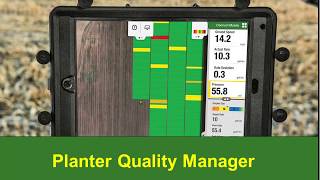
John Deere's Planter Quality Manager in the Connect Mobile app lets you set alerts and track planter performance metrics like singulation, gauge wheel margin, and seed depth in real time.
Here is a quick how to video on the Planter Quality Manager feature for Connect Mobile Planting Planter Quality Manager allows Connect Mobile planning customers to set singulation and gauge wheel margin alerts and view attributes row by row that affect seed spacing and seed depth. With the spacing and Depth performance tables from the Connect Mobile map, customers can go to the singulation tile and select the drop down arrow and find alert settings. On the Singulation Alert settings page, customers will make sure the alerts are turned on. They will then need to enter their lowest acceptable singulation percentage and select the distance. Alerts are configurable for the last 251,000 or 2500ft. This selected distance will apply to all attribute alerts. Once the customer has turned the alerts on, set the lowest acceptable singulation level and selected their distance, they'll need to hit Save. This will save the alert settings. Customers will also notice a red banner at the bottom of the singulation tile. This notes there is a singulation alert. The alert will show you the row unit number singulation percentage along with the skips and multiples for that row. All row units that have an alert will show at the bottom. Customers can also view attributes that affect seed spacing by selecting the Planter Quality Manager under the singulation tile. To view the seed Spacing performance table, Singulation, skips, multiples, actual population and seed spacing are attributes that will be shown in the Spacing performance table. This table will allow you to sort your row units from worst to first to find your best performing rows and quickly spot row unit issues. Customers can also configure the distance. This distance will not affect the singulation alert. Customers can also configure the Gauge Wheel margin tile to receive alerts as well. They can set the lowest and highest acceptable value for the Gauge Wheel margin attribute and select a distance A reminder this selected distance will affect all attribute alerts. Once they have set these values they will need to hit Save. The Gauge Wheel Margin alert will show you the affected row unit Gauge Wheel Margin value along with apply downforce and ride quality values. Customers can also view attributes that affect seed depth by selecting the Planter Quality Manager under the Gauge Wheel Margin tile and view the Seed Depth performance table. Gauge Wheel margin Applied Downforce, Ride quality, Ground contact and ground speed are attributes that are shown in the Seed Depth performance table. The table will allow you to sort your row units from best to worst to find your best performing rows and quickly spot row unit issues. Customers can also configure the distance. This distance will not affect the gauge wheel margin Alert. We hope you enjoyed the Planter Quality Manager available in Connect Mobile Planting. Thank you for watching this. Quick how to video on Planter Quality Manager.