John Deere's RTK Extend feature keeps the Starfire 6000 receiver accurate when the RTK correction signal drops out. The system maintains RTK-level precision by using inertial measurement and previous corrections, and automatically switches between positioning modes depending on signal availability.
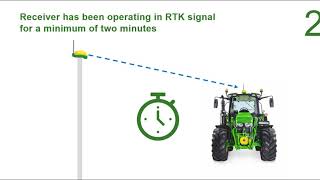
RTK Extend is a feature available on Starfire 6000 receivers and is available if a machine receiver loses the RTK correction signal from the radio base station or the cellular connection signal. RTK signal loss can be caused by topographical anomalies like trees, mountains, hills or buildings, or if they are out of range of their correction signal. RTK Extend continues to maintain RTK like precision for up to 14 days. To re establish RTK accuracy, the machine's Starfire receiver must connect to an RTK correction signal. Once connected to a base station and the offset vector is saved, the 14 day timer resets and RTK extend is available for another 14 days. If a John Deere RTK system with a Starfire 6000 receiver loses the radio based RTK or mobile RTK correction signal, the system automatically changes to RTK Extend. If the following conditions are met, RTKX is enabled for the receiver. Receiver has been operating in RTK signal for a minimum of two minutes. Unless an offset vector has already saved, receiver is operating under open skies and is receiving GNSS and Starfire signal, an offset vector is saved. This offset vector is calculated by comparing the difference between the RTK signal from the base station and the SF3 signal at the rover and is used to create the RTK like precision. The amount of time required to save an offset vector varies by base station setup. For more information on how this works for your specific RTK or mobile RTK solution, see your operator's manual. If any of these conditions aren't met, the receiver will not be able to use RTK Extend. For example, if a receiver is experiencing significant shading from trees or isn't receiving Starfire or GNSS signal, it will not be able to use RTK Extend. In this case, the receiver would then fall to WASP, Eggnos or 3D none, depending on the location. Unsure if your receiver meets the required conditions, the RTK Extend or RTKX as shown on the Receiver Diagnostics page will show a status for RTK readiness. This can show three different statuses along with indicators for why RTKX is not ready. RTKX not ready if RTK signal is lost, the receiver reverts to Wass, Egnos or 3D none RTK available if RTK signal is lost, the RTKX is available but an offset vector is not yet saved. If you cycle power or experience significant shading before 1 hour elapses, RTKX will no longer be available and the position Mode Transitions to WAS, EGNOS or 3D none unless the receiver connects to a base station RTKX ready if RTK signal is lost. RTKX is available for up to 14 days. After 14 days, the position mode transitions to WASP, EGNOS, or 3D. None, unless the receiver reconnects to a base station.