
John Deere Africa Middle East | From Factory to Farm | Interview with Greg Adkin
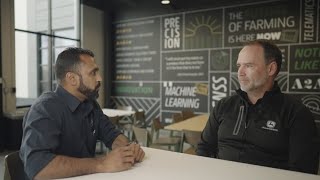
Greg Adkin, a product manager at ISG Group, explains John Deere's automation technologies like Autopath and Autotrack. These systems reduce operator fatigue, improve fuel efficiency, and help farmers work more precisely in fields across Africa and the Middle East.
We're going to have a discussion with Glenn Utkin, product manager at the ISG Group in Urbandale. He's going to tell us a little bit more about Automation 4.0, where technology like Autopath, Autotrack, turn automation and Active Implement Guidance will add value to your operation. Let's hear what he says.
Welcome Glenn, and thank you for your time. Just if you can just tell us, you know, your position with Deere and how long you've been with the company. Sure.
I've been with the company for a little over 20 years. I've been here at ISG for right around three now. Really enjoy working here. It's great to work with some of our cutting edge products and really exploring what the future of agriculture is going to look like. And I think the cool thing is we have a lot of products now that show us the future that we can actually put into use. So we don't have to wait for the future. It's already here.
Yeah, and I think that's exciting because, you know, the future is going towards autonomy. But we have a lot of those products today that we can utilize. And if you think about like automation 4.0, maybe if you can unpack that for us a bit.
Yeah, no, I think that's really good. Automation 4.0 is a product that we've had out for a little over two years now. And like the name says, it actually has four products in that package. So the first one is Autopath. We can talk in more detail about what they all do, but Autopath has been out for two years now and it's a really exciting guidance plan that makes the use of AutoTrack easy for customers. I think our customers have always liked autotrack. You know, you push a button, it steers itself through the field. But the setup is what's challenging for customers. How do I make it steer where I want it to? And Autopath automates that for customers and makes it really easy to use Auto Track in a full field. The other products in the Automation Activation, Auto Track Turn Automation, Auto Track Turn Automation is the ability for a tractor, when it gets to the end of a pass, to not only raise the implement up, but slow down, make a turn, and then reverse all those things. So we lower the implement, we speed back up, and it does it all automatically with no human interaction required. So that really builds upon Auto Track. You know, in the past you get to the end, you have to raise the implement up, you have to turn and you have to time when you hit the button. So that you come back in the right way over time. It's over a long day. It's hard for people to execute over and over and do those things. Turn Automation is a great product for people that maybe aren't the most experienced operators, and it can make them perform as good or better than your experienced operators. Another product in the automation activation is autotrack implement Guidance. And so by installing a second receiver on the implement, we cannot just guide the tractor through the field. We can guide the implement to the precise location in the field. So if you're planting corn, for example, every pass is the right space. There's no wide or narrow spaces, side hills, curves. It gives you accurate guidance of the implement and really helps your yield because you're not overpopulating or underpopulating parts of the field when you plant. And then the final product is Machine Sync, which is the automation of a grain cart during unloading. So I cover three of those. The autopath, the turn Automation and implement guidance. And those really are products that are the future today.
What does a customer have to do today to be ready to use these products or basic things that need to be done? Only applications to start using?
Yeah, no, that's an excellent question. Two of the three products that we just talked about, Autopath as well as turn automation, they both require some good foundational information, and that foundational information is the field boundary. We've talked about field boundaries for years in John Deere. It's not a new concept. They've been around since the mid 2000s. But until now, a field boundary would only help somebody locate a field, so you could use it as a way to see where the field was and drive there. Or you could use it to gather how many acres are in the field, you know, develop yield and productivity information. But that was kind of the limit of what a boundary did for you here. Recently, boundaries have been kind of reborn and have a really important new purpose, which is guiding that machine around the field. You know, people have heard about the John Deere autonomous tractor. It's very exciting. Of tractor that steers itself around the field, that boundary is really what tells it. Here's where the field is, and here's where you must do your work inside of. And so if a customer really wants to be ready for the future and to take advantage of these exciting products and automation for establishing an accurate field boundary with the technology we have today is a great first step. It will be a requirement in the future for autonomy. So why not learn those tasks now and learn how to be A boundary expert and create those good boundaries.
Yeah, And I think, you know, there's many ways of creating the boundary. So you can do them on Operation center today, or you can do them physically driving around your field. What would you recommend and what are the other options that you can have?
Yeah, no, that's. That's another excellent question. We've actually created a resource about how to create good field boundaries for these products like Autopath and Turn Automation. The reason that we created the resource was twofold. Number one, boundaries are the foundations I mentioned. If a boundary is inaccurate and it's not documenting accurately where the edge of this field is, then everything happens in the wrong place. Your turns don't occur in the right place because the system and the display is relying on that boundary as the source of truth. And so there's different ways, as you mentioned, to create boundaries. You can create them in the operations center, and there's actually two ways that you can create them on the display. You can drive around the edge of your field, or you can actually drive around the edge of your field while you're doing work and create a coverage. So you create that slice or that strip of work around the field, and you can actually use that as to say this is where the field is. It's important for customers to understand that if you're going to use these automation products like Autopath and Turn Automation, the. The easiest rule to remember is, unfortunately, you cannot create them in the operations center right now. And that's unfortunate because the operations center is probably the easiest place to make a boundary. You've got a monitor, you've got a mouse, you can click and you can do things very easily, and you can draw this really pretty boundary. The fundamental problem is the image that you're looking at on there. The Google Map image is not in the same place with their satellite correction as is for our Starfire. And so if you zoom way in and you place boundary points along the edge of a field, it looks very accurate. But in reality, it's probably a meter or two shifted to the real field boundary. So that rule is, use your display to create your boundaries, and you're going to have very accurate boundaries that you can trust to guide that machine around the edge of the field and to make turns in the right places.
And then when it comes to these automation 4.0 tools.
Yeah, the products, the products that we.
Have in there, what is the value for a customer? You know, is it increased productivity, you know, cost savings? Where do we fit that for our customer?
That's a that's a really excellent question I've been asked a lot over the last few years. What's the, what's the value of Autopath? What's the value of turn automation? And I've always responded it's, it's hard to put a numerical value on the value of it. Like we can say it's x percent more efficient or whatever. But what I found is a lot of customers, they just like how it makes their life easier. There's customers I put in the cab with autopath and within 30 seconds they've made a decision that I want this. I don't want to ever do my work without it again because it makes my life so much simpler. And I was around when AutoTrack came out back in the early 2000s and this is the first product I've seen that had that immediate customer recognized value. You know, when you put auto track in a customer's hands for the first time, a lot of times a salesman would joke, they didn't want me to take it out of the cab, they wanted to stay there forever. And this is the first time I've seen another product generate that level of excitement. So Autopath is a great way to make your life easier. So is turn automation. But I dug into it recently and said, what is the real value? I found that in a 160 acre field, which is a pretty common field size in North America, the use of auto track, turn automation and auto path together over just auto track lines only resulted in a 93% reduction in operator interaction. So they saved over 1100 separate interactions of turning the steering wheel or shifting gears or raising and lowering. And by taking that work away from the customer, they are more mentally sharp. At the end of the day, they don't feel as exhausted. And turn automation can make turns that no customer can repeat day over day. It can make perfect turns all day long and no operator can match that.
And you know, thinking back to like a South African operation, a lot of, a lot of the fields don't have those big, you know, in road turn opportunities. Maybe talk us through, you know, using turn automation. How does that or how will that impact the customer utilizing turn automation?
That's, that's a good point. We Turn automation is not a all encompassing product. It fits several use cases very well. We have it set up to where it can do simple U turns. We can do skip U turns so they can skip passes. We can even do kind of a figure 8 turn. So if you have an angled headland, it can come out and make a large turn for harvest. When we release for combines, it will be able to support corn harvest and soybean harvest. But there's probably some different use cases that we maybe don't necessarily meet. And that's where it's been helpful to actually travel to these other regions and learn what operators need so we can build these features in. My approach with these products is let's release something that's functional and does the job right and then let the market tell us what else do we need. We need to add this type of turn or this type of product. If we try to guess, we're probably going to guess wrong. And then we were just even further delayed. So we'd rather start out simple and add in more over time and build those features in the way that customers really want them. I'm really excited, but I would just stress that Boundaries was a great starting point. Get your boundaries in place. Once you have those in place, you can even use things like Boundary Track. Right now, if you're not ready to jump into the automation. Boundary Track is a product that anybody with AutoTrack can use and it creates guidance lines that follow that field boundary. It's a great way to start stepping into this. The last thing I would say is if you're a customer or dealer and you're interested in autonomy and you want the John Deere autonomous tractor, here in North America, we have kids that start riding bicycles, and when you start riding a bicycle, you often fall down. So we put training wheels on. Training wheels help hold you up and help you get confident. Boundaries, Auto path, turn, automation and implement guidance. They are the training wheels for autonomy. If you understand these concepts and can execute on them when the autonomous tractor is available, you'll be ready to take full advantage of it and be ready to hit the ground running. If you choose to wait until then, you're going to be playing catch up, trying to figure out how to make your boundaries work and how to use all these other products. So I would encourage anybody that wants to use Autonomy in the future, get started now, learn how the concepts work and it'll be a very easy and gradual transition into full autonomy.
Maybe a last question to follow up on that is, you know, if you think about back in the day when, like you mentioned, when customers were a bit skeptical about using AutoTrack, but when they started using it, you know, they didn't want to remove it out of the camp. How difficult is it to set up and use Automation 4.0 products?
To be honest, it's not as easy as it could be. And we're taking a really hard look at making it just simpler. I'm a firm belief that if a product is accurate and it's easy to use, there's no excuse for a customer not to use it. And the big some of the biggest challenges we see right now is that we probably don't have some of our products quite as easy to use as possible, which is why we've created some resources for the short term to help people through that. But long term, we as a company are going to make these products easy to use and accurate so that anybody can take advantage of all the benefits. You know, we can talk about how impressive it is and how much accuracy and efficiency and productivity you gain, but if it's too hard to set up and you never even get a chance to use it, then we really kind of lose on that. So we're going to make it easier. But in the meantime, let's not let that hold people back. Let's start trying it now. Let's get better at it. It will only get easier over.
More from Francisco




Desh Ke Superhero | Mr. Madhava Rao | Faster Pole Installation with GreenSystem™ Post Hole Digger



En CasaToro John Deere encuentras el respaldo que necesitas para mantener tu maquinaria lista



