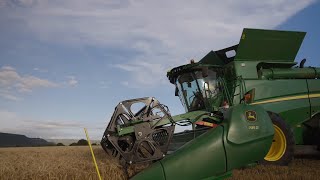
Jacques Van den Berg from John Deere walks through the Equipment mobile app, which helps farmers set up and adjust machines for harvesting. The app guides you through machine configuration to improve yields.
Are you ready? Is your combine ready? Hi, I'm Jacques Van den Berg and from John Deere's side. We would like to assist you to ensure that your machine is ready for action with harvesting done mostly only once a year. Some of us forget the basic machine adjustments and display settings you require for each crop you would like to harvest. But luckily for us, the clever guys at John Deere have developed an app that will guide you through the basic machine adjustments and display settings you need to harvest. Let's take a closer look. The John Deere Equipment mobile app is available for both Android and iOS applications. Simply download the app for free and if you have an existing John Deere Operations center profile, login with your details. Once logged in, all your machines on your Operations center profile will be automatically pulled into the app and you can select from there. If you don't have an Operations center profile, simply create an account and log in from there. All you need to do is enter the model or the VIN number of the machine you would like to access. Now you have the option to look at various tools and resources related to the machine you are going to operate. Let's do a soybean harvest setup on the app. Under the Resources tab, select Crop Settings. Go to the specific crop you would want to harvest. Select Harvester Outside Settings. The app will guide you through the eight steps to correctly set up your machine for the harvesting of soybeans. Simply follow these instructions and illustrations for a correct setup. At the last step you will be prompted to select the next item to set up, select Front End or Header Equipment Settings. Select the applicable header that you will connect to the machine. For illustration, let us have a look at a Flex header. Thus, select the RDF option. Now run through the three steps to correctly set up your header for soybeans. And lastly we need to check the settings on your display. Select Harvester Inside Settings. There are six steps to follow to ensure your machine will run on the factory recommended settings for Harvesting of Soybeans. From here you can make your custom adjustments in field as you start to harvest. Easy was that? And as a bonus, you can look up the operator manual and part numbers related to the machine you are going to operate. When looking up parts, go to the View Parts tab. It is recommended to enter the correct machine serial number for accurate part number identification. Alternatively, select the correct serial number bracket to which your machine belongs. From here, simply follow the illustrations and prompts to navigate to the part number you need. Remember, this versatile app can assist you with the settings of any application you are busy with, whether it be planting, baling or spraying. All you need to do is enter the model number or the VIN number of the machine or implement you want to use and the app will guide you through the settings. From the John Deere team, we would like to wish all our customers great success and excellent yields for the season.