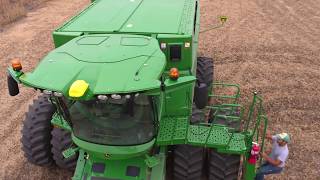
This is a YouTube video titled "John Deere Combine GoHarvest: S700 Ready to Harvest Guide" created in January 2018. It contains a detailed instructional guide on setting up and using the Generation 4 display on John Deere S700 series combines, covering safety instructions, display setup, harvest settings, calibration, and additional resources for operators.
Go Harvest get the most out of your S series Combine today Before beginning any procedure, follow safety instructions, understand all safety decals according to the operator manual, and always wear seat belts. The following video is a quick reference guide for setting up the display in your S700 series. Combine in the lower left corner of the display, press the Setup icon, tap the area under Location, select or input a client Farm and Field. These items may be edited using the Edit icon below. This is used for adding a new item or deleting a previous entered item. Select the plus icon to add an item to any of these areas. Select OK after all items have been entered, or to input Farm and Field data. Go to Menu, then System, then File Manager. Select the Import tab. Data may be imported from a USB or from my John Deere if data has been previously synced with the machine. Under the Work Summary area, select a crop type and variety. If the Variety field is blank, one may be entered. Next, select the Harvest Setup icon. This screen will display Harvest settings, the current Machine Settings header information, including type hours and width, Auto Header control and automation features, which can vary based on individual machine optionality, and finally residue management information. Pressing the Outside Configuration icon at the bottom of the screen will provide outside the cab adjustments that are recommended for the selected crop type. Select the Harvest Settings area from the Harvest Setup page, select a preset adjustment from the list, and press ok. Each crop has a default setting, while others have a wet or dry. There may be customized presets from the dropdown as well. Next, choose the threshing condition and the straw or cob condition that is suitable. Depending on the selection, the preset settings will change to best suit those conditions. If the operator chooses, they may create their own preset. This is done by selecting the preset again after any adjustments were made to the original preset. Note the previous preset will say Modified below, and the Save preset icon will be visible at the bottom of the screen. Select the Save Preset icon and enter the appropriate names such as Morning, Afternoon, Evening, or Variety Type. After the settings have been selected, the operator may begin to harvest and look for grain loss. To calibrate Vision Track, select any of the Machine adjustments in the Harvest Settings tab, the area under the Combine Visual or press the Separator button on the navigation bar under the display. The Harvest Setting page will appear. In the Loss Monitor tab, select the Set to Current icon to calibrate the Vision Track monitor. Continue to harvest and and observe machine performance and adjust Vision Track and Harvest settings as needed. This concludes the basic setup of your Generation 4 display. For additional information about the system and when to make adjustments, reference the help material by pressing the I button in the top menu bar. For further improvement of machine settings, check out the other videos on the Go Harvest mobile app. Please note that that machine configuration and optionality will determine the user interface and may be different by machine. This video is intended to be a quick reference for setting up the Generation 4 display on the S700 series combines. For further and more detailed instructions, please consult the operator's manual or contact your John Deere dealer.