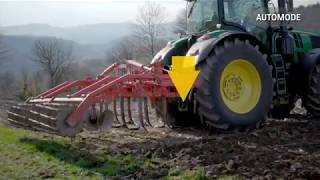
John Deere explains the auto and custom transmission modes on 6R tractors with CommandPRO. Learn how to adjust settings for better performance and efficiency.
In this video we will show you the differences between the auto and the custom Transmission modes on 6R tractors with command Pro. Click on the Transmission Quick Access button to open the Transmission settings menu. You'll find there the three operating modes, namely full auto, Custom and Manual. In this video, we'll focus on the first two. Lets start with Auto mode. This mode is intended to achieve the best performance and efficiency in most applications without any adjustments done by the operator. We strongly recommend to use this mode. In auto mode, the tractor has a learning function that detects when the engine is highly loaded when lowering the implement. Depending on the type of implementation, this can be done through lowering the hitch or activating an scv. Next time this situation occurs, the tractor automatically raises engine speed before the load occurs. We call this automatic load anticipation. Let's review the Custom mode. Click on Custom Mode and then Custom Settings to change transmission settings. There are two main settings that can be adjusted in custom Minimum engine speed and Engine droop. In custom mode, the minimum engine speed can be manually adjusted. I can deactivate automatic engine speed increase and set an engine speed value that the tractor will reach when I lower the hitch, activate an SCV or turn PTO on. This can be helpful when I have very tough conditions and want to raise my engine speed more before the implement hits the ground. Additionally, custom mode also allows engine droop adjustment. The engine droop determines how engine and transmission work together. High droop values let the engine speed lower more before the transmission ratios down to recover engine speed. Small droop percentage keeps engine speed close to the desired value even at high load. Don't be afraid to try it. With reset to default, you restore custom to equal auto mode behavior and start from there again. I hope you enjoyed the video. Do you have questions or proposals for further tutorial videos? Then leave a comment in the comment box and we'll try to make it happen.