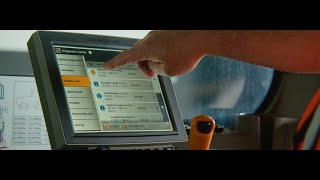
Luke and Chris walk through John Deere's Connected Support tools, which let technicians track machines, read diagnostic codes, program remotely, and access displays from afar. The system flags problems before they become breakdowns.
G', day, Chris, it's Luke here from tech support. We've developed an alert here that you've got some error codes that might impact the machine's performance. Would you like me to send you a photo of where the sensor is located to help you find it a bit better?
That'd be great, if you wouldn't mind.
Yes, I'll send that to you now. And if you need any further help, please give us a call back and we'll arrange a technician.
So Jodlink is the base program that brings in all of the information coming from the machines. With the Jodlink we have a program that's been supplied by John Deere called OpsCenter. And it allows either a customer that owns the equipment or even us as technical people to view that piece of equipment information coming in from it, things like how it's operating in the field, whether it's got any trouble codes on it, any information like that that's very relevant to its operation.
Yeah, so we have the whole ecosystem as part of the John Deere connected support program. The biggest part of that ecosystem is obviously our machine tracking. So with our machine tracking, the customer can view all of his machines locations. He can create geo fences to make sure machines are safe and not stolen. We can also create within that service plans and maintenance reminders and error code reminders. Once a customer has their piece of equipment, we help them create an account for their connected support.
Once you've got that base account set up, there's no cost, it's just your machine. You then can grant access to a dealer group so that that dealer group can also access your machine to help you with any ongoing diagnostics and setup. The ability of Service Advisor Remote gives us some extra tools. It gives us the ability to do the remote programming, look at the diagnostic trouble codes and also do some recording. So it's all built in as one big unit.
For remote programming. There may be a need if there's a software update or a particular field kit the customer may have purchased, maybe he wants an upgraded option or something particular to his machine. And that's why we will send an update to get him up and going with that new function. So a diagnostic trouble code, or a DTC as they're better known, is the machine telling us that there is an issue.
So a diagnostic trouble code is accessible by a customer. So when a fault happens on a machine, you'll typically get an alert on the display. The diagnostic trouble code will pop up and it'll give a bit of a message to say what it is. So in the first instance, if they don't understand what it is, they contact us straight away, can give us that diagnostic trouble code, and we can look it up and respond straight away with information on what it is. It allows us to be more proactive and hopefully turn around the repair in a much quicker time.
So the technology is beneficial for customers purely from them being able to manage their own machines as well as able to fix them themselves, which is a pretty important part. We can remotely pull recordings for those tricky intermittent errors or any of those issues before we go. And we can help identify the parts or maybe the components or where the, where the issue may be in the machine before we travel to site, ensuring we only do one trip or we do the minimal amount of time on site with the machine down. So an expert alert is basically a message created by the machine for a known error code or a potential upcoming issue.
So the expert alert comes through to us, the customer doesn't see it in the first instance, so we get that expert alert. We can do a bit of triage on it to start with. We actually contact the customer.
It'll also help the technician take the right parts the first time and make sure we get the customer going.
So typically through our display, an operator can see things like diagnostic trouble codes, but we can also, as a support person, I can log into this machine through remote display access and see what's actually going on on the display. So as an operator is having an issue or if there's a code has come up, a diagnostic trouble code has come up, it displays on this display and then the operator can call for support on a support number. I can then remote display into this, see his display, work through the problem that he's seeing, and hopefully it might be a fix that can be done right there and then, or it might be something that's a little bit more needy. So we might have to send a technician to the job.
As you can see a smart grade system behind me where we can not only remote display access, we can actually remote control into the machine and help cut customers diagnose issues or even just fine tune those settings to make sure we're getting the maximum performance out of.
The machine.
Within our connected support features. John Deere's done a really good job of building it into every machine and the ability to fit it to every machine that we sell. Regardless of where a customer is, what machine they have, or where they are, and no matter how remote, we can support them with all of those details and right down to complex diagnostics as well as preventative maintenance via our connected support programs.
The things that set John Deere apart is the sheer connectivity and the access to the information that's coming from the equipment. The ability of an owner of a piece of equipment to just view that equipment and how it's going in the field, with how it's operating, how it's set up, whether it's got any issues. So it's just so easy for an owner of a piece of equipment to get that information.