Learn how to get your farm data into John Deere Operations Center. The platform accepts data from JDLink Connect, mobile transfers, USB cards, and third-party software integrations, so you can manage operations from one place.
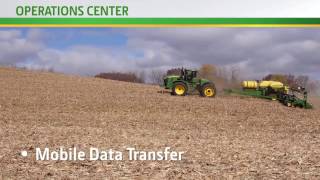
The John Deere Operations center manages information about your farm online. It enables you to see what is happening in real time, learn from your performance over time, and use it to collaborate with partners to gain insight and value from your production data. When the time comes to get back out to the field, Operations center helps you direct your field work with precision and easily adjust your plan as conditions change. To get the most out of the Operations center, you need to first collect and move data into the system, which we will outline in this video. Of course, your best source of information on how to get your data working to improve your bottom line is always your local John Deere dealer. There are many ways to get your data into operations center, including JDLink Connect, mobile data transfer, USB or data card transfer partner and software connections. Let's start with JDLink Connect, the premium John Deere telematics solution that allows easy, reliable connections to your machines in order to see critical and timely information about machines online, including fuel level, location, history, machine hours and more. Move machine and agronomic data to and from machines easily, securely and wirelessly support machines and people through tools like Remote Display Access to keep the operation running. JDLink Connect is the only solution that sends data from the machine automatically and rounds out agronomic data with machine data to provide the full picture of operational efficiencies. Without machine data, you are only getting a portion of the picture. Ask your John Deere dealer if your machine is compatible with JDLink Connect. Another option for moving data into the Operations center is is Mobile Data Transfer, essentially a wirelessly enabled USB thumb drive that plugs into the In Cab display. This device uses your phone's cellular data plan to transfer agronomic data off the display via a complimentary phone app called MyTransfer, which can be found in your phone's app store or in the John Deere App center mobile application. Mobile data transfer can also work on non dear displays, so you can still get your data online to the operation center wirelessly from the cab. See your dealer for all display compatibility information. Even with its great wireless solutions, the Operations center still supports the manual upload of data via USB or data card. You can do this from your PC1 file at a time or upload an entire set of data with the John Deere Data Manager available to install from the Operations Center Tools menu. While this method is effective, it is not as efficient as wireless methods. It requires manual work and is typically only done at irregular intervals, which increases the risk of data loss and prevents the access to timely operational information that JDLink Connect and mobile data transfer can provide. It also does not include valuable machine data with the recorded agronomic data, so it is recommended that this method be used sparingly outside of the cab. There are even more ways to get data into operations center such as from your connections with trusted partners or other software that utilizes our open data platform. An ag service provider is a good example. They may perform a custom job for you and want to transfer the results into your organization. Or they may create prescriptions for you based off of your yield data. Through partnership permissions you define, they can access what they need from your organization and contribute information and results back end. This significantly reduces the time and effort it takes to share information with your permission. Software applications can also pull data from and contribute to your operations center organization. As one of the most open ag data platforms on the market, other companies can create connections from their solutions to ours allowing you to customize your AG data toolbox. Whether sharing data with partners or other software applications, the operations center is a versatile and open tool to get data where it needs to go and back into your organization, keeping you in control and giving you one place to manage your data but unlimited options on how you use it. So let's review. Connecting to your operations center account for utilizing data is easy with these methods. JDLink Connect the premium solution for getting data to and from the cab. Mobile data Transfer gives you another option to transfer data wirelessly. USB and Data Card the manual method of getting data off the in CAB display partners and software connections. You can grant data access to the people and applications you trust. Apex Backup As a bonus, if you have historical data you are currently managing in Apex that you wish to begin managing online with the operations center, you have the ability to perform a one time backup which involves moving large amounts of data. Ask your dealer for help. The John Deere Operations center helps you see, collaborate and direct your operations with pre precision. See your local John Deere dealer or visit deere.com for more information.