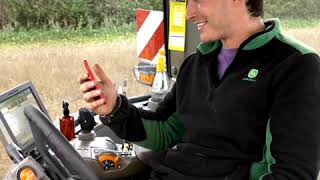
Tom and Will demonstrate the My Operations app on a working farm, showing how it handles job assignments, machine tracking, and hazard reporting during fieldwork. Recorded December 29, 2020.
I think Tom's looking pretty excited to get out to the field.
Well, we've got the My operations app here, so let's get him a job and send him on his way with the app. What we'll do is we'll create him a seeding job. We can tell him which field that we're going into, which machine he's using, and also the product that he's applying, the actual rate that he's applying. And then from the cab he'll get this on his mobile phone and once he's finished the task he can complete it. So sends it back up into the cloud and then we can do some reporting off it later on. Awesome. That sounds good.
Hi, Will, how you doing? Yeah, not bad. How are you getting on? I'll tell you what, that was a comfy ride driving to the field. The visibility of the cab was unreal and the steering wheel is smaller. It's easier to steer with and it's so smooth. It's so comfy. I bet you had your Massard seat on. Oh, the massage seat was even better.
So where we got the My operations up here we can see that Tom's out in the field. He's done about half the field now. He's done the headland run. We can pinpoint the machine location. We can use the flags feature while we're in the cab to point out any issues in the field. All hazards and stuff. All hazards, exactly. And you can also get directions to the machine with your satellite navigation provider. Emmy, that sounds absolutely fantastic.
How you doing, Will? You alright? I've nearly finished drilling this field. I think that'll roll straight behind now. Lovely. I'll get the rollers on and I'll head on over. Perfect.