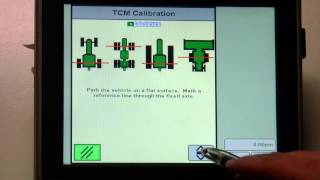
Step-by-step guide to calibrating a Tractor Control Module using a 3000 receiver or ITC. The video walks through the alignment and calibration procedures for tractors and combines.
Welcome to Sinclair Tractors Integrated Solutions training videos. In this video I am going to go over how to calibrate your TCM on either 3000 receiver or an ITC. The procedure is the same. So what we do to get to that is go to your main menu button on the display in the bottom right corner, go to your receiver button, it'll have the picture of the receiver. It says either ITC or 3000. Then at the top, almost center of the screen, go to the setup tab. And at the bottom center you're going to have 3D TCM and you've got a calibrate button. We go ahead and hit that calibrate button and it's going to bring us up to a five page calibration procedure. It'll tell you which page or which step it is at and it will start us out telling us that we need the vehicle on a flat surface and that we need to mark a reference line. If you've got a good visual reference, such as a fence post or a corner of a barn or something, that is fine. Otherwise go ahead and reference it with a flag or with a mark in the ground. But I do want to point out, depending on the type of machine, your reference point for what you're lining up on is going to be different. So for a fixed frame tractor, it will be the rear axle that we're concerned with as the front to back reference point. If it's an articulated four wheel drive, it will be the front axle. If it's a track tractor, it's through the center line of the rear idler axle or the drive axle. And on combines it's through the front axle of the combine. Your reference point from side to side will be the center line of the machine. So when we turn around, we want to be in the same wheel tracks, but you're going to line up on the respective axle reference point. Depending on the machine you're calibrating the TCM for, once you're in a flat level spot. It doesn't have to be perfectly flat, but as close as possible. And it's more important side to side that it's level than it is from front to back. We go ahead and hit Enter or Accept in the bottom right corner of that window. It'll run the calibration with the bar graph. Then it will tell us that we're on the next page of calibration, that we need to turn the vehicle around and line up on that reference point again. Once you've done that, hit the Enter or Accept button. Again, it'll run the calibration in the other direction. And on a real machine, you should get a message up here that says successful, and it's going to give you a percentage of error that it accounted for in the procedure. On here, it shows a failure because it is going to force you to turn the machine around. Because this is a demo, we haven't actually turned the receiver around. So once you get the successful message in the screen that will normally be here, you do need to hit Accept one more time in the bottom right corner to lock in that calibration, and then your TCM calibration procedure is complete. If for some reason it fails or you don't feel that you got it good enough, you can go right through the procedure again. And you would do it the same way we just described. And that's how we calibrate the tcm. Thank you.