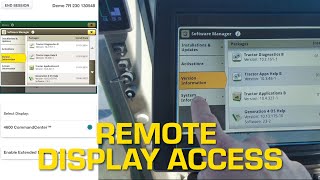
This is a YouTube video titled "Using John Deere Remote Display Access" created in April 2024. It features Jim Vasicek demonstrating how to use the remote display access feature in the John Deere Operations Center mobile app to check software versions and updates on a 7R230 tractor remotely. The content is instructional and focused on agricultural machinery technology.
Hi, I'm Jim Vasicek. Today we're going to be illustrating one of the most powerful tools that's available to you in the John Deere Operations center mobile app, and that's remote display access. So we're going to log on to the 7R230 tractor, have the operator in the cab step through the screens to see exactly what the software version is of this machine and see if we need to perform an update or not. Alright. So right here in the John Deere Operations center mobile app on my phone you can see here we've got a demo 7R230 tractor. And as I click on it, I got a couple of options. On the left hand side I can get directions to that machine. On the right hand side I can choose to engage in a remote display access session. Today we're going to do the rda. So as I click on it, it's going to be firing a message to the operator in the cab to accept or deny my request for a remote display access session. Okay, looks like he's accepted it. So now what we're going to do is we're just going to have him walk through the screen and he's going to take us to where you would check to see if we have current software on this unit. So you can see there we're able to check for updates and we'll be able to see exactly what the operator in the cab is seeing in real time. So as we can see here, this gen 4 is software version 23.2. As we go into spring 2024, the current software version would be 23.3. So we can see this unit needs an update.