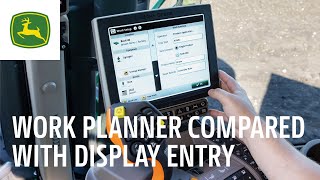
John Deere compares two ways to enter field data: typing it manually into the display versus using the Work Planner tool in Operations Center. The video shows how each method affects data accuracy and farm management efficiency.
Hello. Today I'm going to talk to you about the value of collecting agronomic data. Compare two tools of collecting that data and discuss the value that the Work Planner tool within John Deere Operations center can deliver to your operation. To get started, it's important to note that WorkPlanner is only compatible with Gen 4 and newer displays. It's also recommended to have the most up to date software version installed. However, a minimum of software 22. One is required. With that in mind, let's take a look at the impact that agronomic data can have on your operation. Data is key to improving your operations performance year after year. However, incomplete data limits your ability to analyze the entire production system and make sound decisions backed by data to create a complete picture of your operation, you need accurate data not just from planting or harvesting, but from all steps within the production system. Tillage, planting, application and harvest can all have an impact on your operations profitability.
With a complete data set, you can fully utilize the analyze tools within Operations center to look for trends and understand how decisions you made the previous year impacted performance. You can leverage those insights to make more informed decisions for next year's plans to boost profitability. Complete data also allows you to seamlessly utilize additional tools such as Harvest Profit to fully understand your input costs, find break even points and review profit maps by field. Complete Data lays the foundation for you to make the most informed decisions for your operation related to productivity and profitability.
Now that you understand the value of collecting clean and accurate data, let's perform an in depth comparison of two data collection methods and determine which method is right for your operation.
We're going to compare Manual display entry and Work Planner. We'll briefly run through each method and review the benefits and limitations of each.
The first method we'll look at is manually entering work information directly into the display.
This method is usually done upon entering the field that you will work in. Next, the operator must navigate through the different display pages to input information regarding client, farm and field as well as implement and product being used. The benefits of preparing for work this way is there's no planning required and you're still collecting data. However, there are some glaring disadvantages to this data collection method. The time spent entering information into the display could be utilized actually performing fieldwork. It's also very easy for the operator to mistype or enter inaccurate data into the display to save time. That data would need to be modified at a later date to be utilized by the analysis tools in Operations center effectively.
Next, let's head to the computer to look at WorkPlanner and see how that tool can be utilized.
Work Planner can be found under the Plan tab in Operations Center. Work Planner allows you to create plans for multiple fields at one time and can be as detailed as you want them at the foundational level. Client Farm, Field and some production Step Specific details are required for a work plan. We encourage you to add as much information as possible at the time of creation and and modify those plans at a later date. As details firm up, work efficiency and data quality can be improved by incorporating guidance tracks, equipment implements, products, prescriptions, varieties and operators into your work plans. To review how to set up each one of those items, visit John Deere's Operations center playlist on YouTube. Also, a new feature within WorkPlanner integrates AutoPath technology into your work plans. Once work plans are created, send them wirelessly to your JDLink connected machine and have confirmation that those work plans were received by that machine. Since plans can and will change, work plans can easily be modified field by field and resent to the machine at any time.
Perhaps the most beneficial feature of Work Planner is the ability to create, modify and send work plans directly from your mobile device via the Operations center mobile app. This allows you the flexibility to manage your entire operation regardless of your location. But enough of this computer work. Let's see how work plans can transform your in cab User Experience the user.
Experience is really where work planners value shines. Creating work plans ahead of time allows operators to get to work quicker with fast setup times maximizing their productivity.
With software 22. One or newer work plans are automatically imported into the display's work files. You can prioritize the work plans to provide clarity and work direction to the operator. As the machine pulls into the field boundary, the work plan automatically pops up on the display. The operator just hits OK and the information is auto populated into the display and the operator is ready to begin. Working work plans give you the confidence that work is done right with less errors and improved documentation regardless of the operator experience level.
As you can see, I've demonstrated the value that the WorkPlanner tool can provide to your operation. If you have a Gen4 or newer display, try utilizing the WorkPlanner tool to boost your operations efficiency and enhance your operator experience, all while collecting the most accurate data for your organization. If you have any questions about WorkPlanner, please reach out to your trusted John Deere dealer.