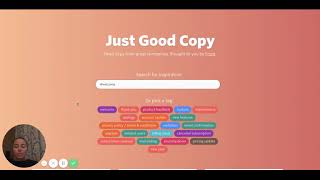
Tina shows how to use goodemailcopy.com to find inspiration for writing business emails like welcome messages and billing notifications. Instead of copying templates directly, she explains how to adapt and combine ideas from real examples to write your own.
Hi and welcome to Tina's Tech Tip Tuesday. So this week is a nice little simple tool that you can use to get your creative juices flowing for email copy. So it's called good email copy.com and it's an aggregate site of lots of different companies, email templates. So you can go there, say you're wanting to create a welcome email. You can just hit welcome here and then as you scroll down, it will show you all well known companies and what their welcome emails are so that you can kind of have a look and go, you know what? That company really has the feel that I'm trying to go for. And you can get some ideas from that and adapt it. One side note, do not copy and paste these emails, but use them as inspiration and then kind of grab a few elements from different ones that you like and amalgamate them together. So there's lots of different templates here. Thank you. One is a really good one for when someone subscribes. I like the ones for billing issues because it really gives you a way to talk to people if they've had a credit card decline or something like that. Gives you different ideas of how you can broach that subject, which is often something that's really difficult for people to put into writing. The nurture one's good with different things of how to nurture your customers that you have. So it gives you some really good ideas there going forward of how you can stay in contact with your customers and the different types of emails that you can write. So go through that, have a look at all the different examples there and write yourself some great email copy. Bye.