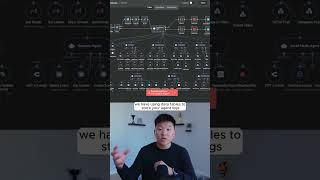
Dr. Violet Howard shows three ways to use n8n data tables for AI agents: store prompts and models in one table so agents pull the right ones at runtime, log every agent action with timestamps and token usage for auditing, and build an eval table to automatically score agent responses against expected answers.
Chapters
Here are 3 secret use cases for NNN's new data tables. So the first hack that we're going to be looking at today is using data tables to store your models and prompts for your AI agents. So I'm actually just going to go ahead and run this AI agent. We will see it use its chat model. It's going to use its system prompts and it's going to do some research using Perplexity. And you can see before we get to the agent step, we have an NNN data table. So if I click into this, you can see what it's doing is it's pulling from our data table called models and prompts. and we're matching on a condition of workflow equals research agent. So what this means is we have a data table in n8n that looks like this, and we have different workflows, and in those workflows, we're storing chat models, user prompts, and system prompts. So the benefit here is we can have a front-end environment like this data table where we can control the system prompts and the chat models for all of our workflows. All right, so moving on to hack number 2, we have using data tables to store your agent logs and your agent actions. Okay, so the agent's listening for us. I'm gonna open up Telegram and ask it to create a calendar event for today at 3:00 PM for lunch with Michael Scott. Okay, there you go. So you can see it just finished up. Hold on, I'm taking a drink of water. And if I switch over to my Google Calendar, you can see that we have lunch with Michael Scott and we invited his actual email in our contact database. And then if we go to our N8N data table and I hit refresh, we should see a new record with a timestamp right here. We have our workflow, we have the inputs, we have the outputs, and we also have the actions tokens, how many total tokens it was. We now are moving on to the third hack, which is using data tables for running evaluations. So we're pulling in from an NNN dataset. You can see this is coming from our data table called eval. The agent is now going to look in its knowledge base and it's going to create an answer. And then this step is evaluating how close the agent's answer is to the expected answer. And if we go into our NNN data table, you can see if I refresh, it's going to start to write back the results right here so we can actually evaluate how well it's doing. If you want to watch the full breakdown, click on that play button right here, and I'll see you guys over there.