4 Agentic Frameworks for More Efficient Workflows in n8n
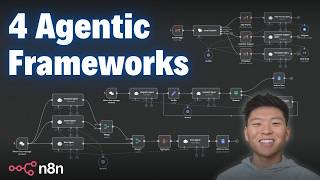
Dr. Violet Howard shows four agentic workflow patterns in n8n: prompt chaining (agents refine each other's output), routing (a classifier sends tasks to specialized agents), parallelization (multiple agents analyze different angles at once), and evaluator-optimizer loops (an agent checks output and sends it back for revision until it passes). She walks through each with n8n screenshots and model choices.
Chapters
So in my Ultimate Assistant video, we utilize an agentic framework called parent-agent. So as you can see, we have a parent agent right here, which is the Ultimate Assistant that's able to send tasks to its 4 child agents down here, which are different workflows that we built out within N8N. If you haven't seen that video, I'll tag it right up here. But how it works is that the Ultimate Assistant could get a query from the human and decide that it needs to send that query to the email agent, which looks like this. And then the email agent will be able to use its tools in Gmail and actually take action. From there, it responds to the parent agent, and then the parent agent is able to take that response back from this child agent and then respond to us in Telegram. So it's a super cool system. It allows us to delegate tasks, and also these agents can be activated in any specific order. It doesn't always have to be the same. But is this framework always the most effective? No. But today I'm going to be going over 4 different agentic frameworks that you can use in your N8N workflows. The first one we're going to be talking about is prompt chaining. The second one is routing. The third one is parallelization. And the fourth one is evaluator optimizer. So we're gonna break down how they all work, what they're good at, but make sure you stick around to the end because this one, the evaluator optimizer, is the one that's got me most excited. So before we get into this first framework, if you want to download these four templates for free so you can follow along, you can do so by joining my free school community. You'll come in here, click on YouTube resources, click on the post associated with this video, and then you'll have the workflow right here to download. So the link for that's down in the description. There's also gonna be a link for my paid community, which is if you're looking for a more hands-on approach to learning N8N. We've got a great community of members who are also dedicated to learning N8N, sharing resources, sharing challenges, sharing projects, stuff like that. We've got a classroom section where we're going over different deep dive topics like building agents, vector databases, APIs, and HTTP requests. And I also just launched a new course where I'm doing the step-by-step tutorials of all the videos that I've shown on YouTube. And finally, we've got 5 live calls per week to make sure that you're getting questions answered, never getting stuck, and also networking with individuals in the space. We've also got guest speakers coming in in February, which is super exciting. So I'd love to see you guys in these calls. Anyways, back to the video here. The first one we're going to be talking about is prompt chaining. So as you can see, the way this works, we have 3 agents here, and what we're doing is we're passing the output of an agent directly as the input into the next agent, and so on and so forth. So here are the main benefits of this type of workflow. It's going to lead to improved accuracy and quality because each step focuses on a specific task, which will help reduce errors and hallucinations. Greater control over each step. We can refine the system prompt of the outline writer and then we can define the prompt of the evaluator. So we can really tweak what's going on and how data's being transferred. Specialization is going to lead to more effective agents. So as you can see in this example, we're having one agent write the outline, one of them evaluates the outline and makes suggestions, and then finally we pass that revised outline to the blog writer who's in charge of actually writing the blog. So this is going to lead to a much more cohesive, thought-through actual blog in the end compared to if we would just fed in all of this system prompt into one agent. And then finally, with this type of framework, we've got easier debugging and optimization because it's linear. We can see where things are going wrong. Finally, it's going to be more scalable and reusable as we're able to plug in different agents wherever we need them. Okay, so what we have to do here is we're just going to enter in a keyword, a topic for this blog. So I'm just going to enter in coffee and we'll see that the agents start going to work. So the first one is an outline writer. One thing that's also really cool about this framework and some of the other ones we're going to cover is that because we're splitting up the different tasks, we're able to utilize different large language models. So as you can see, the outline writer, we gave 2oFlash because it's free, it's powerful but not super powerful, and we just need a brief outline to be written here. And then we can pass this on to the next one that uses 4oMini. It's a little more powerful, a little more expensive, but still not too bad. And we want this more powerful chat model to be doing the evaluating and refining of the outline. And then finally, for the actual blog writing content, we want to use something like Claude 3.5 or even Deepseek R1 because it's gonna be more powerful and it's going to take that revised outline and then structure a really nice blog post for us. So that's just part of the specialization. Not only can we split up the tasks, but we can plug and play different chat models where we need to rather than feeding everything through one, you know, one Deepseeker, one blog writer at the very beginning. So this one's finishing up here. It's about to get pushed into a Google Doc where we'll be able to go over there and take a look at the blog that it got for us about coffee. So it looks like it just finished up. Here we go. Detailed blog post based on option 1, a comprehensive guide to coffee. Here's our title. Um, we have a rich history of coffee from bean to cup. We have, um, different methods. We have different coffee varieties. We have all this kind of stuff, health benefits and risks. Um, as you can see, this pretty much was a 4-page blog. We've got a conclusion at the end. Anyways, let's dive into what's going on here. So the concept is passing the output into the input and then taking that output and passing it into the next input. So here we have, here's the topic to write a blog about, which all it got here was the word coffee. That's what we typed in. The system message is that you are an expert outline writer. Your job is to generate a structured outline for a blog post with section titles and key points. So here's the first draft at the outline using 2oflash. Then we pass that into an outline evaluator that's using Forum Mini. We said, here's the outline. We gave it the outline, of course. And then the system message is, you're an expert blog evaluator. 'Your job is to revise this outline and make sure it hits these 4 criteria, which are engaging introduction, clear section breakdown, logical flow, and then a conclusion.' So we told it to only output the revised outline. So now we have a new outline over here. And finally, we're sending that into a Claude 3.5 blog writer where we gave it the revised outline and just said, 'You're an expert blog writer. Generate a detailed blog post using this outline with well-structured paragraphs and engaging content.' So that's how this works. You can see it will be even more powerful once we hook up, you know, like some internet search functionality And if we added like an editor at the end before it actually pushed it into the Google Doc or whatever it is. But that's how this framework works. But let's move into agentic framework number 2. Now we're going to talk about the routing framework. In this case, we have an initial LLM call right here to classify incoming emails. And based on that classification, it's going to route it up as high priority, customer support, promotion, or finance and billing. And as you can see, there's different actions that are going to take place. We have different agents depending on what type of message comes through. So the first agent, which is the text classifier here, basically just has to decide, okay, which agent do I need to send this email off to anyways? Why would you want to use routing? Because you're going to have an optimized response handling. So as we can see in this case, we're able to set up different personas for each of our agents here rather than having one general AI response agent. Then this can be more scalable and modular. It's going to be faster and more efficient. And then you can also introduce human escalation for critical issues like we do up here with our high priority agent. And finally, it's just gonna be a better user experience for, for your team and also your customers. So I hit test step. What we're getting here is an email that I just sent to myself that says, hey, I need help logging into my account, can you help me? So this email classifier is going to label this as customer support. As soon as we hit play, it's gonna send it down the customer support branch right here. As you can see, we got one new item. What's going on in this step is that we're just labeling it in our Gmail as a customer support email. And then finally, we're gonna fire it off to the customer support agent. In this case, this one is trained on customer support activities. This is where you could hook up a customer support database if you needed. And then what it's gonna do is it's going to create an email draft for us in reply to the email that we got. So let's go take a look at that. So here's the email we got. Hey, I need help logging into my account. As you can see, our agent was able to label it as customer support. And then finally, it created this email, which was, hey Nate, thanks for reaching out. I'd be happy to assist you with logging into your account. Please provide me with some more details about the issue you're experiencing, blah blah blah. And then this one signs off, best regards, Kelly, because she's the customer support rep. Okay, let's take a look at a different example. We'll pull in the trigger again, and this time we're going to be getting a different email. So as you can see, this one says, Nate, this is urgent, we need your outline tomorrow or you're fired. So hopefully this one gets labeled as high priority. It's gonna go up here to the high priority branch. Once again, we're gonna label that email as high priority, but instead of activating an email draft reply tool, this one has access to a Telegram tool. So what it's gonna do is text us immediately and say, hey, this is the email you got, you need to take care of this right away. And obviously the logic you can choose of what you want to happen. Based on what route it is. But let's see, we just got a Telegram message, urgent email from Nate Herkelman stating that an outline is needed by tomorrow or there will be serious consequences, potential termination. So that way it notifies us right away, we're able to get into our email manually, you know, get caught up on the thread and then respond how we need to. And so pretty much the same thing for the other two. Promotional email will get labeled as promotion. We come in here and see that we are able to set a different persona for the promotion agent, which is you're in charge of promotional opportunities. Your job is to respond to inquiries in a friendly, professional manner. And use this email to send reply to customer. Always sign off as Meredith from ABC Corp. So each agent has a different sort of persona that it's able to respond to. In finance agent, we have, we have this agent signing off as Angela from ABC Corp. Anyways, what I did here was I hooked them all up to the same chat model and I hooked them all up to the same tool because they're all going to be sending an email draft here. As you can see, we're using FromAI to determine the subject, the message, and the thread ID, which it's going to pull in from the actual Gmail trigger. Or sorry, the Gmail trigger is not using From AI. We're mapping in the Gmail trigger because every time an email comes through, it can just look at that email in order to determine the thread ID for sending out an email. But you don't have to connect them up to the same tool. I just did it this way because then I only had to create one tool. Same thing with the different chat models. Based on the, you know, importance of what's going through each route, you could switch out the chat models. We could have even used a cheaper, easier one for the classification if we wanted to. but in this case, I just hooked them all up to a 4L mini-chat model. Anyways, this was just a really simple example of routing. You could have 10 different routes, you could have just 2 different routes, but the idea is that you're using one agent up front to determine which way to send off the data. Moving on to the third framework, we've got parallelization. What we're going to do here is be using 3 different agents, and then we're going to merge their outputs, aggregate them together, and then feed them all into a final agent to sort of, you know, throw it all into one response. So what this is gonna do is give us faster analysis rather than processing everything linearly. So in this case, we're gonna be sending in some input and then we're gonna have one agent analyze the emotion behind it, one agent do the intent behind it, and then one agent analyze any bias. Rather than doing it one by one, they're all gonna be working simultaneously and then throwing their outputs together. So it can decrease the latency there. They're gonna be specialized, which means we could have specialized system prompts like we do here. We also could do specialized large language models again, where we could plug in different models if we wanted to maybe feed through the same prompt, use Claude up here, OpenAI down here, and then, you know, Deepseek down here, and then combine them together to make sure we're getting the best thought-out answer. Comprehensive review, and then more scalability as well. But how this one's going to work is we're putting in an initial message, which is, I don't trust the mainstream media anymore. They always push a specific agenda and ignore real issues. People need to wake up and stop believing everything they see on the news. So we're having an emotion agent first of all analyze the emotional emotional tone, categorize it as positive, neutral, negative, or mixed with a brief explanation. The intent agent is going to analyze the intent behind this text. And then finally, the bias agent is going to analyze this text for any potential bias. So we'll hit this off. We're going to get those 3 separate analysis or analysis, and then we're going to be sending that into a final agent that's going to basically combine all those outputs and then write a little bit of a report based on our input. So as you can see right now, it's waiting here for the input from the bias agent. Once that happens, it's going to get aggregated and now it's being sent into the final agent. And then we'll take a look at the report that we got in our Google Doc. Okay, just finished up. Let's hop over to Docs. We'll see we got an emotional tone, intent, and bias analysis report. Overview is that the incoming text has strong negative sentiment towards mainstream media. Yep. Emotional tone is negative sentiment. Intent is persuasive goal. The bias analysis has political bias, generalization, emotional language, lack of evidence. It's got recommendations for how we can make this text more neutral, revised message. And then let's just read off the conclusion. The analysis highlights a significant level of negativity and bias in the original message directed towards mainstream media. By implementing the suggested recommendations, the author can promote a more balanced and credible perspective that encourages critical assessment of media consumption blah, blah, blah. So as you can see, that's going to be a much better, you know, comprehensive analysis than if we would have just fed the initial input into an agent and said, hey, can you analyze this text for emotion, intent, and bias? But now we got that split up, merged together, put into the final one for, you know, a comprehensive review and an output. And it's going to turn the, you know, data in into data out process. It's going to be a lot more efficient. Finally, the one that gets me the most excited, the evaluator optimizer framework, where we're going to have an evaluator agent decide if what's passing through is good or not. If it's good, we're fine. But if it's not, it's going to get optimized and then sent back to the evaluator for more evaluation. And this is going to be an endless loop until the evaluator agent says, okay, finally it's good enough, we'll send it off. So if you watch my human-in-the-loop video, it's going to be just like that, where we were providing feedback and we were the ones basically deciding if it was good to go or not. But in this case, we have an agent that does that. So it's going to be optimizing all your workflows on the backend without you being in the loop. So obviously the benefits here are that it's going to ensure high-quality outputs, it's going to reduce errors and manual review, it's going to be flexible and scalable, and then it's going to optimize the AI's performance because it's sort of an iterative approach that, you know, focuses on continuous improvement from these AI-generated responses. So what we're doing here is we have a biography agent. What we told this agent to do is Basically write a biography. You're an expert biography writer. You'll receive information about a person. Your job is to create an entire profile using the information they give you. And I told it you're allowed to be creative. From there, we're setting the bio and we're just doing this here so that we can continue to feed this back over and over. That way, if we have 5 revisions, it'll still get passed every time the most recent version to the agent. And also the most recent version, when it's approved, will get pushed up here to the Google Doc. Then we have the evaluator agent. What we told this agent to do is evaluate the biography. Your job is to provide feedback. We gave criteria, so make sure that it includes a quote from the person, make sure it's light and humorous, and make sure it has no emojis. Only needs to output the feedback if the biography is finished and all criteria are met. Then all you need to output is finished. So then we have a check to say, okay, does the output from the evaluator agent say finished or is it feedback? If it's feedback, it's going to go to the optimizer agent and continue on this loop until it says finished. Once it finally says finished, as you can see, we set json.output, which is the output from the evaluator agent, equals finished. When that happens, it'll go up here and then we'll see it in our Google Doc. But then what we have in the actual optimizer agent is we're giving it the biography. And this is where we're referencing the set field where we earlier right here where we set the bio. This way the optimizer agent's always getting the most updated version of the bio. And then we're also going to get the feedback. So this is going to be the output from the evaluator agent, because if it does go down this path, the evaluator agent, it means that it output feedback rather than saying finished. So it's getting feedback, it's getting the biography, and then we're saying you're an expert reviser. Your job is to take the biography and optimize it based on the feedback. So it gets all it needs in the user message, and then it outputs us a better optimized version of that biography. Okay, so let's do an example real quick. If you remember in the biography agent, well, all we have to do is give it a, you know, some information about a person to write a biography on. So I'm gonna come in here and I'm just gonna say Jim, 42, lives by the ocean. Okay, so that's all we're gonna put in. We'll see that it's writing a brief biography right now, and then we're gonna see it get evaluated. We're gonna see if it, you know, met those criteria. If it doesn't, it's gonna get sent to the optimizer agent. The optimizer agent is going to get, um, basically the criteria it needs to hit as well as the original biography. So here's the evaluator agent. Look at that. It decides that it wasn't good enough. Now it's being sent to the optimizer agent who is going to optimize the bio, send it back, and then hopefully on the second run, it'll go up and get published into docs. If it's not good enough yet, then it will come back to the agent and it will optimize it once again. But I think that this agent will do a good job. There we go. We can see it just got pushed up. Into the doc. So let's take a look at our Google Doc. Here's a biography for Jim Thompson. He lives in California, he's 43. Ocean enthusiast, passion, adventure, a profound respect for nature. It talks about his early life, and obviously he's making all this up. Talks about his education, talks about his career, talks about his personal life. Here we have a quote from Jim, which is, I swear the fish are just as curious about me as I am about them. We've even got another quote, a few dad jokes along the way. Why did the fish blush? Because it saw the ocean's bottom. So not sure I completely get that one. Oh no, I get that one. Anyways, then hobbies, philosophy, legacy, and a conclusion. So this is, you know, a pretty optimized blog post. It meets all the criteria that we had put into our agents as far as, you know, this is what you need to evaluate for. It's very light, there's no emojis, threw some jokes in there, and then it has some quotes from Jim as well. So as you can see, all we put in was Jim, 43, lives by the ocean, and we got a whole, basically a story written about this guy. And once again, just like all of these frameworks pretty much, you have the flexibility here to change out your model wherever you want. So let's say we don't really mind upfront, we could use something really cheap and quick. And then maybe for the actual optimizer agent, we want to plug in something a little more, you know, with reasoning aspect like DeepSeek R1 potentially. Anyways, that's all I've got for you guys today. Hope this one was helpful. Hope this one, you know, sparks some ideas for next time you're going into NNN to build an agentic workflow. Maybe looking at, I could actually have structured my workflow in this framework and it would have been a little more efficient than the current way I'm doing it. Like I said, these 4 templates will be in the FreeSchool community if you want to download them and just play around with them to understand what's going on, understand, you know, when to use each framework, stuff like that. Anyways, as always, I really, really appreciate you guys making it to the end of this one. If you learned something new, if it helped you out, please give it a like. It definitely helps me out. And yeah, I'll see you guys in the next video.










